I’m a tab hoarder. I’m the type that tends to have literally hundreds of tabs open at any one time (I know, it’s a problem). That makes me the last person who you’d think would enjoy a browser like Arc.
The innovative new browser stashes tabs in a sidebar and automatically archives them if they haven’t been used in 24 hours. That might sound handy to you, but the thought of all my precious tabs disappearing into the archive fills me with worryingly intense anxiety.
Still, I wanted to see what all the fuss was about when it came to Arc. It’s been in beta for over a year now but emerged squinting into the sunlight earlier this week. It’s gained a loyal following among certain strands of the Mac enthusiast community (a Windows version is coming soon). Could it live up to the hype and become one of the best web browsers around?
Tabs done differently

Before I get to the feature that won me over, I need to address the issue of tabs in more depth. It’s the most notable thing about Arc, although vertical tabs have had some traction recently with the option in Microsoft Edge. Like Edge, Arc is built on the Chromium framework, but you probably wouldn’t know it. It’s a million miles away from Google Chrome in both how it looks and how it works. It does, however, work with Chrome’s well-stocked library of extensions (including the latest ChatGPT ones), so you don’t have to miss out there.
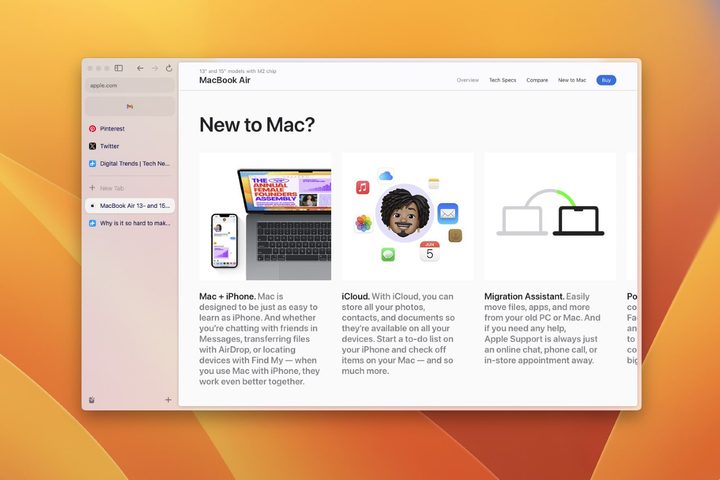
Instead of a tab bar along the top, your tabs are stored in the sidebar. You can pin tabs at the top of the sidebar and doing so will save them from being sent down the fiery archive memory hole when the time comes. They can still be brought back from the dead, but Arc doesn’t make it easy — on purpose. You can delay the archiving for up to 30 days, but you can’t turn it off entirely, much to my chagrin.
Below your pinned tabs are unpinned tabs. Then right at the bottom of the sidebar is the + button, which is used to boot up all manner of clever ideas, from Spaces and tab folders to Easels and Boosts (we’ll come to those later).
First, Spaces. These are a bit like Safari’s tab groups, except done in a way more intuitive way. You can create spaces for work tabs, holiday planning tabs, etcetera, and keep them all separate. Instead of having to click between groups as in Safari, Arc just lets you swipe left or right. It’s beautifully intuitive. You can rename spaces and change their icons, and move between them by clicking the icons at the bottom of the sidebar if you don’t have a trackpad.
Breathe Easel-y

But the one feature that really blew my mind is called Easels. Think of these as Pinterest-like mood boards where you can save images and videos, write notes, draw pictures, and more. You click the Site Control Center button in the URL bar and as you move your mouse pointer around the web page, boxes appear highlighting exactly what will be saved to your Easel. Just click to save your chosen element.
Yet an Easel is more than just a simple idea repository. Any element you save to it can have a live state and a static state, and anything live will constantly update. So, you could save a weather forecast to your Easel to always know what the outlook is at your chosen destination. Or you could save a conversion box for a calculation you need to regularly perform, like working out currency exchanges and measurement conversions.
You can interact with any live element — they’re not just for passive consumption — such as entering your flight details and changing them at a later date to get updated prices. That means Easels can be transformed into powerful dashboards, given enough organization and forethought. It’s a feature unlike any I’ve seen in another browser, and I could really see myself using it on the regular.
New tricks

Arc is full of other clever little tricks and ideas. Pressing Control-Tab lets you cycle through tabs in the way that Command-Tab lets you cycle through apps. You can pair two tabs side-by-side like Apple’s Split View mode. Press Command-Option-N in any app to bring up a miniature Arc browser to quickly find info on the web. You can even change a web page’s fonts, colors, and appearance using Boosts, giving you a canvas to remake websites to your taste.
I especially love the command bar that launches with Command-T. Whether you want to open a new tab, load your extensions or adjust the app’s settings, it’s all done in one place, making it a great time saver. With this clever touch and more, it’s clear that Arc’s long gestation period has truly benefitted it.
Will it be enough to tempt me to switch away from Firefox? Arc is doing all the right things, but the answer really depends on whether I can finally clear out my maddening browsing backlog that’s hundreds of tabs deep. Please, someone, send help.