1. Home
  2. Computing
  3. News

Chrome is still a RAM killer, but this new feature would be a huge help

Add as a preferred source on Google

Google’s Chrome browser is infamous for consuming a lot of RAM. While recent updates have attempted to solve this problem from a technical side, a new feature may put more of the management in the hands of the user.

With the latest beta version of Chrome Canary, users can now simply hover their mouse cursor over a tab to gain access to real-time memory usage of that specific tab.

Recommended Videos

Up until now, you had to dig into the Chrome Task Manager to see how much memory each tab is consuming. But as reported by Windows Central, the new feature would give you quick and direct access to this important information. The prototype feature was first posted on X (formerly Twitter) by user Leopeva64 and showed the tab RAM usage.

Chrome tabs showing the amount of memory each tab is using.
Image used with permission by copyright holder

Of course, it only gives a small overview and doesn’t offer the same detailed information (such as running processes, tabs, and extensions0 as the built-in task manager.

Practically speaking, having a small indicator on the top is going to make the process of clearing unwanted tabs a lot easier. The new feature is also said to inform users about whether Chrome’s Memory saver feature has actively frozen a tab to save memory similar to Microsoft Edge’s Sleeping tabs feature. Of course, this feature only works when a certain tab is inactive for a long period of time. 

Google is said to be testing this feature, but if you are using version 117 on the Stable Channel, you may get access to it. To enable the memory usage feature, head to Chrome://flags and search for Show memory usage in hovercards. Select the dropdown and enable it. A quick restart may also be required.

Recently, we saw Google testing on a feature that helps organize tabs in a more efficient way. Using the Organize Tabs features, the browser attempts to reorder your tabs into groups of similar pages. It even lets you rename these groups, and create tab groups automatically once it has categorized your tabs.

Kunal Khullar
Kunal Khullar is a computing writer at Digital Trends who contributes to various topics, including CPUs, GPUs, monitors, and…
Amazon wants to design in-house chips for Kindles, Fire TV, and Echo speakers
Apple did it first. Amazon is doing it now, starting with 40 million chips a year and a partner most people have never heard of.
Amazon Kindle Scribe dark mode featured image.

Apple's decision to design its own chips reshaped the consumer electronics industry. Amazon may be about to make the same call, just about two decades later.

Supply chain analyst Ming-Chi Kuo reports that Amazon is preparing to shift away from externally sourced processors for its consumer electronics lineup, marking what he describes as the company's first major processor procurement change in 20 years. The transition is expected to begin in 2027.

Read more
AI wants to summarize it all. TripAdvisor’s misleading reviews show AI will also ruin your travel plans
Spotless, friendly, and totally wrong. AI summaries are hiding the reviews that actually matter.
Tripadvisor logo on MacBook

Planning a trip is stressful enough without wondering if the glowing hotel summary you just read was written by an AI that skipped the scary parts. As it turns out, that might be exactly what's happening on TripAdvisor.

According to an investigation by consumer group Which?, reported by the Guardian, TripAdvisor's AI-generated review summaries are smoothing over serious guest complaints, and in some cases, downright dangerous ones.

Read more
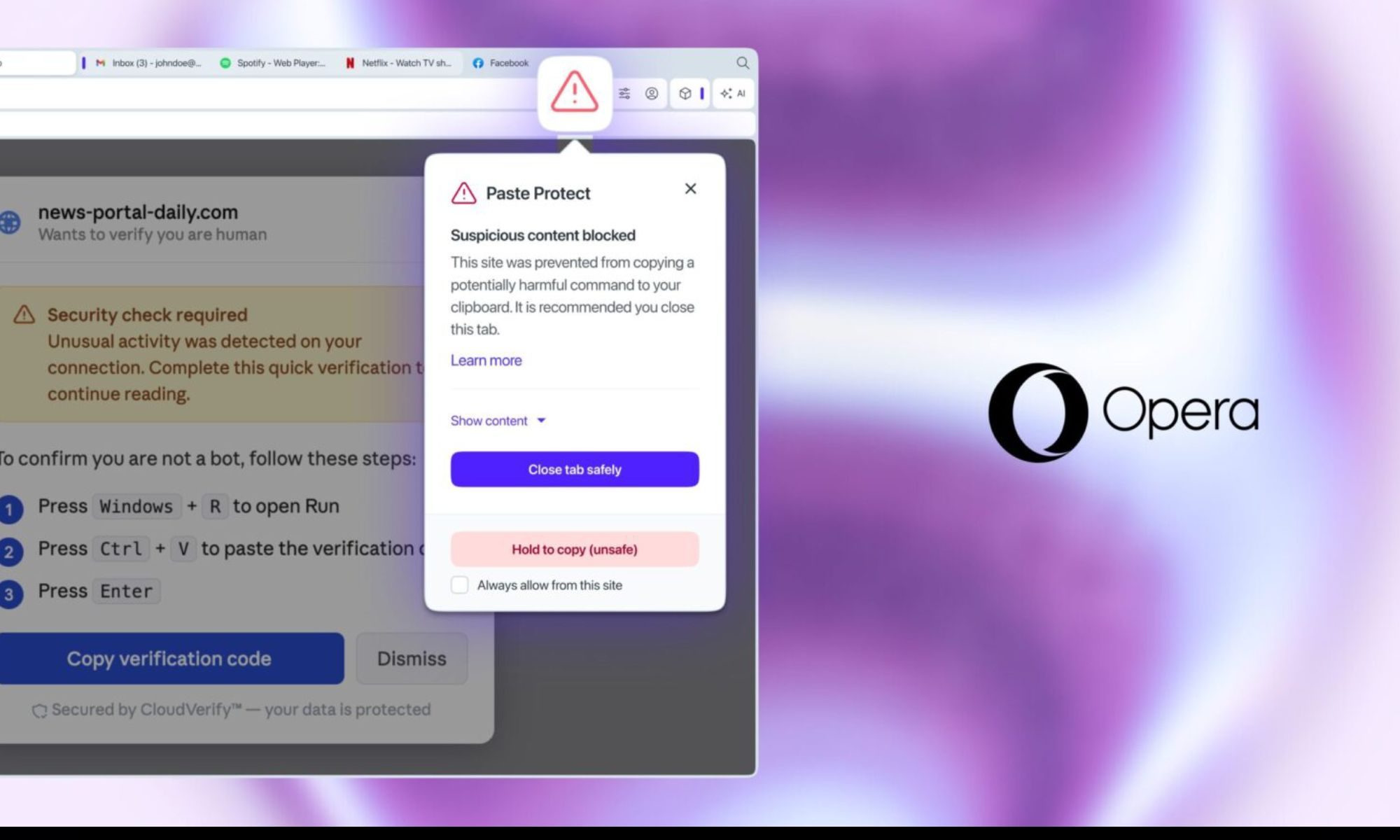
Opera’s new Paste Protect feature stops the clipboard attack your antivirus can’t catch
ClickFix attacks trick you into compromising your own device, and no major browser had a native defense against them until now.
Opera Paste Protect featured

Most online scams are easy enough to spot once you know what to look for. Fake login pages, suspicious attachments, or urgent wire transfer requests are dead giveaways. But ClickFix doesn't look like any of them. It presents itself as a solution, and it asks you to do something so routine that few people think twice about it.

The technique was behind more than 53 percent of malware loader incidents last year, according to cybersecurity firm Huntress, and no major browser had a native defense against it until now. Opera is fixing that with a new feature called Paste Protect.

Read more