There are quite a few custom PC builders to choose from, but what if your needs extend beyond just a powerful gaming PC? Maingear has a solution, thanks to its new range of high-end prebuilt systems tailored for professionals spanning various industries.
The company’s new Pro WS series includes a collection of desktop workstations designed to excel in the most demanding tasks. The company says that these systems have been tailored for game developers, photo editors, graphic designers, videographers, 3D rendering artists, music producers, CAD engineers, data scientists, and AI/Machine Learning developers.
Maingear currently has a total of three workstation options that can be customized according to your needs. As per the company, you can even configure it with the newly launched Threadripper 7000 CPUs.
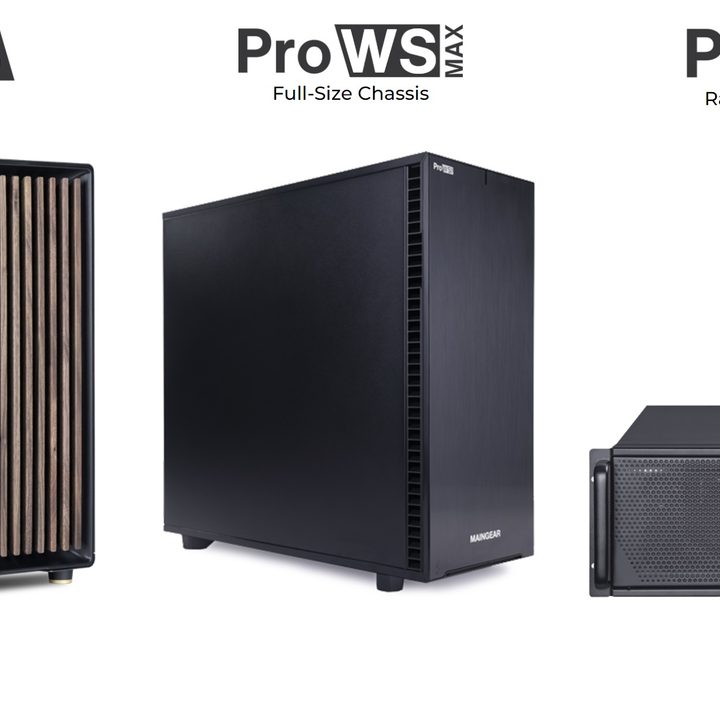
The first one is the Pro WS which comes in a standard mid-tower design. It is configured in Fractal Design’s North mid-tower chassis with elegant wood-finish panels on the front. You can opt for a glass or mesh side panel while core hardware options include the latest Intel Core or AMD Ryzen CPUs, paired with dual Nvidia RTX 6000 GPUs for formidable graphics performance. If you remember Maingear recently launched two custom gaming PC options in partnership with Fractal Design and Noctua.
Cooling for the CPU is handled by Noctua along with additional case fans, ensuring optimal temperature management, while memory options for up to 128GB of DDR5. Storage needs are met with choices between Samsung 990 NVMe SSDs (1-4TB options) or Seagate IronWolf HDDs (8-16TB options). To handle all the demanding hardware there is a 1600W PSU while operating system options include Windows 11 Pro, Linux, or a dual-boot setup. As a testament to its reliability, the ProWS is backed by a 2-year Pro Solutions Warranty, with the option to upgrade to a 3-year warranty.
The Pro WS Max and Pro RS are categorized as extreme performance workstations designed to accommodate expanded performance capabilities and are configurable with some of the most potent components. The ProWS Max, housed in the Define 7 XL chassis from Fractal Design, offers a full tower solution, while the Pro RS, in a 4U rackmount form factor, is based on the Silverstone RM44 chassis.
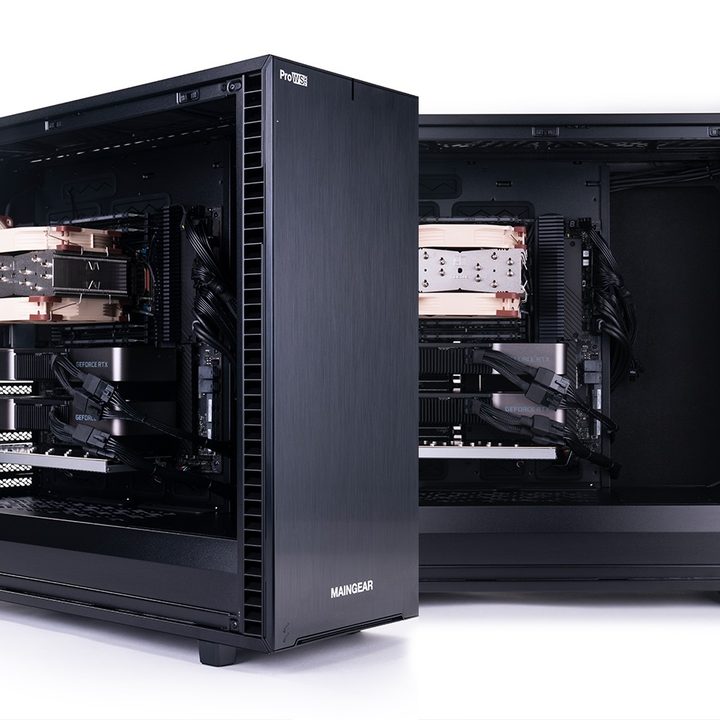
The CPU choices are diverse, ranging from the latest Intel Core, Intel Xeon, AMD Ryzen, AMD Ryzen Threadripper, or AMD Ryzen Threadripper Pro, for top-of-the-line processing power. Graphics capabilities are equally impressive, supporting up to 4x Nvidia A4000 or A5000 GPUs or up to 3x RTX 6000 GPUs.
Once again we have cooling solutions from Noctua to ensure efficient thermals, while the memory capacity is doubled, going up to 256GB of DDR5. Storage options encompass Samsung 990 NVMe SSDs with capacities ranging from 1-4TB or Seagate IronWolf HDDs ranging from 8-16TB. You get similar power options as the Pro WS including a 1600W PSU while operating system choices include Windows 11 Pro, Linux, or a dual-boot configuration. These workstations also come with a 2-year Pro Solutions Warranty, with the option to upgrade to a 3-year warranty for extended peace of mind.
Pricing for these high-end systems has not been disclosed, but there is a configurator that is available on Maingear’s official website.