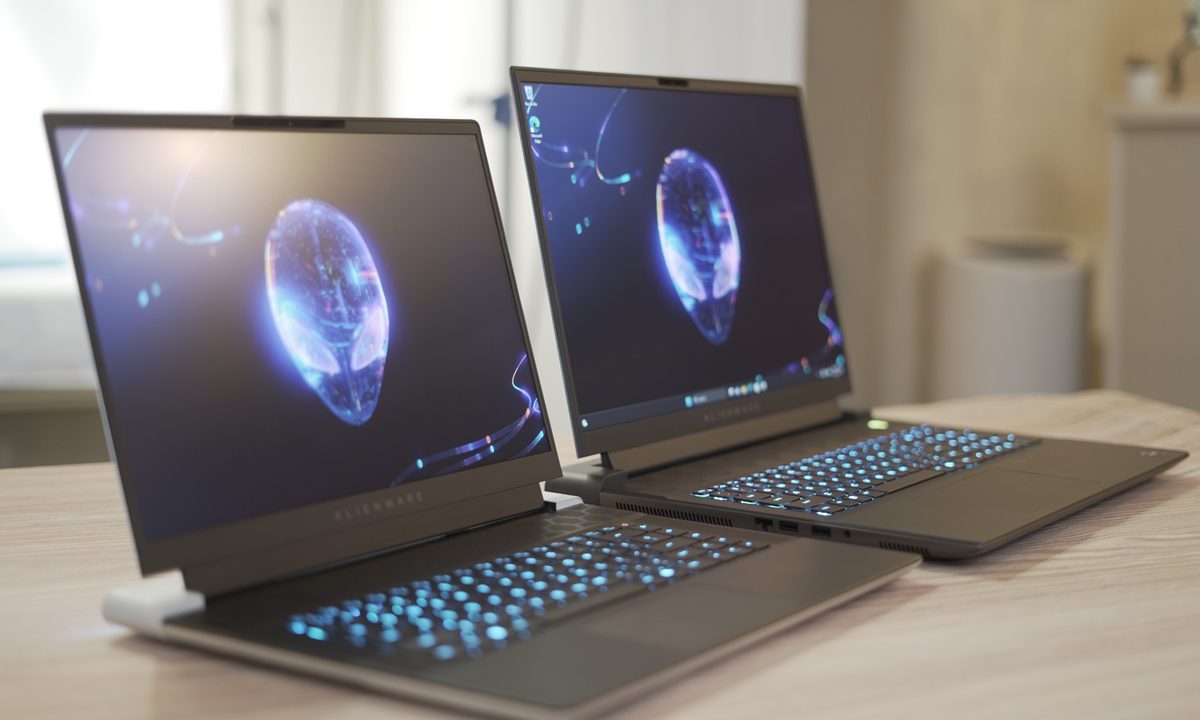

Alienware is known for making top-tier, high-end gaming laptops, albeit at a premium price point. With its 2024 lineup finally taking shape, customers now have the option of choosing between two 16-inch models — the m16 R2 and the x16 R2. While the former has been completely redesigned, the new x16 R2 opts for a similar design to last year’s model.
There are certain similarities on paper, like the new Intel CPU options and the QHD+ display, but both laptops are quite different when stacked up against each other. Here’s a detailed comparison between the two.
Specifications
| Alienware m16 R2 | Alienware x16 R2 | |
| Dimensions | 14.33 x 9.81 x 0.93 inches | 14.36 x 11.41 x 0.73 inches |
| Weight | 5.75 pounds | Starts at 5.86 pounds |
| Processor | Intel Core Ultra 7 155H Intel Core Ultra 9 185H |
Intel Core Ultra 7 155H Intel Core Ultra 9 185H |
| Graphics | Nvidia GeForce RTX 4050 Nvidia GeForce RTX 4060 Nvidia GeForce RTX 4070 |
Nvidia GeForce RTX 4060 Nvidia GeForce RTX 4070 Nvidia GeForce RTX 4080 Nvidia GeForce RTX 4090 |
| RAM | Up to 64GB DDR5 at 5600 MHz | Up to 32GB LPDDR5X at 7467 MHz |
| Display | 16-inch QHD+ 240Hz, 3ms response time, 100% sRGB, Nvidia G-SYNC + Advanced Optimus | 16-inch QHD+ 240Hz, 3ms response time, 100% sRGB, Nvidia G-SYNC + Advanced Optimus |
| Storage | Up to 8TB (2 x 4 TB), M.2, PCIe NVMe | Up to 8TB (2 x 4 TB), M.2, PCIe NVMe |
| Ports | 2x USB 3.2 Gen 1 Type-A ports 1x USB 3.2 Gen 2 Type-C port (Includes Thunderbolt 4.0, DisplayPort 1.4 (iGPU) and 15W Power Delivery (3A/5V) capabilities) 1x USB 3.2 Gen 2 Type-C port (DisplayPort 1.4 (dGPU)) 1x HDMI 2.1 (dGPU) 1x Power/DC-in port 1x RJ45 Ethernet port (2.5 Gb ) 1x headset (headphone and microphone combo) port |
2x USB 3.2 Gen 1 Type-A ports with PowerShare 1x USB 3.2 Gen 2 Type-C port with DisplayPort 1x Thunderbolt 4 port with Power Delivery and DisplayPort 1x headset (headphone and microphone combo) port 1x HDMI 2.1 port |
| Wireless | Wi-Fi 7 and Bluetooth 5.4 | Wi-Fi 7 and Bluetooth 5.4 |
| Webcam | 1080p at 30 fps FHD RGB+IR camera | 1080p at 30fps, FHD HDR RGB+IR camera |
| Operating system | Windows 11 Home | Windows 11 Home |
| Battery | 90WHr | 90WHr |
| Price | Starts at $1,299 | Starts at $2,099 |
Prices and configuration
The Alienware m16 R2 and x16 R2 aren’t all that different in terms of specs. The m16 R2 starts at a lower GPU option, the RTX 4050, while the x16 R2 allows for the faster RTX 4080 and 4090. CPU, memory, and storage options are all identical. Even the displays have the same specs — a 2560 x 1600 IPS panel with a 240Hz refresh rate.
And yet, when configured with the same specs, the Alienware x16 R2 currently sells for $500 more than the m16 R2.
Design
This second generation of the Alienware m16 introduces a redesign aimed at enhancing its appeal and functionality. Notable changes include a thinner chassis, reduced weight, and modernized features like a smaller bottom bezel and a more centered touchpad with an RGB outline.

The removal of the “thermal shelf” and Stadium light ring contributes to a more mainstream look, although key Alienware elements remain, including such as the light-up logo and honeycomb pattern.
The keyboard boasts 1.8mm of travel that feels responsive for typing. It is complemented by RGB backlighting (available in single zone or per key) that’s controlled through the Alienware Command Center. There are useful function keys on the right and a dedicated full number pad that’s usually reserved for higher-end models like the Alienware m18.
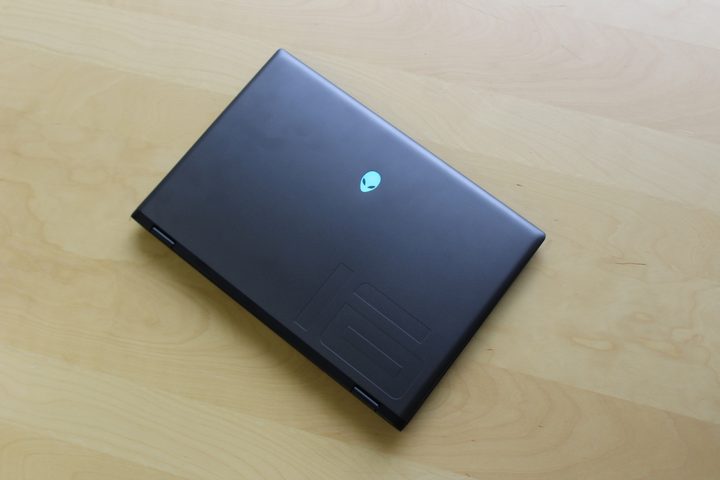
While the touchpad has been moved closer to the center for a more balanced look and features a subtle RGB outline, its plastic-feeling surface detracts from the overall experience. It offers less smooth tracking compared to glass touchpads like the one found on the Alienware x16.
Despite these changes, the m16 R2 maintains its Alienware identity while adapting to a more generic, off-the-shelf midrange gaming laptop aesthetic. The build quality remains decent, although it may not exude the high-end feel of premium materials. Overall, it manages to balance Alienware’s signature style with a more practical design, making it suitable for gamers seeking a blend of performance and modern aesthetics.

The Alienware x16 R2 continues to offer the same chassis as last year’s model, which introduced the company’s Legend 3.0 design language. The laptop comes with premium materials like anodized aluminum, magnesium alloy, and stainless steel in the full-metal chassis to enhance durability without increasing weight.
For a 16-inch gaming laptop, it offers one of the slimmest profiles at just 0.73 inches, although the 11.4-inch depth, attributed to the 16:10 screen and substantial heat sink, can feel slightly cumbersome.
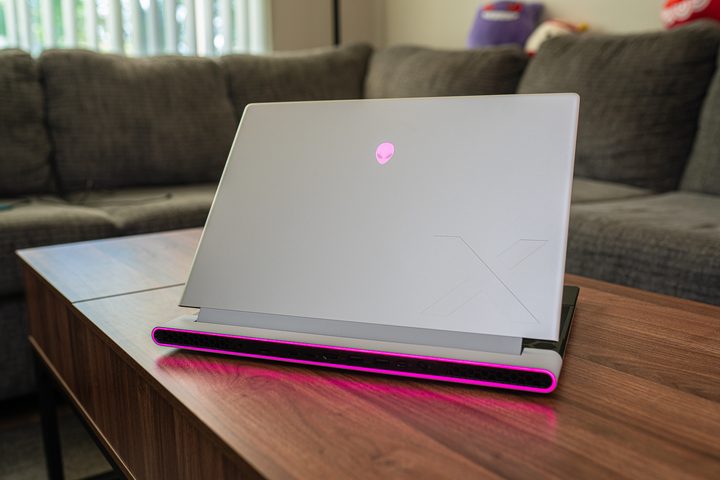
The Lunar Silver finish gives a more modern touch to the overall look, while the extensive RGB implementation, from the trackpad to the keyboard and the Stadium ring around the rear exhaust, adds to the gamer appeal. The redesigned cooling system, featuring airflow channels with a quad-fan system, promises efficient heat dissipation and quiet operation even under demanding tasks.
Display
The Alienware m16 R2 comes with a single display option featuring a 2560 x 1600 resolution, 240Hz refresh rate IPS panel with a 3-millisecond response time. It incorporates Nvidia G-Sync and Advanced Optimus technologies, catering to gamers’ needs for smooth visuals and reduced screen tearing.

However, unlike its competitors who have embraced OLED or mini-LED displays, Alienware continues to stick with conventional matte LED panels. While the display on the m16 R2 is fast and suitable for gaming, its Delta-E of 2.19 and relatively dim brightness of 289 nits suggest room for improvement in color accuracy and luminosity compared to other offerings on the market.
Although the absence of OLED or mini-LED options may not be surprising given the m16’s positioning in Alienware’s lineup, it’s notable that similarly priced alternatives from competitors offer these advanced display technologies. Improved HDR capabilities and color accuracy would elevate the overall visual experience on the m16 R2, especially when compared to brighter and more color-accurate screens like the one found on the Alienware x16. Despite these considerations, the m16 R2’s display remains solid for gaming, albeit with the potential for enhancements in brightness and color fidelity.
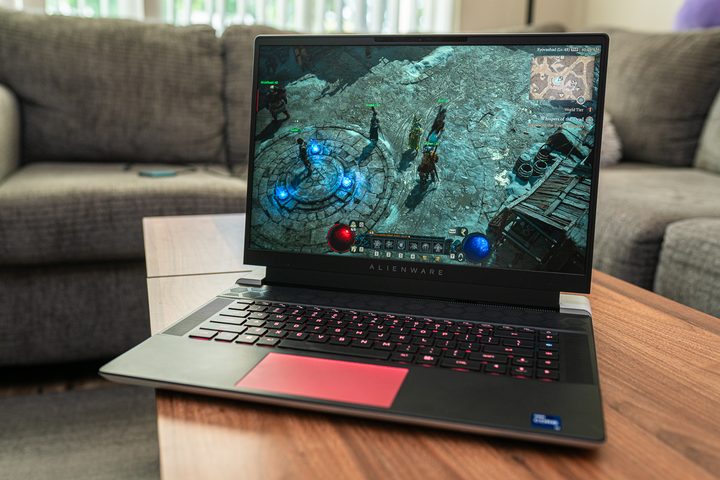
The new x16 R2 comes with the same panel configuration option as the m16 R2, which is essentially the same as last year’s x16 model. We haven’t got our hands on the new 2024 model, but we expect the performance and visual experience to be similar if not better.
Performance
Both the Alienware m16 R2 and the x16 R2 are being offered with two CPU options this year, the Intel Core Ultra 7 155H and the Core Ultra 9 185H. These new Meteor Lake chips offer the same total core count of 16 (6 performance cores + 10 Efficiency cores) but differ in terms of base and boost clock speeds.
They can be configured with up to two 2TB PCIe NVMe SSDs, but memory configurations are slightly different. The m16 R2 comes with conventional SODIMM RAM, essentially allowing you to upgrade in the future, and it can accommodate up to 64GB of DDR5 at 5600MT/s. Due to its slimmer chassis, the x16 R2 has soldered LPDDR5X memory, so the only two factory options that you have are 16GB or 32GB clocked at 7467MT/s.
We recently had a chance to look at the new Alienware m16 R2 powered by the Intel Core Ultra 7 155H. While synthetic benchmark tests were not as impressive, the laptop delivers rather well when it comes to gaming performance. It managed to surpass other laptops featuring the RTX 4070 in 3DMark Time Spy. In our game tests, it achieved an average of 61 frames per second (fps) in Cyberpunk 2077 at 1200p Ultra Ray Tracing with DLSS 3 enabled. For smoother gameplay, it went up to 117 fps at 1200p Medium with FSR 2.1 activated. In Red Dead Redemption 2, the Alienware m16 R2 maintained an average of 69 fps while running at its native resolution and Ultra graphics settings.
Performance on the x16 R2 should be a lot better. Even though we haven’t tested the new machine yet, this laptop offers a chassis with a larger surface area and a more powerful vapor chamber cooling system that is paired with a special gallium-silicone thermal compound, four cooling fans, and six heat pipes. The x16 R2 is also available with the option of more powerful GPUs, so you can expect higher frame rates and visual fidelity.
Which one should you pick?
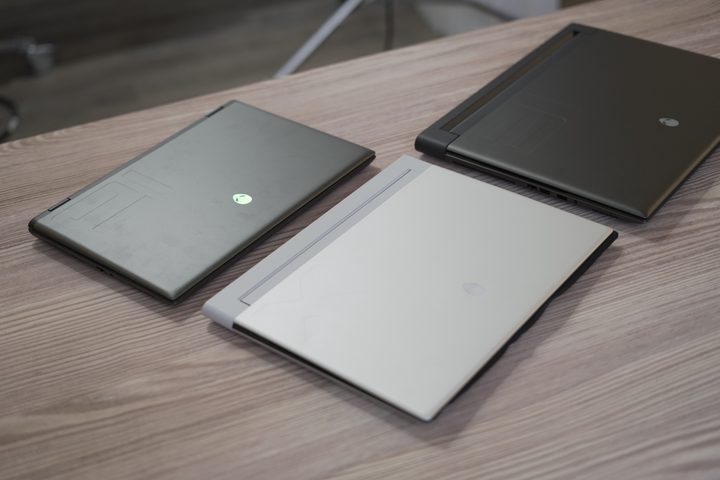
Most people choosing between these laptops should stick with the Alienware m16 R2. When configured the same, it’s $500 cheaper, meaning it’s going to perform completely the same despite being considerably more affordable. Yes, the Alienware x16 R2 has a more premium design, but there isn’t enough there to justify the price difference.
Between these two gaming laptops, the Alienware x16 R2 should really only be chosen if you have a larger budget and are willing to opt for one of the more expensive RTX 4080 or 4090 configurations. We haven’t tested these models yet ourselves, but in theory, the difference in performance is the only aspect that would make jumping to the x16 R2 worth it.