  1. Home
  2. Computing
  3. Deals

Best Buy discounted this HP gaming laptop from $800 to $550

Add as a preferred source on Google
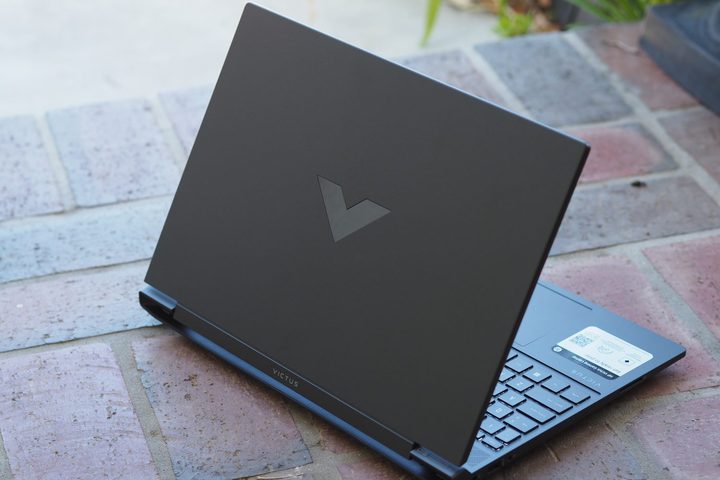
The rear view of the HP Victus 15 gaming laptop.
Mark Coppock/Digital Trends / Digital Trends

HP laptop deals are always crossing our radar, but we seldom see the kind of markdowns that Best Buy is offering on one of the company’s best gaming laptops. For a limited time, you’ll be able to purchase the HP Victus 15.6-inch Full HD Gaming Laptop for only $550. That’s very cheap for a new PC, especially considering the fact that this model normally goes for $800.

Buy Now

Why you should buy the HP Victus laptop

Gaming is one of the most rigorous activities you can put a computer through. While this HP Victus model is on the lower end of the component spectrum, it still has the juice for AAA games on lower settings. Equipped with an AMD Ryzen 5 7535HS CPU with a Radeon RX 6550M GPU, you’ll have no issue blasting your way through round after round of 1080p online and non-network gameplay.

With 8GB of RAM and 512GB of internal storage, the Victus’ core peripherals have a solid amount of memory to work with; and you should have plenty of space to store game files, documents, pictures, and other files. Of course, if you need additional space, you can always take a look at some of the best SSD deals we found this week, and you can consider upgrading with some RAM deals.

Graphics are only as good as the screen they’re displayed on, right? In the case of the HP Victus, you’ll be working with a 15.6-inch FHD anti-glare display that supports refresh rates up to 144Hz. Even the most demanding action sequences will look slick and polished, and the Victus’ IPS screen ensures optimal performance from pretty much any viewing angle.

Additional features include HP Fast Charge, which gets your battery from zero to 50% in as little as 30 minutes; Wi-Fi 6 and Bluetooth 5.3 support; and a terrific HD webcam. These kinds of Best Buy deals can disappear fast, so if you like what you’re reading, save yourself $250 and purchase the HP 15.6-inch Victus Full HD Gaming Laptop today!

Buy Now

Michael Bizzaco
Former AV Contributor
Michael Bizzaco has been selling, installing, and talking about TVs, soundbars, streaming devices, and all things smart home…
Topics
Asus ExpertBook Ultra review: A dreamy ultra-thin machine that surprised me with raw power
If thin and light is what you value the most, this one will serve you perfectly, without the obvious performance compromises.
Asus ExpertBook Ultra laptop

See at Amazon

Quick Review

Read more
I found a free Mac diagnostic app that tells you what Apple’s tools don’t
It can check your Mac’s storage, memory, battery, and network
Techtool Lite UI screenshot

Macs have a strong reputation for being smooth and reliable, and Apple’s tight control over hardware and software is a big reason for that. Use one long enough, however, and you may still run into slowdowns, freezes, strange behavior, or that familiar feeling that something is simply off.

Apple’s own tools can help, but only to a point. Disk Utility is useful for storage-related checks, but it does not give you a wider picture of your Mac’s overall health. I recently came across Techtool Lite, a free diagnostic and maintenance app from Micromat that looks at more than just your drive.

Read more
Claude redefined my bond with Macs. I am building my own apps and it’s a bliss.
I talk to Claude. It builds me apps. It's as simple as that!
Claude AI on Mac.

A few days ago, one of my colleagues asked me a favor. They wanted a few iOS and macOS screenshots turned into a mockup image where the UI is rendered on an iPhone and a MacBook. The problem? It was 3 am PST, which meant asking one of my design team colleagues was out of the question. 

Now, there are plenty of online tools that will do it, but you either have to pay for a subscription (as in Canva), or sign up to buy usage credits after a few free trials. Moreover, these editors limit you to a handful of design presets. I turned to Anthropic’s Claude, and within half an hour, I had a screenshot-to-mockup editor built for the entire team to use. Take a look:

Read more

