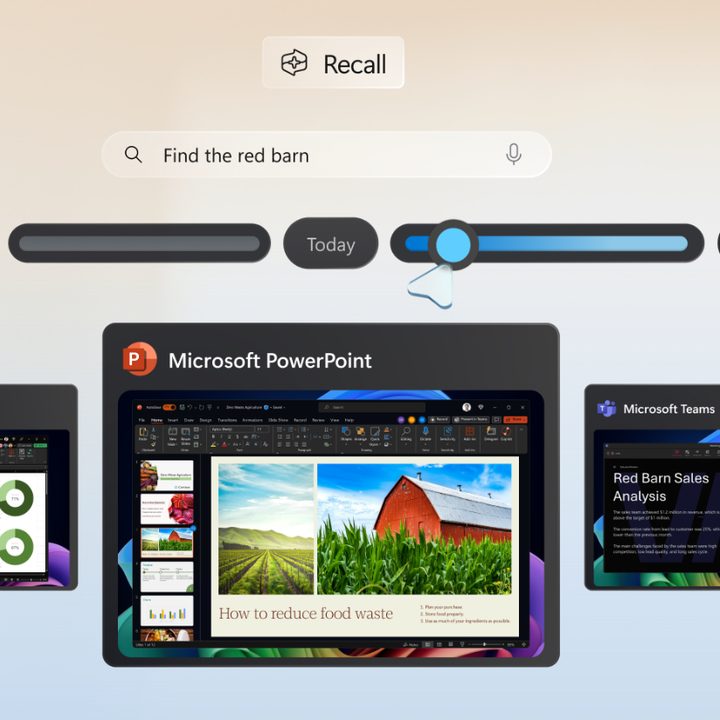
Microsoft just released an update regarding the security and privacy protection in Recall. The blog post outlines the measures Microsoft is taking to prevent a data privacy disaster, including security architecture and technical controls. A lot of the features highlight that Recall is optional, and that’s despite the fact that Microsoft recently confirmed that it cannot be uninstalled.
Microsoft’s post is lengthy and covers just about every aspect of the security challenges that its new AI assistant has to face. One of the key design principles is that “the user is always in control.” Users will be given the choice of whether they want to opt in and use Recall when setting up their new Copilot+ PC.
Microsoft also notes that Recall will only run on PCs that are eligible for Copilot+, and that comes with a hefty set of hardware requirements that bolster the security. This includes Trusted Platform Module (TPM) 2.0, System Guard Secure Launch, and Kernel DMA Protection.
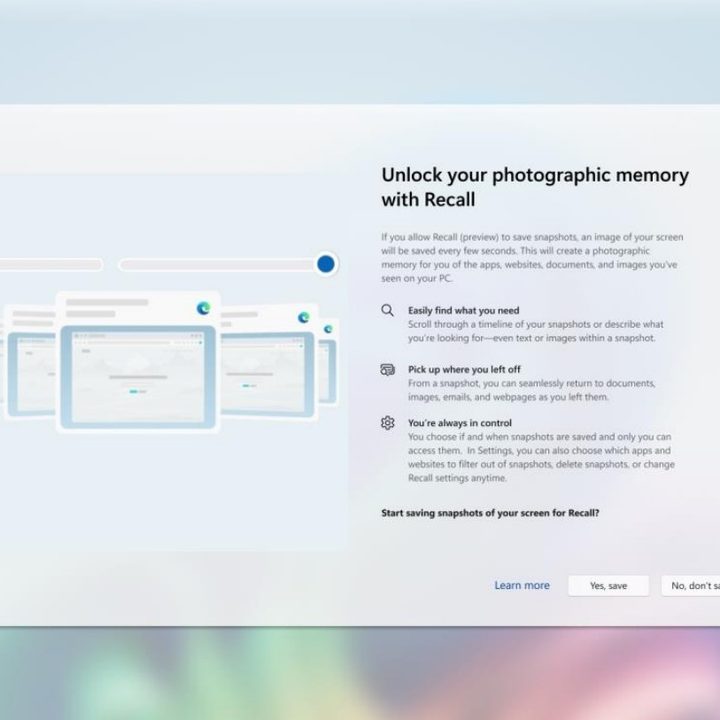
Let’s circle back to the user being in control of what Recall can or cannot access. During setup, you can choose to use it or not; if you don’t choose to use it, it’ll be off by default. Microsoft now also says that you can remove Recall entirely in Windows settings, although it’s unclear whether that means it’ll be completely uninstalled from the PC.
If you choose to opt in, you can filter out certain apps or websites and not allow Recall to save data related to them. Incognito mode browsing is never saved either. You’ll be able to control how long Recall will save your data for, and how much disk space you’re willing to spare for those snapshots. And if you ever want to delete something, you can get rid of snapshots from a certain time range or all content from a specific website or app. To summarize, everything that’s found in Recall can be deleted at any given time.
Microsoft is also adding an icon to the system tray. This will indicate whether Recall is currently collecting snapshots, and you’ll be able to pause this whenever you want. Moreover, you won’t be able to access Recall content without biometric credentials, meaning the use of Windows Hello.

Microsoft promises that sensitive data in Recall is always encrypted and protected via the TPM and tied to your Windows Hello identity. Other users on the same PC won’t be able to access your Recall data; it’ll only be accessible within the Virtualization-based Security Enclave (VBS Enclave). That’s where all the Recall data resides, and only select bits of it are allowed to leave the VBS when requested.
Microsoft also described the Recall architecture in greater detail, saying: “Processes outside the VBS Enclaves never directly receive access to snapshots or encryption keys and only receive data returned from the enclave after authorization.” Sensitive content filtering is also in place to filter out things like passwords, ID numbers, and credit card details from what Recall can remember.
Lastly, Microsoft says that it’s working with a third-party security vendor to run a penetration test and confirm that Recall is secure. All in all, it sounds like the company did its homework here, but we’ll have to wait and see how it all pans out when Recall is widely available.
Will these new measures be enough to alleviate the worries of those who have been boycotting Recall from day one? It’s hard to say, but it’s clear that Microsoft is aware of the controversies and is taking steps to prove that its AI assistant can be trusted.