1. Home
  2. Phones
  3. Mobile
  4. News

One UI 7 lets parents restrict their children from seeing adult sites and harmful apps

Add as a preferred source on Google
Notifications on the Samsung Galaxy S25 Ultra.
Andy Boxall / Digital Trends

One UI 7, Samsung’s latest Android skin, comes with several visual and functional upgrades over the previous version, with better visuals, a spoonful of AI, and a pill-shaped control similar to iPhone’s Dynamic Island. The stable version, only available on the Galaxy S25 series so far, gets an additional set of controls that allow parents to limit their children’s access to age-sensitive explicit content.

With these new filters part of Digital Wellbeing, parents can set restrictions on the websites and apps and filter out anything harmful, Android Authority recently found out. Those who own Galaxy S25 or other devices that receive the One UI 7 update in the future, will be able to set automatic filters to restrict adult websites on their children’s phones. Samsung doesn’t quite say if it uses a simple blacklist or any advanced measures like AI to filter out “sexually explicit and violent sites.” But it does say it might not be able to block all websites with content unsuitable for children.

Recommended Videos

Additionally, you can set limitations on which apps can be downloaded to your children’s phones. The new settings allow parents to limit apps and games, restricting them by age filters. You can either choose to limit access based on the child’s Samsung account or manually set age limits to allow apps for kids aged “12+,” “16,” or “18+.”
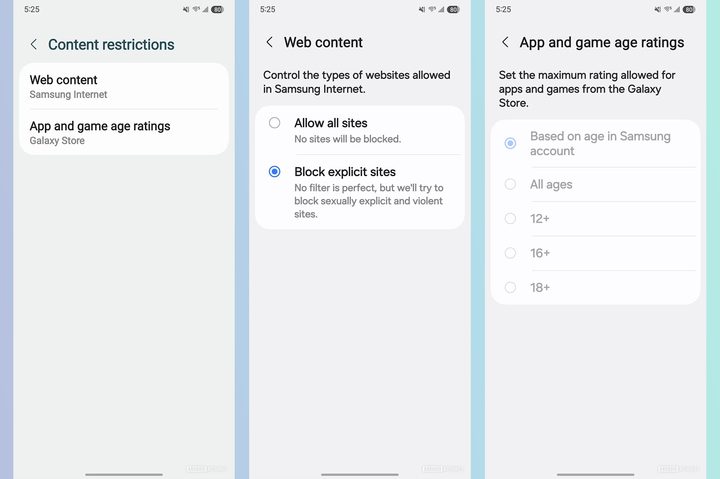
Age filters for web content and apps on One UI 7.
Android Authority

While setting up a new Samsung device for a child, you could also set up permissions where the parents must approve when a child tried to download an app onto their phone.

While theoretically effective in limiting children’s access to unsafe content, there lies a caveat with these new settings. These limits only apply when content is viewed from Samsung’s own apps — Samsung internet for explicit websites and the Galaxy Store for apps and games. Both the parents and child must also use a Samsung device with an active Samsung account.

Perhaps, Google — and not Samsung — is to be blamed for these limitations, and the only way for them to widely available is if Google integrates similar functions as core Android features available on all devices, and not just limited to one brand.

Tushar Mehta
Tushar is a freelance writer at Digital Trends and has been contributing to the Mobile Section for the past three years…
The regular iPhone 18 may miss out on two major Siri AI features
Standard iPhone 18 might not have enough RAM to run some AI features locally
Electronics, Mobile Phone, Phone

Apple is expected to debut the iPhone 18 Pro and iPhone 18 Pro Max this fall, possibly alongside its first foldable iPhone. The standard iPhone 18, however, is said to arrive later in spring 2027 with the iPhone 18e. While the lineup is expected to get more RAM, the upgrade may still fall short of what the standard and 18e models need for two advanced Siri AI features.

The issue is Apple’s AFM Core Advanced model. It powers Advanced Dictation Preview in iOS 27, along with Apple’s new expressive Siri voices. The model runs locally on supported devices, but it needs at least 12GB of RAM.

Read more
Android desktop mode made me miss my laptop in record time
I tried writing and publishing from Google’s phone-to-monitor setup, and the future of mobile computing immediately started sweating.
Computer, Electronics, Laptop

Android 17 desktop mode has a very simple pitch. Plug your phone into a monitor, add a keyboard and mouse, and watch the slab in your pocket pretend to be a computer. I wanted to give that pitch a fair shot, so I tried using it for an actual workday instead of a cute demo.

The goal was boring on purpose: write an article, edit it, build the page in WordPress, upload whatever needed uploading, and publish the thing without running back to my laptop like a coward.

Read more
After test-driving iOS 27, my iPhone still doesn’t feel like it has made a substantial leap
Siri learned new tricks. Safari got smarter tabs. My morning routine didn't change at all.
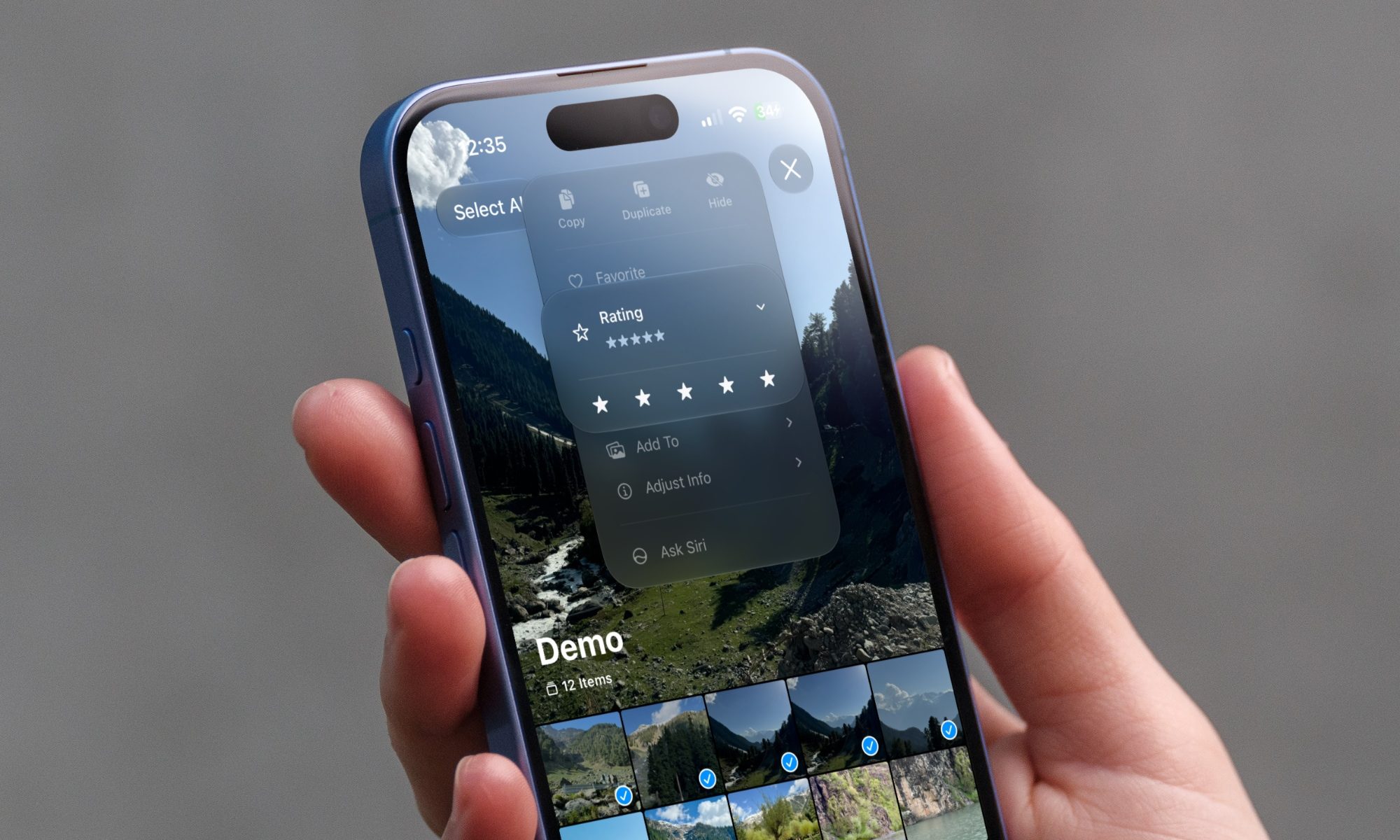
iOS 27 new star rating feature in Photos

Every June, after Apple wraps up its annual WWDC keynote, I install the latest iOS beta on my iPhone, watch the progress bar crawl to completion, and wait for the inevitable restart. For years, picking up my phone afterward felt almost identical to how it did before the update. 

I saw the same grid of icons, the same Control Center, and the same version of Siri until iOS 26 finally broke that pattern in 2025.

Read more