

Whether it’s the holidays or summer vacation, traveling can be a huge hassle if you aren’t prepared. Thankfully, there are some helpful pieces of technology to help ease everything you hate about going away, from checking in at the airport to finding the last minute best hotels. Here are some tips and advice on how to digitize travel.
Buying tickets
 There’s a reason few people buy vacation packages from travel agencies anymore. Why bother waiting on quotes from agents when you can look up your own on a myriad of apps and site? Our favorite flight search algorithms include Bing Travel, which gives you a graph of price fluctuations so you can decide whether to wait for prices to go down or buy immediately, and Hipmunk, which presents available flights on a timetable, when the departure and arrival times are, and of course, prices. You can also use both sites to determine whether you want layovers, preferred time of travel, and overall flight duration. Bing Travel will also tell you estimates for other combinations of travel dates with lower prices – if you’re flexible.
Before the airport
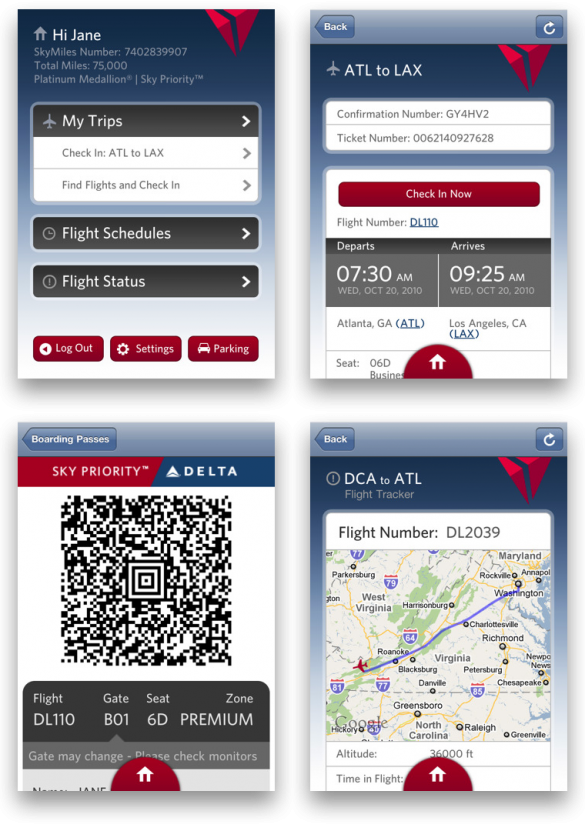 Once you have your flight, hotel, rental car, and all other miscellaneous itineraries ready to go, you’ll need a place to put these all in. You could go with the folder or binder route, or use TripIt – a travel organizer app designed to hold all your confirmation numbers at the tip of your fingers. TripIt will also alert you if there are flight delays, and offer alternate flight options if yours get cancelled. You can also use the app to get airport location, your plane’s seating chart, and terminal maps for an idea of where the bathrooms and restaurants are.
Additionally, you should download apps from the airline you’re flying with so you can check-in before the airport and get an e-ticket right on your phone. That way, when you arrive, you can waltz right up to the baggage drop off and security check without waiting for a paper ticket to print.
After landing
You could pay for a tour guide to take you around a new city, or be your own and not worry about time restraints. There are tons of travel apps designed to help you explore major cities. Mtrip, for example, offers travel information, offline maps, and sightseeing directories. You can also input the number of days on your trip and preferred activity level and the app will design a custom itinerary so you don’t miss the highlights. Of course, other travel tips apps include the classic Frommer’s and Lonely Planet guides – for those who don’t want to carry around a book and look like a total tourist.
 If you decide to take spontaneous trips and need last minute hotels, you can also look to the apps Hotel Tonight, Priceline, or Kayak for hotel deals in your area. Kayak and Priceline will offer more options and various range of star qualities, while Hotel Tonight offers curated selections of “Basic,” “Hip,” “Charming,” or “Luxe” hotels based on city neighborhoods. The apps will also tell you if the hotel has an on-site restaurant, fitness center, or Wi-Fi in each room.
For more apps and travel tips, check out our essential apps to take abroad and how to pack for travel guides.