

Announced on the official PayPal blog earlier today, Coinstar and the online payments company are teaming up to allow consumers to convert all their loose change into a PayPal deposit. Launching first within Texas, Northern California and Ohio, Coinstar customers can choose to deposit money into their personal PayPal account or into a friend’s account. Similar to a traditional ATM, consumers can also use the Coinstar machines to withdraw funds from their account. In addition to a paper receipt displaying the total deposit, PayPal customers will receive a notification about a deposit on their mobile device.
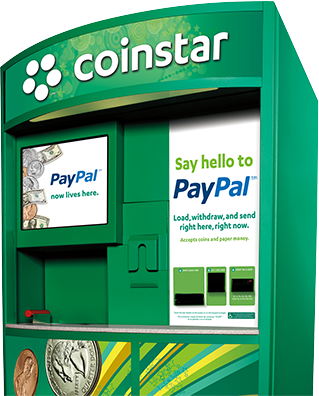 Regarding the launch of the PayPal-enabled Coinstar machines, PayPal general manager Dan Schatt said “We’re delighted to work with Coinstar to enable our users to transact anytime, anywhere and in any way. PayPal on Coinstar kiosks provide customers with a convenient way to add coins and paper currency to their PayPal account and spend their money anywhere PayPal is accepted.”
According to the results of the pilot study conducted within Dallas recently, forty percent of the people that tried the new PayPal feature returned to the new Coinstar machine to deposit funds again. On average, people visited the machines approximately twice a month.
However, customers are limited to depositing $500 per month at the Coinstar kiosks and Coinstar takes a 9.8 percent fee from all coin deposits. The Coinstar machine does allow users to deposit paper bills into a PayPal account, but takes a $3 fee on all transactions up to $300 and a $6 fee on transactions above $300. Similar to fees on ATM machines, cash withdrawals from the Coinstar machines cost an additional $3 and the minimum that can be withdrawn from the machine is eight dollars.
Anyone in Texas, Northern California and Ohio that’s interested in trying out the new machines can search the Coinstar site in order to find one in their area. In addition, interested consumers can sign up for an email alert that’s sent when the machines roll out in their area. Conceptually, these machines could allow people without access to a smartphone or other mobile device interact with their PayPal accounts. Consumers can sign up for a new PayPal account directly from the kiosk touchscreen in order to take advantage of the new feature.
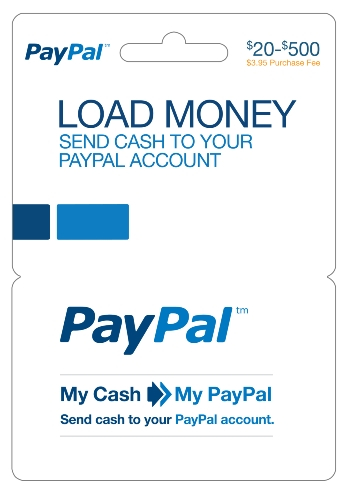 This isn’t the first move that PayPal has made to introduce a broader range of consumers to PayPal’s payment services. During December 2012, PayPal rolled out a physical card that allows consumers to add cash to their PayPal account rather than having to initiate an online bank transfer.
Opening up the PayPal service to people without a bank account or credit card, consumers are able to add funds through the card at retail locations like CVS, Dollar General and Rite Aid.
After the funds have been added, these consumers can spend the money at any online retailer that accepts PayPal. However, PayPal does charge a $3.95 fee during activation and there’s a $500-per-day limit on adding funds to an account. New users have to submit their social security number and other identifying information when setting up the account, but they don’t have to go through a credit check.


