

Back in December, Dell executives let it slip that the company was developing an 18-inch Windows 8 tablet and almost immediately we started thinking about all the possible applications for such a wonderful beast. Would it, at last, bring Surface Table-like functionality to regular living rooms? Could it be the ultimate second screen? We’re about to get those answers, because the device Michael Dell talked about at Dell World is real and it will be out next month.

The Dell XPS 18 isn’t being marketed as an 18-inch tablet, but rather as a portable all-in-one. That makes more sense, honestly, because calling it a tablet doesn’t really get across what this computer is capable of. Then again, Dell might have been able to get away with that since the XPS 18 is pretty thin and light for what it is, especially when compared to other portable AIOs out there (Sony VAIO Tap 20, we’re looking at you). It’s the kind of thing I can imagine actually moving from room to room on a regular basis, setting it up in the kitchen for entertainment while I cook, sitting with it in front of the big screen TV, and laying flat on a table for some games. It really is a computer the whole family can crowd around, and it will be great for game night.
The XPS 18 sports an 18.4-inch full HD display with very wide viewing angles and good color depth. It weighs 4.85 pounds with an SSD inside (5 with a hard drive), which is less than some laptops I can name. It also balances pretty well for something so big, and doesn’t feel like it would easily slip from my hands as I carried it. A small child would likely find it awkward to carry. As of right now, the XPS 18 is the thinnest (17.7mm) and lightest portable AIO available.


Two flip out feet integrated into the body make it easy to set the XPS 18 up on any sturdy surface, though only at one angle. If you want something more versatile or need to raise the screen up for proper ergonomics, Dell will also offer an adjustable metal stand for $50. Given the weight, the XPS probably won’t spend all of its time sitting at arm’s length. During our hands-on time, it felt comfortable and natural to hold it in my lap and use it that way.
A big tablet/portable all-in-one like this has a lot of potential, but will owners be able to realize it out of the box? Dell plans to bundle some multiplayer games with the XPS 18 (they aren’t great), and there are a few others out there for the downloading. Dell reps also mentioned that reading magazines and newspapers on a screen this big will be awesome. Drawing, browsing, watching movies, everything that a touchscreen device is good for, is easy. The Achilles Heel here is going to be app availability. How soon will a good enough selection of apps made for this form factor come out? We’d love to see Hasbro, Mattel, and Pressman Games jump on developing virtual board games for giant screens.
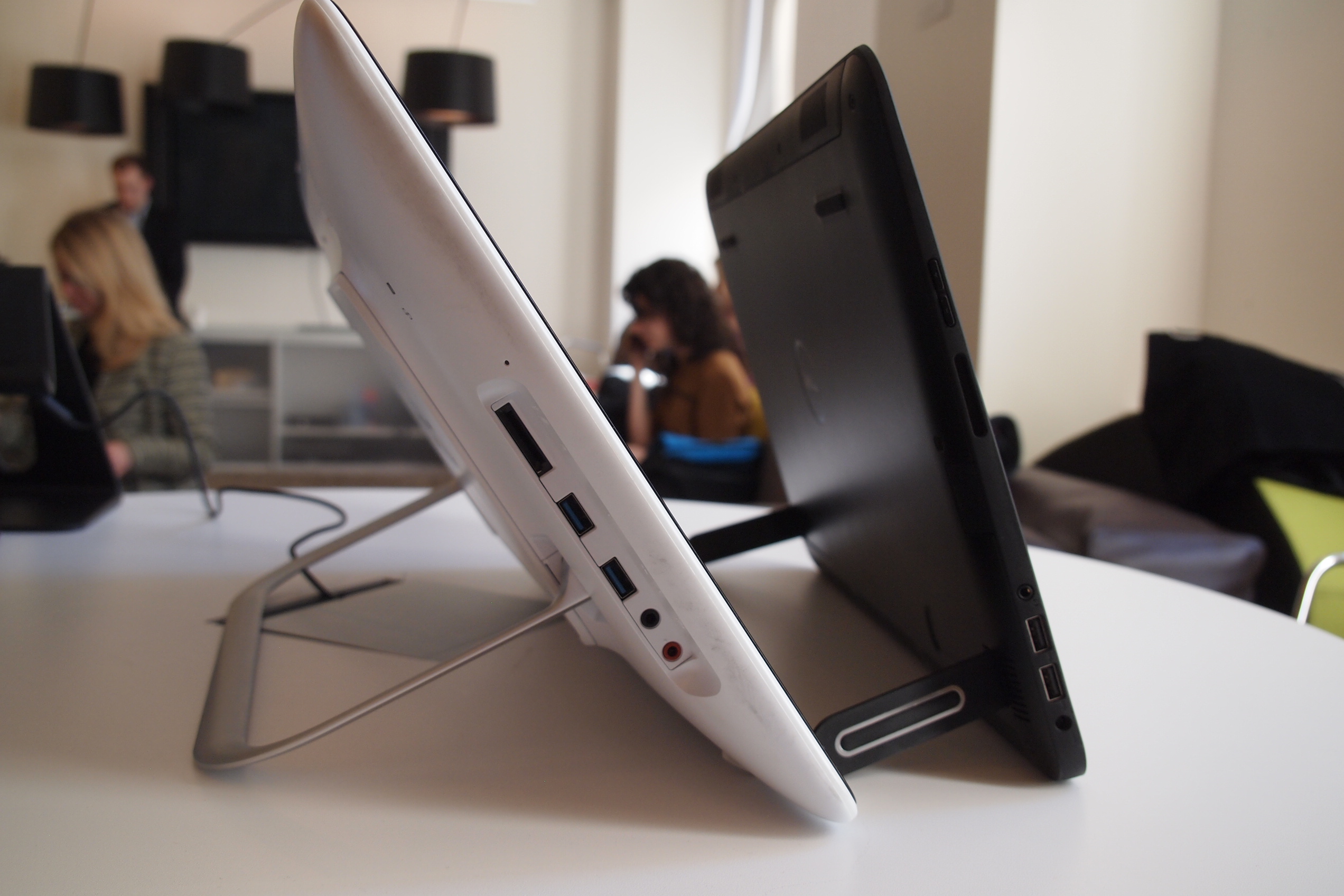
When the Dell XPS 18 launches in mid-April, consumers will have a range of configurations to choose from, starting at $900. At the lowest price, you’ll only get an Intel Pentium CPU, but Core i3, i5, and i7 will be available. It should get about 5 hours of battery life. Other specs include 4GB or 8GB of RAM, integrated graphics, 320GB or 500GB hard drive or 256GB or 512GB SSD, 8-in-1 card reader, two USB 3.0, Wi-Fi, Bluetooth 4.0, and Wi-Di (Wireless HDMI for connecting to your TV). It will be available soon.
Do you think that Dell should have gone with giant tablet or does calling the XPS 18 a “portable all-in-one” make more sense to you? And, more importantly, are you intrigued?


