One of the most coveted Facebook features released earlier this year is undoubtedly the Graph Search, which essentially makes it easier for anyone to find people, photos, places, and interests to connect with and like, and for a long time it was only available to a select number of users. Today, as per Facebook’s blog announcement, the social network will start rolling out the tool to any user that has U.S. English language set to default.
What’s new with Graph Search
According to Facebook, it has improved on Graph Search’s speed at providing results as well as organizing them according to relevance. Users can now expect better intelligence from the function as it now has a wider range of interpreting queries as you make them. It has also been changed from Facebook blue to white, making it easier to spot:

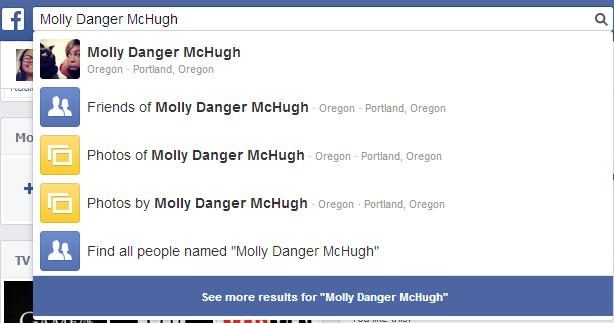
Our first hands-on with Graph Search revealed the many possible things you can find out about your friends. This latest release has expanded its grasp on user information, providing a longer list of search recommendations which now includes People I May Know (which used to be located on the sidebar), located on the top of the queue since it’s obviously the most popular use for Graph Search. Once you enter a friend’s name into the search box, you can immediately check out Friends of, Photos of, and Photos by said contact.
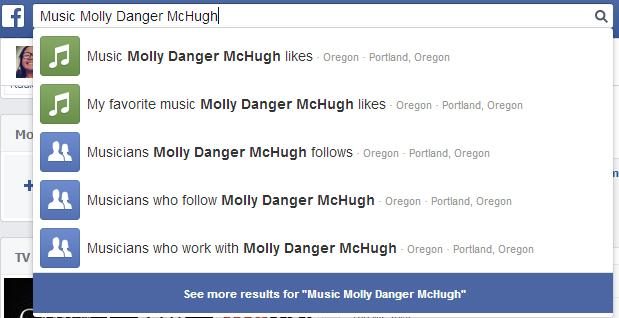
And although it isn’t immediately suggested, you can search any user’s likes that appear on the new Timeline design, such as Music, Movies, TV Shows, Books, and Likes. You can also check people (in the case below, Musicians) related to your original query.
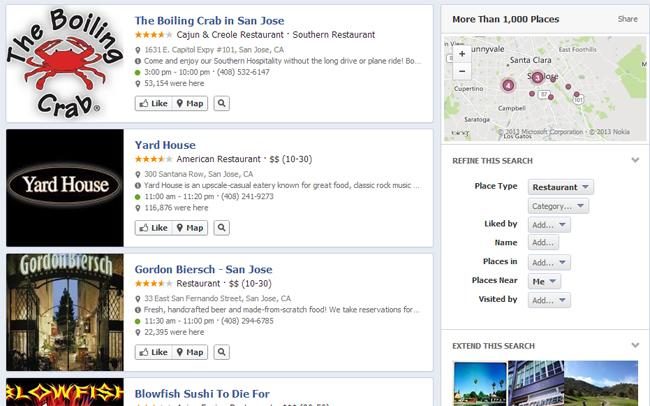
Graph Searching for Restaurants nearby has also improved a little bit, now offering more than a thousand places instead of only a hundred. Information provided per establishment was also increased, so you’ll no longer feel the need to check outside sources.
Why using Graph Search is still a harrowing ordeal
Although Facebook says it has improved Graph Search’s intelligence, it still fails to recognize simple-worded queries some people would deem important. A search like “Filipinos in San Jose, California” returned no results for me … a Filipino … currently in San Jose, California. My dreams of meeting new friends from my homeland via the social networking site have been squashed.
No matter how much Facebook improves the Graph Search function, at the end of the day, it is still a tool that makes it way too easy to snoop on people in your social circle, and most of them have no idea what kind of embarrassing information they are leaving out in the open. With the current state Graph Search is in, conducting an easy self-check is still sort of impossible – you still can’t search your own Timeline for specific posts and comments, so there’s no easy way to delete any content thoughtlessly posted that may compromise your online reputation. Facebook says it is currently working on making that feature possible through Graph Search, so hope is not completely lost.
How to make Graph Search less creepy
Graph Search makes it unbelievably easy to search photos of you posted by someone else, and more often than not, these photos are on the not-so-desirable side. Protect yourself from this kind of unwanted exposure by visiting your profile page and clicking on the Activity Log link located on top of your cover photo. Click on Photos then check out Photos of You to see pictures your friends tag you in. On the top of the list, click on the Shared With dropdown menu to find out which of your photos are available to the Public, your Friends, or Friends of Friends.
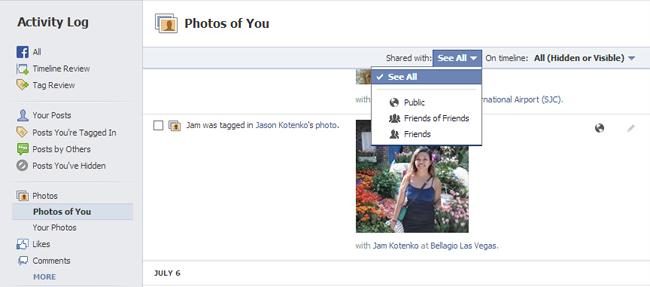
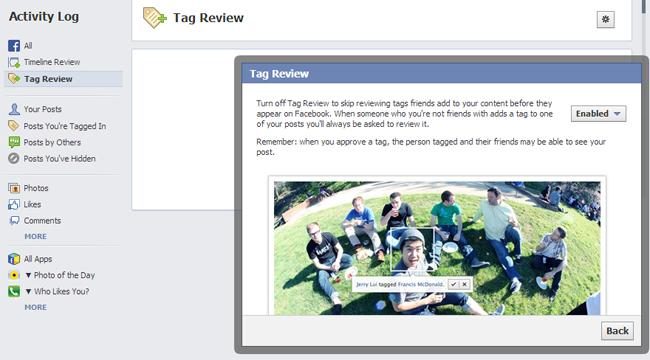
The ones viewable on Public mode are the ones that really need attention. The photos that normally show up are Instagram photos shared on Facebook and photos posted by friends who have lax privacy settings. While you can’t really tell all your friends to beef up their Facebook security for your benefit, you can request them to take down photos of you that they posted. The least you can do is untag yourself and enable Tag Review in your Activity Log so posts by friends that involve you won’t immediately go up on your Timeline without your permission.
Now that you know you are susceptible to a Graph Search based on your personal information, visit your About page through your main profile and go through each section meticulously. Click on Edit and make sure everything is viewable by your intended audience – choosing Friends only for all the sections is recommended.

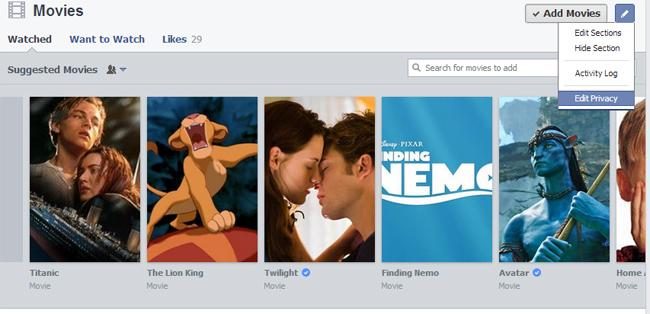
Continue working your way down your About page until you see the various Interest sections (Movies, Music, Books, etc …). Click on the pencil icon on every section (located on the top right corner) and choose Edit Privacy to control the audience who has access to the things you like.
Finally, ensure that your future posts are secure and privatized by clicking on the padlock icon on the upper right corner of the screen and selecting Who Can See My Stuff – from there you can set who can see your future posts to Friends only.
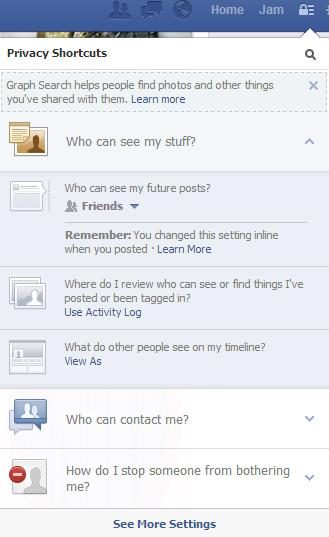
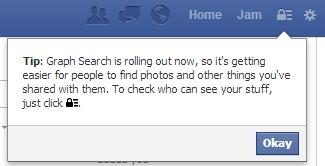
Note that itty bitty reminder telling you that Graph Search will help people find out more about you, so yeah, these security measures aren’t all for nothing, trust me. In fact, here it is again, showing up after going back to the News Feed:
And of course, you’re going to want to know how to delete your Graph Search history. Because we all know, you’re about to do some serious creepin.