What’s happened? Back in October, Microsoft AI had unveiled its in-house text-to-image system, named MAI-Image-1. Well, as announced by Microsoft AI CEO Mustafa Suleyman on X, the image-generation model is now live inside Copilot. Touted as a “major improvement” over the previous system, you can start using the model right away — no long waitlists, no experimental flags. Just open Copilot on the web or desktop, and start generating.
- MAI-Image-1 is built for photorealistic outputs, tackling historically messy details, especially hands, with much better accuracy.
- The model supports text-prompt generation and image editing, offering refinement tools similar to what you’d find in DALL-E.
- Users are already testing it publicly, and early impressions are quite positive.
Why this is important: MAI-Image-1 marks a major moment for Microsoft because it’s the company’s first serious, fully in-house image generator, meaning it no longer leans on third-party models like OpenAI’s DALL-E. That means Microsoft can now iterate faster, tailor the tool more closely to Copilot, and better serve regions where competitor models (like Google’s Gemini) have limited availability.

Early testers are already calling it a “huge improvement”, pointing to noticeably better photorealism, more natural lighting, and, most importantly, a major fix to one of AI art’s most notorious flaws: weird fingers. Some developers who tried the model say they’re impressed with how consistent and responsive it feels, even praising it as “very good” for detailed concept work.
This also signals where Copilot is headed: toward becoming a more complete creative platform rather than just a text assistant. Photorealistic samples shared online, like close-ups of hands in different environments or a realistic coffee cup with visible steam, suggest Microsoft is closing the gap with established AI art tools. That raises the stakes in an increasingly crowded market, where Meta, Google, Grok, and OpenAI are all racing to deliver best-in-class generative visuals. If Microsoft keeps this pace, Copilot could become a go-to space for image creation, not just casual prompting.

Why should I care? If you already use Copilot, your image-generation experience just got better automatically, no upgrade required. Just switch to the new model, and you should be good to go. Whether you’re creating mood boards, product concepts, thumbnails, illustrations, or just meme-grade chaos, MAI-Image-1 is polished enough to make the process easier and more fun. And because it’s integrated directly into Copilot, you don’t need to juggle external tools — everything lives where you’re already typing prompts.
Okay, so what’s next? MAI-Image-1 is already available inside Microsoft’s consumer AI tools, such as Copilot and Bing Image Creator — currently live in most major markets, including the U.S., U.K., Canada, Australia, and other countries where Copilot supports text prompts. However, Mustafa clarified that the model will be “coming soon” to the EU. To try it, simply sign in with your Microsoft account, open Copilot (or Bing Image Creator), and enter a prompt for creating or editing an image. Because the model is built into existing tools rather than a standalone site, it feels like a natural upgrade rather than a separate app to learn.
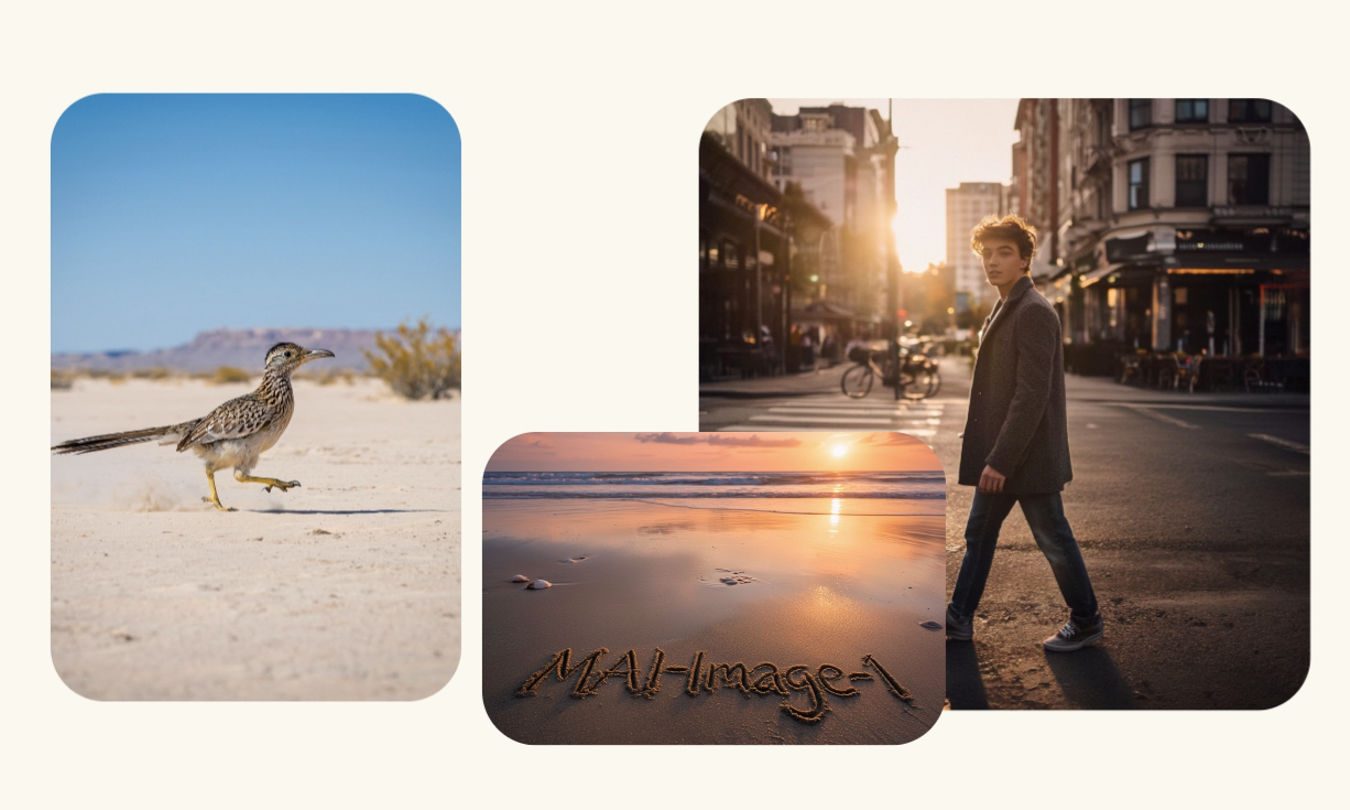
Looking ahead, Microsoft plans to expand the rollout even further, including additional regions, languages, and platform integrations. Early user reactions suggest the model’s strength lies in photorealistic detail, refined lighting, and more natural anatomy, so expect Microsoft to refine editing workflows, add more style controls, and possibly open up model choice options. In other words, this launch isn’t the finish line — it’s the kickoff of Microsoft staking claim to image generation, and every new iteration could unlock richer creative workflows inside Copilot.