  1. Home
  2. Mobile
  3. Android
  4. Photography
  5. Legacy Archives

Google’s new Camera app can now refocus images like a poor man’s Lytro

Add as a preferred source on Google

The HTC One M8 adds photo blur in the form of its Duo Camera, which, by adding depth to a picture, allows you to focus on a part of the picture while blurring the rest out, much like the Lytro. The Samsung Galaxy S5 does something similar, but using software instead of an extra camera. Google is jumping on the software train as well with its new stock Camera app, which brings Lens Blur and Photo Sphere to Android devices.

Lens Blur: As its name suggests, Lens Blur lets you blur out the surroundings in a picture while focusing on the subject, adding a depth of field effect to the picture. This is done through software algorithms that simulate the large camera and aperture that your Android device does not have.
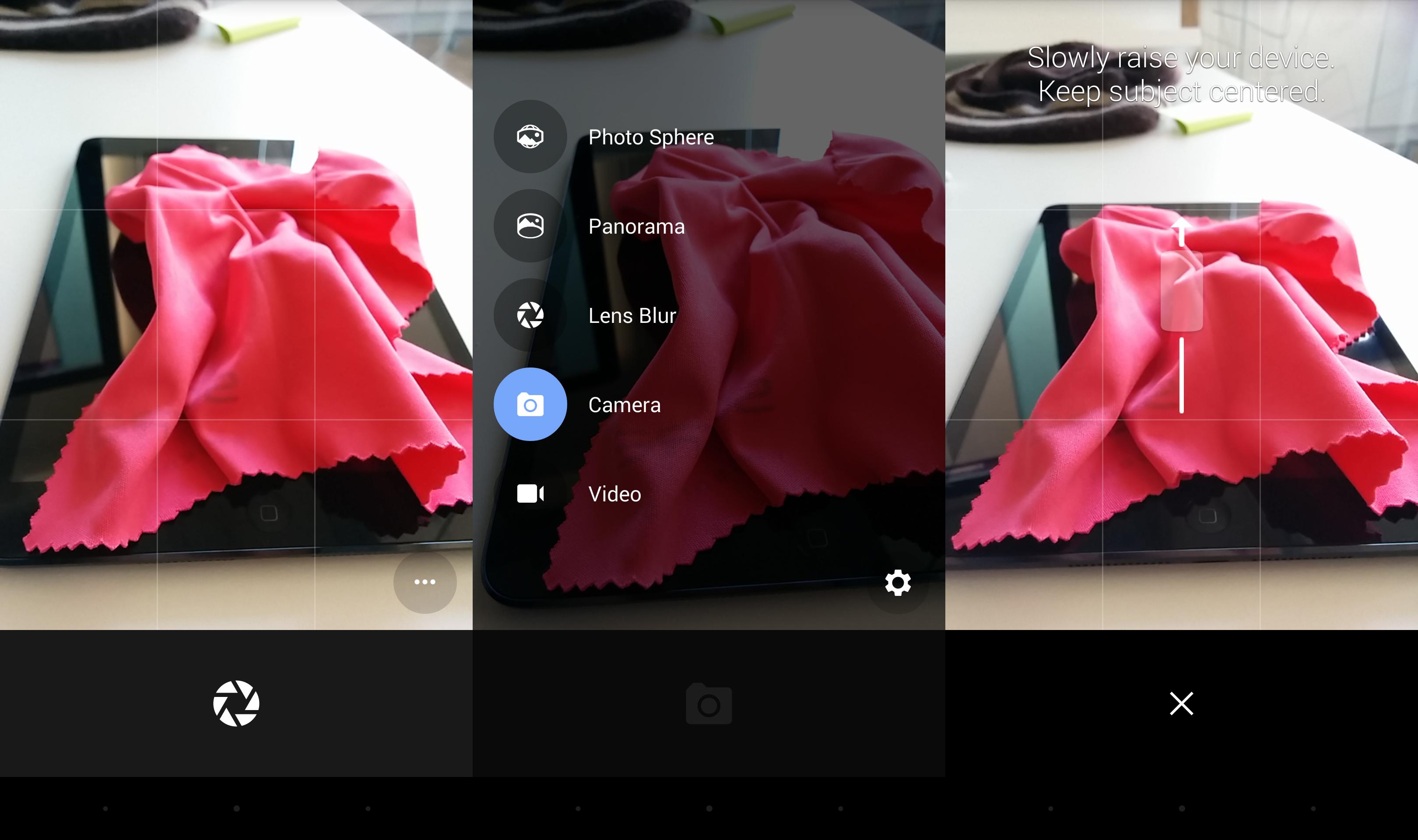
Camera app
Image used with permission by copyright holder

Panorama improvements: Google also improved Panorama to allow for higher-resolution panoramas.

Recommended Videos

Photo Sphere improvements: Finally, while Photo Sphere is not necessarily a new feature, seeing as how it’s on Nexus devices, it is now available on non-Nexus devices. Photo Sphere lets you take 360-degree pictures at up to 50 megapixels, which can then be viewed in all their glory on Google+.

Google Camera, which now features a revamped user interface, is now available as a free download from the Google Play Store. So long as you have a KitKat-running Android device, you should be good to go.

Download Google Camera from Google Play.

Williams Pelegrin
Williams is an avid New York Yankees fan, speaks Spanish, resides in Colorado, and has an affinity for Frosted Flakes. Send…
Snapchat Planets Meaning: Order, Rankings, and How Friend Solar System Works
Snapchat Planets turns your best friends list into a solar system, and yes, your orbit says a lot
Snapchat Planets being shown on the Snapchat app on iPhone.

Snapchat+ includes several exclusive features, but few have generated as much curiosity as Snapchat Planets. Part of the app's Friend Solar System, it transforms your Best Friends list into a planetary ranking, assigning each of your top eight friends a planet based on how often you interact.

From Mercury, which represents your closest friend, to Neptune, which represents your eighth closest, the system offers a quick visual snapshot of your interactions. But what do the different planets actually mean, and how does Snapchat decide who gets which one?

Read more
How to use WhatsApp Web
We'll show you how to use WhatsApp on your desktop or laptop
WhatsApp Web

As one of the most popular messaging services, you’ve already heard of WhatsApp. From its humble beginnings in 2009—two years before Apple introduced iMessage—to its acquisition by Facebook (now Meta) in 2014, WhatsApp has become the dominant messaging platform around the globe.

In recent years, it's grown even more potent with new features like video messages, self-destructing voice messages, the ability to edit sent messages, and more. We even finally got an WhatsApp iPad app in May 2025.

Read more
What is WhatsApp? How to use the app, tips, tricks, and more
From setting it up to mastering hidden features, here is your complete guide to WhatsApp.
WhatsApp app store listing open on iPhone

There's no shortage of messaging apps out there. The past decade has given us more options than we know what to do with, largely because smartphones demanded something better than plain old SMS.

Both the App Store and the Play Store are packed with apps that promise to revolutionize the way we communicate. Most of them didn't make it. The truth is, a messaging app is only as good as the number of people using it, and most apps never cross that threshold.

Read more