  1. Home
  2. Phones
  3. News

You can use Samsung Galaxy Z Trifold as a desktop without an external monitor

A foldable phone that can double as a portable workstation

Add as a preferred source on Google
samsung-dex-on-galaxy-z-trifold-phone
Samsung Dex on Galaxy Z TriFold Samsung

What’s happened? Samsung just unveiled the Galaxy Z TriFold, and it’s the first Galaxy device that can run Samsung DeX directly on its 10-inch internal screen. For the uninitiated, DeX is Samsung’s desktop-style interface that turns your phone’s apps into resizable windows and gives you a computer-like working environment. It essentially lets your phone behave like a PC when you need more screen and more multitasking power.

This is important because: Until now, DeX on phones typically required an external display (monitor or TV) to deliver a “desktop” experience. The TriFold changes that entirely, with a 10-inch screen that can run DeX directly and turn the device into a tablet-class workspace you can still slip into your pocket.

  • With One UI 8.0, Samsung has layered its full DeX experience on top of Android 16’s Desktop Mode, turning the TriFold into something much closer to an actual desktop computer.
  • You can fire up DeX from the Quick Settings panel and get up to four separate workspaces, each capable of running five apps at once.
  • Want more screen real estate? The TriFold supports Extended Mode that lets you connect an external monitor, drag and drop apps between screens, and work with dual displays like on a PC.
  • You can also pair a Bluetooth mouse and keyboard, turning the TriFold into a full portable workstation that’s ready for heavier projects or creative work.
Recommended Videos

Why should I care? On the TriFold, multitasking becomes significantly more flexible. Because Samsung engineered the TriFold with dual hinges, a shock-resistant foldable display, and a powerful processor, you get portability without the usual compromises.

  • You can edit a presentation in one window, browse documents in another, hop into a chat in a third, and stream a video in the fourth, all without switching devices.

For people who need a flexible device for productivity, this transforms the Samsung Galaxy Z TriFold into a real workstation.

Manisha Priyadarshini
Manisha Priyadarshini is a tech and entertainment writer with over nine years of editorial experience.
Setting up your dorm desk? These are the phone stands I’d actually spend my money on
From a $2 folding stand to a three-in-one Apple charging dock, these are the phone stands worth setting up this semester.
Analog Clock, Clock, Electronics

A phone stand is one of the smallest purchases on any back-to-school list, but it's also one of the easiest to get wrong, especially since there are dozens of options available on Amazon. A good phone stand is one that does its job well and, more importantly, doesn't put much of a dent in your budget.

This is one of those product categories where you don’t need to spend big, unless a MagSafe dock or a multi-device charging stand is genuinely useful for your desk or dorm setup. That is why this list begins with the most affordable options and works its way up to the more expensive ones. From a two-pack that costs about as much as a coffee to a three-in-one Apple charging station, I picked eight of Amazon's best-reviewed phone stands worth considering this back-to-school season.

Read more
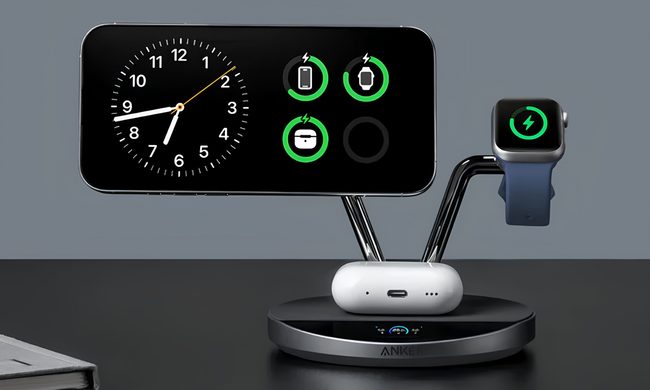
I picked four wireless chargers so you can stop making your iPhone, AirPods, and Apple Watch fight over one dorm outlet
The best back-to-school wireless chargers for dorm desks, study spaces, and travel
Computer, Electronics, Laptop

A dorm-room desk can disappear surprisingly quickly beneath a laptop charger, phone cable, Apple Watch puck, and the growing collection of adapters required to power them all. Add textbooks and other academic materials, and finding enough room to study becomes the first assignment of the semester.

A wireless charging stand can consolidate several of those cables into one station. It also gives your phone a dedicated place to sit, which helps when you are checking the time or watching a lecture. Every charger here still needs one connection to the wall. So finding a peripheral that works with all of your gadgets isn't just convenient, it's smart. I picked four models ranging from an inexpensive two-device stand to a fast 25W wireless charger capable of powering an entire Apple setup.

Read more
Your backpack needs one of these power banks before classes start
I picked 4 power banks that can survive your longest day on campus
Anker Nano 3-in-1 10,000mAh portable power bank for iPhone.

Finding an empty outlet on campus can require more patience than registering for a popular class. Common spaces like libraries or lecture halls rarely have sockets in the right places. So a good power bank gives you far more freedom. It gives you the option to choose the quiet corner of the library, work outside between classes, or even finish an assignment without worrying about your laptop's battery.

The right model depends on what you carry, since a phone needs far less power than a MacBook or gaming laptop. I picked four Anker power banks that cover everything from everyday phone charging to running several demanding devices at once.

Read more
