  1. Home
  2. Phones
  3. News

Android Canary update brings big changes, but nothing is guaranteed

Google’s latest test build adds app lock, redesigned tools, and UI tweaks, though any of it could still be cut.

Add as a preferred source on Google
Android 17 on a phone.
DigitalTrends/Google

Google has rolled out a fresh Android Canary build, and it looks more complete than you might expect from an experimental release. The catch is simple. This version exists to test ideas, not to promise them.

Android Canary 2603 bundles practical additions like app lock, chat bubbles, and a redesigned screen recorder. It’s available across a wide range of Pixel devices, but this update is meant for developers rather than everyday use

Recommended Videos

That context matters when reading into any of these changes. Features shown here can still be removed before a stable release, even if some eventually appear in beta builds.

Even so, this build offers a useful snapshot of where Android may be heading next.

New features worth watching

App lock is one of the most practical additions. You can now long press an app and secure it directly, which adds a layer of privacy without digging through settings menus

That same menu also activates bubbles more fully. Conversations can float on screen as overlays, making multitasking feel more natural than before

The screen recorder has also been reworked into a floating pill interface. It lets you quickly choose between recording the full screen or a single app, then moves you into a preview flow where you can edit, delete, or share the clip

Google has even refined smaller details. The long press menu now groups shortcuts into a cleaner layout that expands only when needed.

Why this update isn’t final

There’s a reason none of this should be taken as final. This channel exists for developers to explore early features and APIs, not as a preview of what will ship next

That gap between polish and certainty is important. Some features already feel complete, but they can still be adjusted or dropped before Android 17 reaches stability. Even changes that move into beta are not guaranteed to stick.

There’s also a tradeoff to consider. Canary builds aren’t designed for daily use, so most people won’t try them unless they’re comfortable dealing with bugs or manual installs.

What you’re seeing here is Android in an active state of change, with ideas being tested in public before decisions are locked.

What to expect next

Some of the smaller changes hint at a broader direction. The return of separate Wi-Fi and mobile data toggles suggests a rethink of earlier design decisions, while heavier use of blur points to ongoing visual refinement

There’s still no clear timeline for what carries forward. Google hasn’t confirmed which of these features will land in Android 17 or when they might reach stable devices, even on supported Pixel models.

If you’re tracking Android’s evolution, the next step is to watch what shows up in beta builds. That’s usually where experimental ideas start turning into features you’ll actually use.

Paulo Vargas
Paulo Vargas is an English major turned reporter turned technical writer, with a career that has always circled back to…
I picked four wireless chargers so you can stop making your iPhone, AirPods, and Apple Watch fight over one dorm outlet
The best back-to-school wireless chargers for dorm desks, study spaces, and travel
Computer, Electronics, Laptop

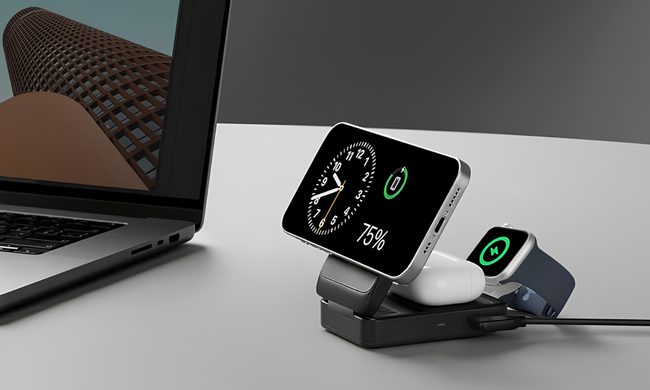
A dorm-room desk can disappear surprisingly quickly beneath a laptop charger, phone cable, Apple Watch puck, and the growing collection of adapters required to power them all. Add textbooks and other academic materials, and finding enough room to study becomes the first assignment of the semester.

A wireless charging stand can consolidate several of those cables into one station. It also gives your phone a dedicated place to sit, which helps when you are checking the time or watching a lecture. Every charger here still needs one connection to the wall. So finding a peripheral that works with all of your gadgets isn't just convenient, it's smart. I picked four models ranging from an inexpensive two-device stand to a fast 25W wireless charger capable of powering an entire Apple setup.

Read more
Your backpack needs one of these power banks before classes start
I picked 4 power banks that can survive your longest day on campus
Anker Nano 3-in-1 10,000mAh portable power bank for iPhone.

Finding an empty outlet on campus can require more patience than registering for a popular class. Common spaces like libraries or lecture halls rarely have sockets in the right places. So a good power bank gives you far more freedom. It gives you the option to choose the quiet corner of the library, work outside between classes, or even finish an assignment without worrying about your laptop's battery.

The right model depends on what you carry, since a phone needs far less power than a MacBook or gaming laptop. I picked four Anker power banks that cover everything from everyday phone charging to running several demanding devices at once.

Read more
The Minimal Phone 2 looks dramatically better than the original, and I’m genuinely here for it
Plastic is out, metal is in, and Minimal Phone 2's renders suggest the digital detox phone concept finally has the hardware to match its ambition.
Electronics, Mobile Phone, Phone

I've been following the Minimal Phone since its initial crowdfunding days. The first iteration had the right idea trapped inside the wrong body, I’d say. Plastic build, no 5G, an underwhelming camera, and e-paper ghosting that frustrated early adopters; all these issues kept the phone from reaching a wider audience. 

Now, founder Armen Youssefian has posted what appears to be a 360-degree render of the Minimal Phone 2 on X, and from what I can see, the team has done its homework.

Read more
