1. Home
  2. Phones
  3. News

How to install iOS 27 public beta on your iPhone?

iOS 27’s public beta is here, and its loaded with new features and experiences you might want to try.

Add as a preferred source on Google
iOS 27 beta update open on iPhone
Rachit Agarwal / Digital Trends

After iOS 27’s third developer beta shipped on July 6, Apple released the first public betas for iOS 27 on July 13, 2026. While the main additions remain the same across the builds, the latter is the more refined and polished version, free of rudimentary bugs and glitches.

If you have a compatible iPhone, you can install the first public beta of iOS 27 today and experience the new Siri AI and other features yourself, provided that you know exactly what to do.
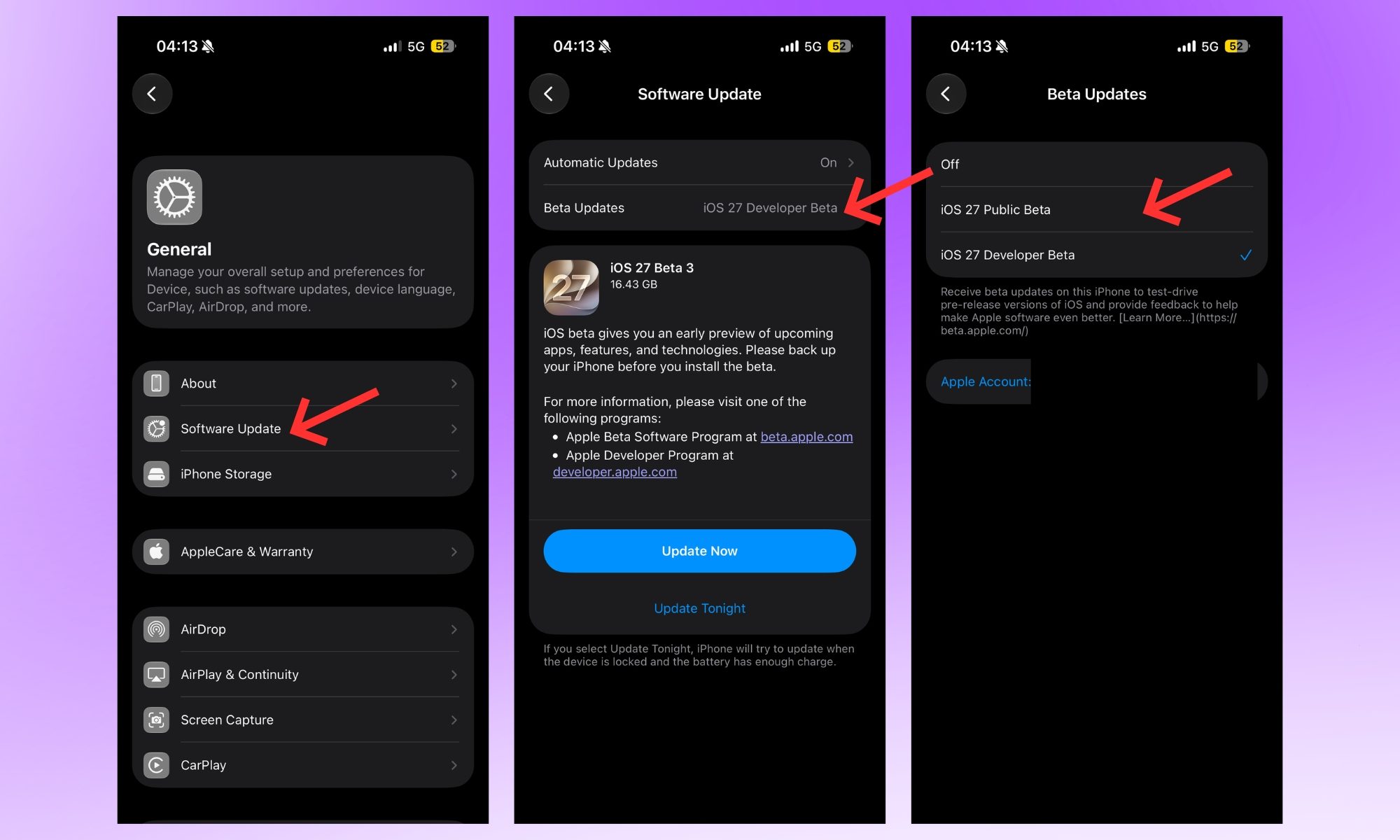
So how do you actually install it?

  • First, head to beta.apple.com and sign up for the free Apple Beta Software Program. It doesn’t require any membership whatsoever. 
  • Then, on your iPhone, head to Settings > General > Software Update. 
  • You’ll see a Beta Updates option, likely toggled off. Enable it, and you should see iOS 27 Public Beta. If you’ve already enrolled in the developer program, the public beta should be available alongside the developer beta. 
  • Select it, tap back, and your iPhone should inform you when the download is ready. If the option doesn’t show up right away, restart your iPhone first. Once available, you can download and install iOS 27’s public beta. 
Recommended Videos

One thing worth knowing before you tap install is that this is still beta software, so I recommend you back up your iPhone first and avoid putting it on the device you can’t afford to have glitch out for a day or two.

What’s actually new once you’re in?

To be frank, Siri AI is the headline addition. Apple has transformed its basic everyday assistant into a conversational chatbot with its own dedicated app that can see what’s on your screen and take actions across other apps. 

Photos gets new AI editing tools for cleaning up, extending, and reframing shots, while Safari organizes your tabs automatically based on the topics. Shortcuts can be built using plain English instead of a rigid workflow builder, while system features like AirDrop and opening new captures in the Photos app are up to 80% and 70% faster, respectively.

Shikhar Mehrotra
For more than five years, Shikhar has consistently simplified developments in the field of consumer tech and presented them…
This Android malware can spy on your screen, read your texts, and control your phone remotely
Upgraded RedHook Android malware now abuses Android's built-in Wireless ADB to hijack your phone without root access.
android-redhook-malware

A nastier version of the RedHook Android malware is making the rounds, and it does not need a USB cable or a rooted phone to take over your device. Researchers at Group-IB discovered the upgraded variant, which is a significant step up from the version spotted in 2025. The scariest part? It uses one of Android's own built-in tools to do it.

How RedHook malware tricks your Android phone into handing over control

Read more
iOS 27’s public beta is finally here, and you don’t need a developer account to get in
Siri's biggest comeback is finally leaving the lab.
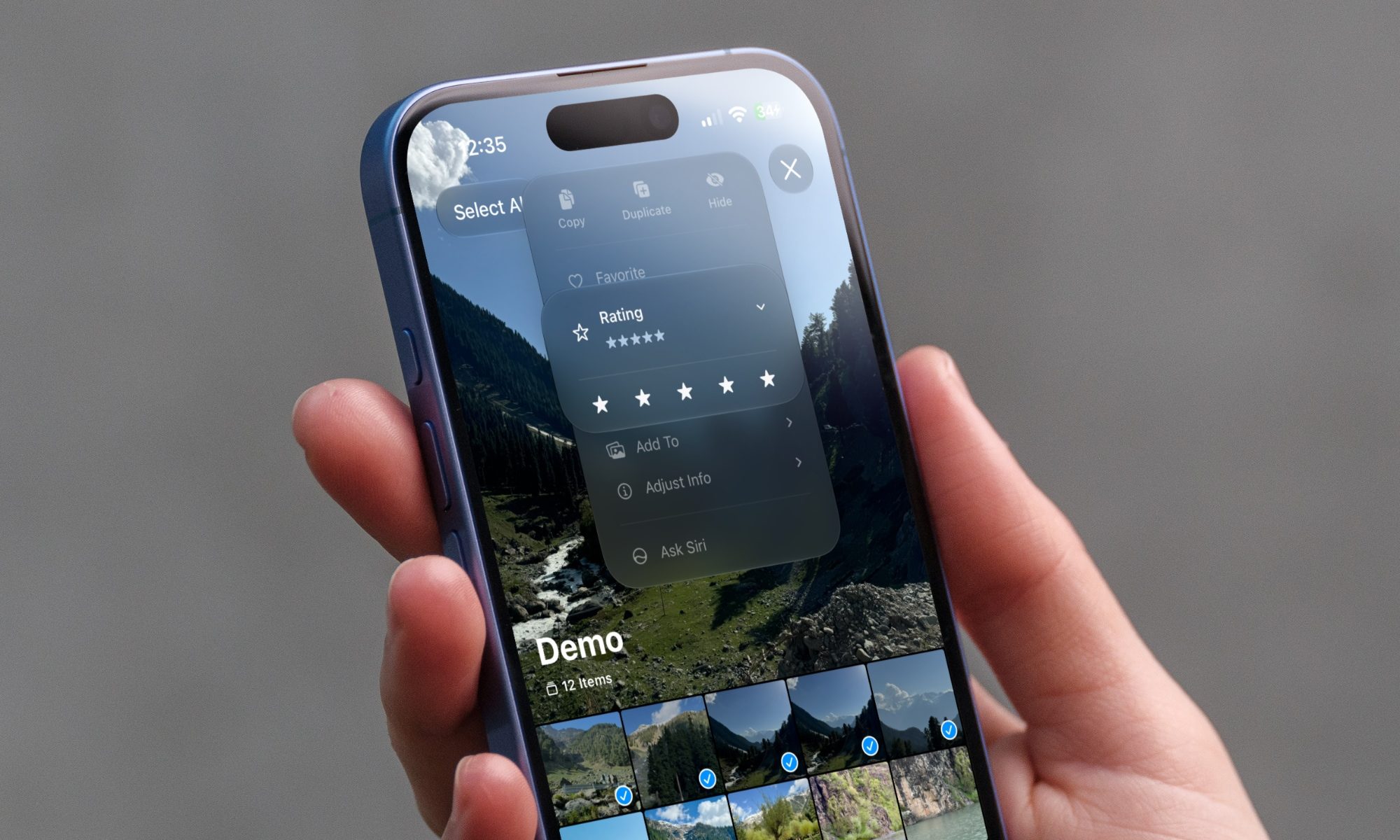
iOS 27 new star rating feature in Photos

Greg Joswiak just made it official. A few minutes ago, Apple's marketing chief confirmed the availability of public betas for iOS 27, macOS 27, iPadOS 27, and other Apple devices.

If you've spent the last month watching developers gush over Siri AI, patiently waiting for the public beta, that wait is over.

Read more
The Pixel 11 may finally ditch Samsung’s modem for better battery life and connectivity
A modem change could transform the Pixel 11 experience.
Google Pixel 10 Pro Fold in Moonstone

If you've ever watched your Pixel's signal bars drop for no reason in a room where every other phone was fine, you already know Google has a modem problem. 

A new FCC filing suggests the company might finally be doing something about it (via Android Central).

Read more