If you just dropped $650 on the Fire Phone, then you’re entitled to expect something a bit special. Amazon’s box of tricks includes Dynamic Perspective, Firefly, and Mayday, but there are always gripes and technical issues with new smartphones. Here are a few common Fire Phone problems that you might encounter and advice on how to work around them or fix them.
Click on an issue to jump to it:
- Annoyance: Limited apps
- Problem: Can’t connect to Wi-Fi
- Problems: Calls, text messages, or network connection not working
- Problem: SIM won’t work
- Glitch: Freezing and crashing
- Problem: Overheating
- Issue: Battery life is poor
- Gripe: No Back button
————
Related: Fire Phone tips and tricks
Annoyance: Limited apps
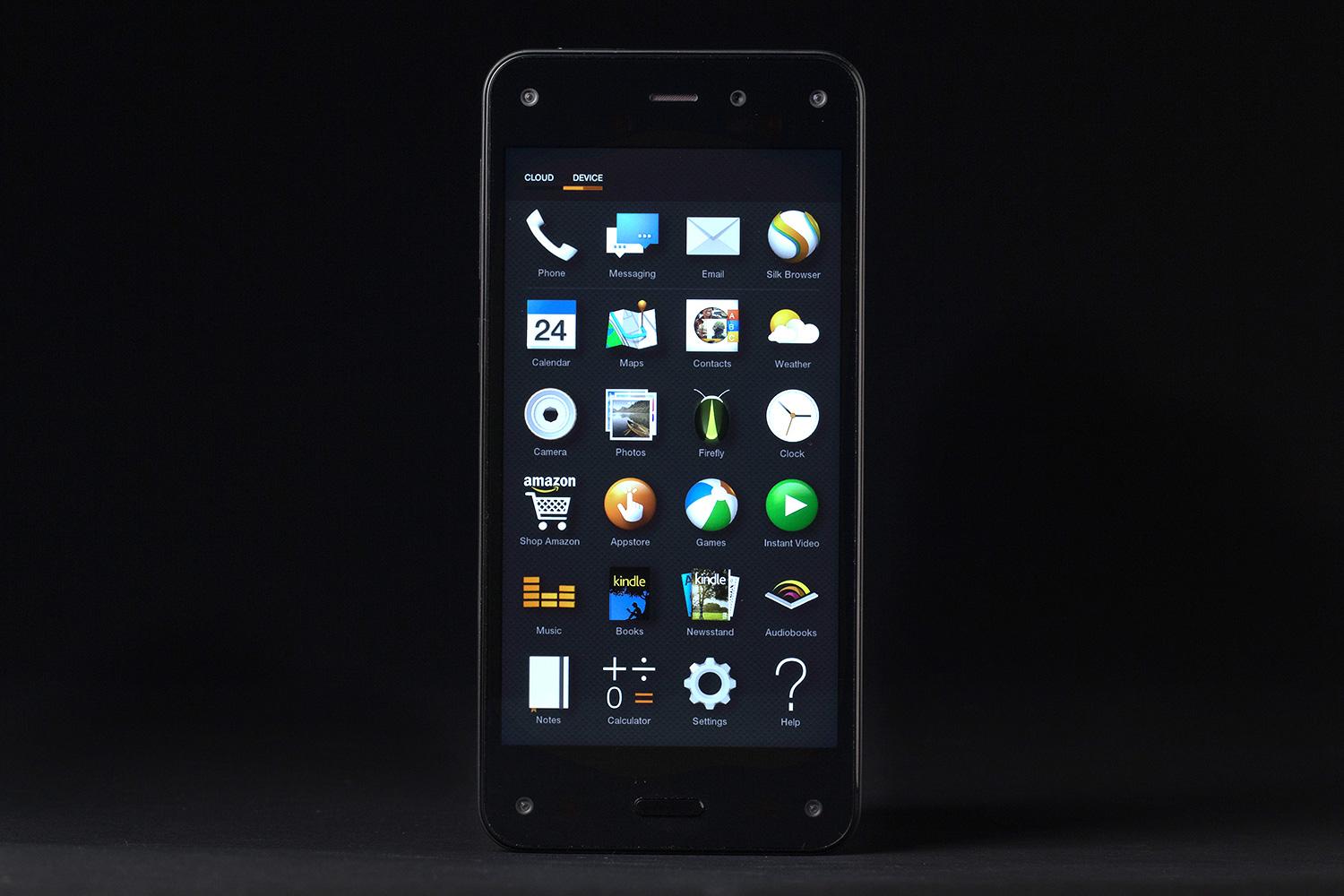
Now, 240,000 may sound like a big number, but there are plenty of desirable apps and games missing from Amazon’s Appstore that you can find in Google’s Play Store. The most obvious omissions are Google’s wares, but there isn’t a great deal you can do about that (even if you get Google apps onto the Fire Phone, they are not likely to work correctly without Google services).
Luckily, you can sideload and successfully use a lot of the other apps from the Play Store.
Potential solution:
- Go to Settings and look under Applications & Parental Controls, until you find Allow non-Amazon app installation. You want to slide App Installation to ON and tap OK to acknowledge the warning.
- Now you can download apps as APK files from the Play Store (using a Chrome extension on your desktop) or from one of the alternative Android app stores.
- You can use Dropbox or another cloud service to easily and wirelessly transfer apps to your Fire Phone. Then, you just tap on them to install or you can hook your Fire Phone up to your desktop to drag and drop the files.
 or another cloud service to easily and wirelessly transfer apps to your Fire Phone. Then, you just tap on them to install or you can hook your Fire Phone up to your desktop to drag and drop the files.
Problem: Can’t connect to Wi-Fi
Lots of people encounter problems connecting new smartphones and tablets to their existing Wi-Fi networks, even when older devices seemed to work perfectly fine. If it’s an issue you’re having with the Fire Phone, then there are lots of things you can try to get it working.
Potential fixes:
- The first thing to try is to switch your Fire Phone off by pressing and holding the Power button and then tapping Restart.
- You should also try turning your router off for 30 seconds or so and then turning it back on again.
- Pull down the notification shade and try turning Airplane Mode on and then off again.
- Try forgetting the network by pulling down the notification shade and then tapping and holding on Wi-Fi. Tap and hold on your network, then tap Forget. Now try adding the network again. Make sure that you enter the password correctly (it’s usually written on your router somewhere).
- Make sure that your Fire Phone is fully up to date by going to Settings > Device > Install system updates > Check Now.
- Make sure that your router firmware is up to date by checking with your ISP or manufacturer.
- Check out how busy the channels are by using the Wi-Fi Analyzer app. If overcrowding is your problem, then change the channel on your router.
 app. If overcrowding is your problem, then change the channel on your router.
Problems: Calls, text messages, or network connection not working
If you’re having trouble sending or receiving text messages, making calls, or connecting to your mobile network, it could be down to your carrier. Assuming you’re in a good coverage area, your Fire Phone is up to date, and you don’t have Airplane Mode on, there are a couple of other things worth trying.
Potential fixes:
- It’s always worth trying a restart first, so hold down the Power button and then tap Restart to see if that solves the issue.
- Go to Settings > Device > Get info about your Fire and make sure that the phone number, serial number, and IMEI are all listed. If this info is missing, you may need to contact AT&T to make sure your device has been activated.
- If you switched from an older phone, it’s possible your new plan doesn’t cover everything you need. You can call AT&T at 611 and ask them about this.
- If you switched from an iPhone, you may have trouble getting messages if you didn’t deactivate iMessage before you transferred the SIM card. To sort it out, check this page.
Problem: SIM won’t work
The Fire Phone takes a Nano SIM card, but it’s locked to AT&T in the U.S. If you stick another SIM card in there, it’s not going to work. You’ll most likely get a request for a PIN that says Enter Network PIN Code, but it might prove tricky getting one.
Potential fixes:
- If you are, or were, an AT&T customer, you can contact AT&T and they should give you the unlock PIN you need. This page details how to request a device unlock from AT&T.
- If you aren’t and never have been an AT&T customer, you may be unable to get a working PIN. You should probably contact Amazon and get a refund for the phone.
Glitch: Freezing and crashing
A number of Fire Phone owners have been complaining about apps freezing and sometimes crashing. You should watch out for consistent causes and try to remember what you were doing when this occurs, as it may help you track down the problem.
Workaround:
- A restart will usually solve this issue, at least temporarily. Hold down the Power button and choose Restart. If the screen is unresponsive, just keep holding the Power button until the device turns off and then turn it back on again.
Potential fixes:
- Make sure that your Fire Phone is up to date via Settings > Device > Install system updates > Check Now.
- Make sure that your apps are up to date in the Amazon Appstore by going to My Apps and checking the App Updates tab.
- You could go into Settings > Manage applications, try uninstalling apps one by one, and then test to see if the problem is gone. Or you could backup your files, do a factory reset, and then selectively reinstall. If you want to factory reset, you’ll find the option in Settings > Device > Factory reset your phone, but remember that you’ll lose all your data and settings.
Problem: Overheating

Quite a few Fire Phone owners have an issue with the phone overheating. This is a common problem for smartphones, especially if you play graphically intensive games or use the camera for long periods of time. However, it’s more noticeable on a device like the Fire Phone because it has a glass back. Give it frequent rests and it will cool down again quickly. Don’t leave the phone in direct sunlight if you can help it.
Workarounds:
- Assuming the phone isn’t slowing down or turning itself off and your main issue with the heat is discomfort, then why not check out the best Fire Phone cases and snag one?
- You could turn the Dynamic Perspective feature off by going to Settings > Display > Configure low motion settings. Some people have reported less heat and longer battery life after turning it off.
Potential fixes:
- Amazon might be able to tackle this issue in the future with an update. Keep an eye on Settings > Device > Install system updates > Check Now.
Issue: Battery life is poor
The more we use our smartphones and the more features get packed in, the more strain there is on the battery. A large number of Fire Phone owners have been complaining about rapid battery drain. Bear in mind that you’re probably using the phone a lot more than normal in the first few days and that it will be syncing and downloading more often, as you add accounts and download apps.
Workarounds:
- Take a look at our tips for saving smartphone battery life.
- You might consider turning off Dynamic Perspective and possibly a few other gesture settings listed in Settings > Display > Configure low motion settings. Remember that if you switch off Peek you’ll need to go to Settings > Display > Show status bar and turn it on.
Potential fixes:
- Amazon might improve battery life in the future with an update. Go to Settings > Device > Install system updates > Check Now to make sure you’re up to date.
Gripe: No Back button
The lack of a Back button can be a pain, especially if you are using an Android app that was designed to work with it.
Workarounds:
- You can swipe up from the bottom of the screen to go back. Try starting from off the screen and swipe up for best results.
- You can press the Home button and then go back into the app.
We’ve reached the end of our Fire Phone problems roundup, but we will post new issues as they arise. In the meantime, let us know what problems, if any, you’ve encountered and share any fixes you discover in the comments below.