1. Home
  2. Computing
  3. Gaming
  4. Virtual Reality
  5. News

Noon VR: Another smartphone-based VR headset enters the fray

Add as a preferred source on Google

When it comes to standalone virtual reality headsets, the Valve HTC Vive and Oculus Rift are the first two that come to mind for most people. A bit less talked about are the more affordable smartphone-based headsets, and in that space Google Cardboard and Samsung’s Gear VR are the big players. However, Seoul, South Korea-based NextCore Corporation is looking to enter that crowded market with the introduction of its Noon VR headset, featuring a competitive $89 price tag.

For VR programs, the team behind Noon VR is partnering with Koom VR, a VR distribution service. Users can use this service to share their own VR creations and download and watch the work of others. The app is available on both iOS and Android, which offers the service and accompanying headset to a wide range of smartphone owners. The content is video-based, and currently there are approximately 1,000 pieces of content available.

NoonVR1
Image used with permission by copyright holder

The app can be controlled in a number of ways including head movements, finger tap gestures, and eye gaze tracking, which means users have plenty of options for working within the app and choosing the VR experience that suits their tastes.

Recommended Videos

Apple and Android devices between 4.7 and 5.5 inches will fit into the headset. This means phones like the iPhone 6 and 6 Plus, Samsung Galaxy S6 and plenty of other devices will slot right in and work.

Some other notable features of the actual hardware include vents for keeping fog out, a velcro strap that goes around and above the user’s head for stability, and a 95-degree viewing angle that creators promise will not cause eye strain. Once the phone is locked in with the elastic band docking system, there’s a plastic cover that goes over it to keep dust out while the device is in use.

NoonFeatures
Image used with permission by copyright holder

The headset is available right now from Amazon for the aforementioned $89 price. It’s entering a growing and very competitive market, so it will be interesting to see how it works its way into the space as we venture forward into the VR era.

Dave LeClair
Former Digital Trends Contributor
Dave LeClair has been writing about tech and gaming since 2007. He's covered events, hosted podcasts, created videos, and…
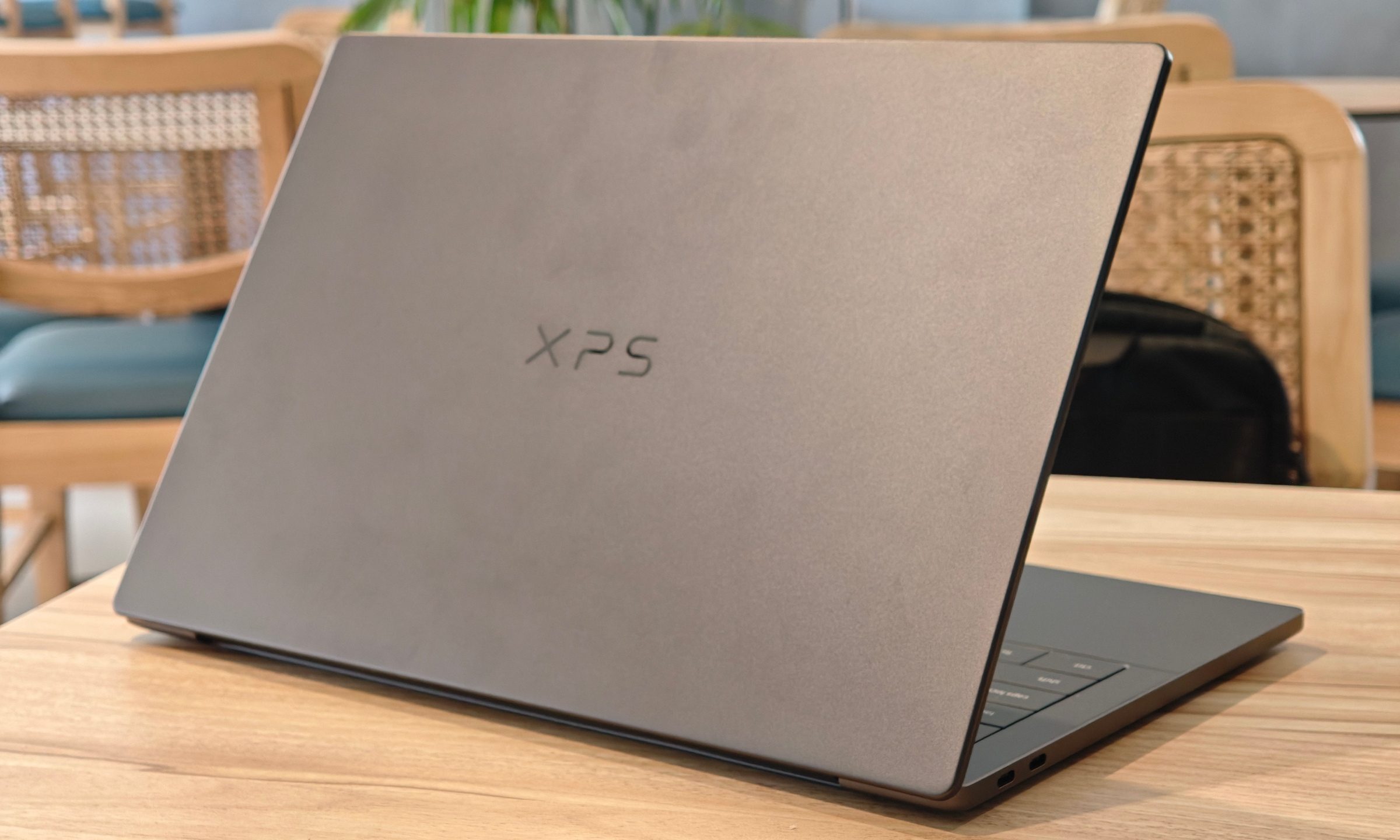
Dell XPS 14 (DA14260) Review: A Windows laptop I wanted to keep using
The icon returns, and shows why it's still relevant
Dell XPS 14 Review: Featured

Quick take

Dell’s XPS line has always carried a certain weight. It is one of those Windows laptop families that people recognize even if they don’t follow laptops too closely. Clean design built with premium materials, sharp displays, and high-end hardware. The Dell XPS 14 DA14260 continues that legacy. 

Read more
Samsung’s secret AI chip could finally cool down Exynos phones
Samsung's GAIA AI chip is landing in laptops first, but its shared DNA with Exynos hints at a real fix for phones down the line.
Samsung Exynos chip illustration.

If you've ever owned an Exynos-powered Galaxy phone, you already know the drill: heavy tasks like capturing back-to-back pictures or photos for a while, heavy gaming, or rendering videos turn your device into a hand warmer. 

In such a situation, the battery bar drops faster than usual as well. Turns out, Samsung might be working on the fix, and it's coming in a way nobody expected.

Read more
Buying a monitor? This Mac app can expose problems before the return window closes
Your new monitor may look perfect, but it doesn't hurt to double check.
Screen Test v1.1

Making a brand-new tech purchase doesn't always carry the guarantee of a perfectly functioning unit. But a tiny Mac app called Screen Test can help you find a defect before it gets too late. Screen Test (version 1.1) is a native macOS utility containing more than 25 patterns and diagnostic tools for evaluating built-in and external displays. It can help reveal dead or stuck pixels, backlight bleeding, and other issues. The app works completely offline, so you don't have to rely on browser tabs or an internet connection.

Every pixel gets scrutinized

Read more