1. Home
  2. Photography
  3. Apple
  4. Mobile
  5. News

Ditch the scanner, this iPhone app digitizes and restores faded photos

Add as a preferred source on Google

If you’ve ever attempted to restore an old photographic print, you know it’s not an easy task. Getting rid of the unwanted tints and bringing back to life the faded colors not only requires knowledge of how the image should look, but also the skills and time to get the job done in Photoshop.

There might not be a need for all that hassle any more, thanks to a new app called Unfade. Developed by the team behind the Scanbot app, Unfade is a new iPhone app that scans old photos with your iPhone’s camera and restore the vibrant colors and aesthetics of the image.

Recommended Videos

Rather than having to load the print into your scanner, scanning the image, saving the image, then importing it into a photo-editing software, Unfade simplifies the process through the automatic detection and cropping of photos. Simply lay the print down on a flat surface, open up the app, put the image in the frame, and Unfade will do the rest of the work using its “Magic Color” filter.

Once the image has been scanned and edited, it gets placed inside dedicated albums within the app. These albums can then be sorted to your liking and shared with friends and family.

There’s not much to the app, but that’s the point. It’s a simple design with a simple purpose. More features will be added in the near future, but no specific ideas have been mentioned by the development team. If you don’t mind reading into things though, from a teaser icon on Unfaded’s website, it looks like the developers might soon add layers, manual edits, an undo feature, brushes, and even a movie mode.

Unfade is currently on sale in the iOS app store for $5 – 40-percent off what it will eventually retail for.

Gannon Burgett
Former Editor
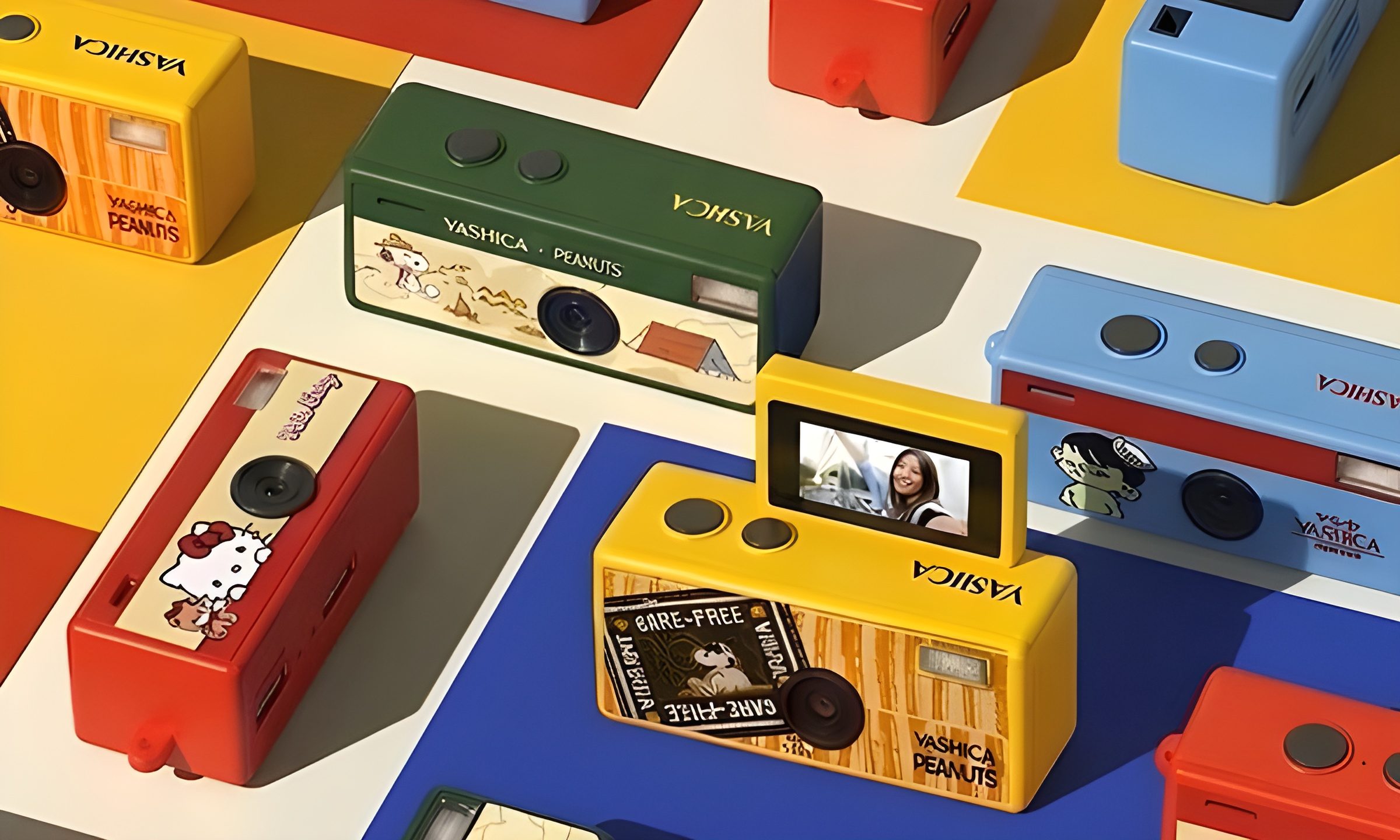
This new $30 keychain camera is coming for Kodak Charmera with a flip screen for selfies
Yashica's new camera makes toy photography more fun
YASHICA Funtastic Keychain Camera in multiple variants

Tiny digital cameras are all the rage, and Yashica is now offering a very cute toy photography experience of its own. The company’s new Funtastic Keychain Camera is exactly what the name suggests, a miniature digital camera small enough to clip onto your keys, bag, or lanyard. The popular Kodak Charmera is the obvious comparison, which brings a tiny blind-box keychain camera that became a viral collectible.

Now, Yashica's version lands in the same novelty-camera lane, but adds one very useful trick, which is a 180-degree flip screen.

Read more
Google releases big v4.0 update for its popular Snapseed editing app on Android
Electronics, Phone, Mobile Phone

After years of sitting on its hands, Google appears to have remembered it owns one of the best photo editing apps on mobile. Snapseed 4.0 is now rolling out to Android, bringing the platform up to speed after a stretch of iOS exclusivity that left Android users watching from the sidelines.

The story starts last June, when Google quietly broke Snapseed out of its long dormancy with a significant 3.0 update for iPhone. It was a surprise move that suggested the company was serious about the app again. Google then confirmed at the start of this year that Android wouldn't be left behind for long, and true to that word, the Play Store listing has now been updated to reflect version 4.0 — skipping straight past 3.0 for Android users and landing both platforms on the same version simultaneously.

Read more
Google Photos gets new editing tools that are all about subtle touch-ups
Google Photos just made your camera roll feel like it came with a makeup artist included, and the results are refreshingly understated.
Google Photos Touch Up feature in action.

Whether it is dark circles from a late night of work, a blemish that showed up uninvited, or something similar that could use additional brightness, Google Photos now has you covered.

Google has officially rolled out a new Touch Up suite inside its Photos app editor, integrating face retouching tools directly into the app for the first time. Previously, such adjustments were only available inside Google’s Camera app at the time of capture. 

Read more