

Turns out, being in college and getting a pet don’t necessarily go hand in hand. So instead, I’ve been looking for a virtual alternative. While nothing has yet satiated my desire for a digital friend, I recently heard Bandai has brought its classic digital pet toy Tamagotchi to the Google Play Store; I knew I had to try it.
Tamagotchi and I go way back. While the iconic gadget got its start way back in 1996, I fondly remember having a Tamagotchi of my own around the turn of the millennium. While knowing exactly which Tamagotchi I had is long lost to history, I fondly recall having one of the newer “Tamagotchi Connect” devices with the infrared connection on the top, and being able to send my little friend over to my sister’s for visits. While the majority of the brand is directed toward young girls, I remember having an orange Tamagotchi that grew a dinosaur, and how much fun it was watch it develop over the weeks. Clearly, I was excited to give it another try, so I downloaded the app, and began to relive my Tamagotchi experience.
Like any other Tamagotchi, the app started in “egg” mode, an excited little egg dancing on the screen, waiting to hatch. It was nice seeing it dance up and down so much, and the vet said it was a sign of a strong Tamagotchi! I also turned notification mode on for the app, so that my Tamagtochi could pester me at any waking hour; little did i know just how much it was going to pester me. I closed the app for the moment and began the waiting game for my little Tamagotchi to arrive. About 10 minutes later, an imaginary stork had replaced my egg with a tiny little blob, whom I promptly named Steve. Steve was awesome, bouncing up and down all over the screen, and we instantly became friends.
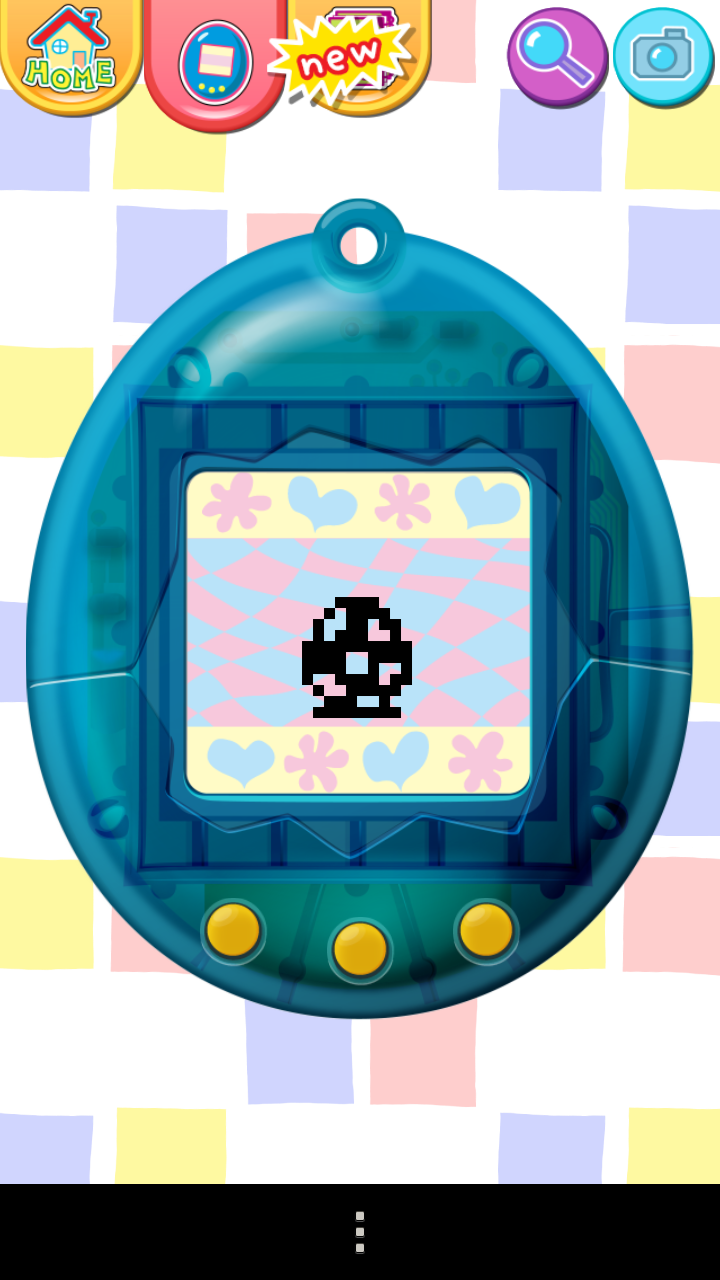 The Tamagtochi app allows you to view your pet in two modes: A Color mode that takes up the full screen, and lets you utilize the touch screen to select actions, as well as a Traditional mode in the iconic “shell” keychain the original Tamagotchi was sold as. The game is a clone of the original Tamagotchi, and with it comes 8 icons along the top and bottom that let you interact with your new virtual pet. You can feed it, turn the lights on or off, play a game, give it medicine, wash it, check its stats, and discipline it.
The first day is easily the most chaotic one you will have with your Tamagotchi. Every hour so Steve kept bugging me for a variety of reasons. Steve pooped and needed a bath; Steve wanted a snack; Steve isn’t hungry but wants to bother you anyway! The game sure is quick to remind me of just how needy a pet – virtual or not – is. In fact, I now remembered how the little keychain toy got a lot of criticism, since your Tamagotchi would die if you didn’t care for it in the first six hours – which just so happened to be during school, if you were anything like me. Thankfully, I am now a perfectly responsible adult, and could care for Steve without interruption, no matter how many times he would send notifications to my phone. Thankfully, around 10PM, Steve fell asleep, so I turned the light off and thanked him for letting us both rest.
The Tamagotchi app, for the most part, offers creativity and options through the many wallpapers and “shells” you can earn by raising Tamagotchis over time. Pretty much it’s a purely aesthetic change, and your hard work will reward you with new Tamagotchis as they grow up and love you. I had already earned my first new shell, though the colors weren’t really to my liking. I left the default shell and wallpaper, and got some much-needed sleep.
The next morning, Steve had changed. He wasn’t a little black blob anymore, and looked a lot more like a baby chick. Despite this visual difference, it was certainly same old Steve. He wanted to play a game of rock paper scissors – but it wasn’t rock paper scissors. Instead, it was a game of “Let me win or I’ll hate you forever,” and it wasn’t very fun at all. I can get how mini games can be entertaining, but you’d think Bandai would realize I want a lot more than just a single, rigged game to play with my Tamagotchi. After all, don’t they know most people who own smartphones are looking for a little more substance? There was also a different, even more simple game in the Traditional mode, but I had stuck to Color Mode for the sake of aesthetics. This process went on over the next few days, but I didn’t necessarily hate it. It was nice to see him grow, and by day four he had grown again – now a fully-fledged Tama-duck, or whatever Tamagotchi’s grow into. I was really proud too, as though all the trouble I went through, I had successfully raised Steve into an adult just like I did as a kid. Steve was pretty happy too – at least when I let him have a snack.
By day five though the novelty had all but worn off when Steve stared at me as he had pooped himself (he sure is proud of his poop) for the third time since lunch. He was mocking me in a way, his long, duck-bill mouth laughing at me as I had to clean up his mess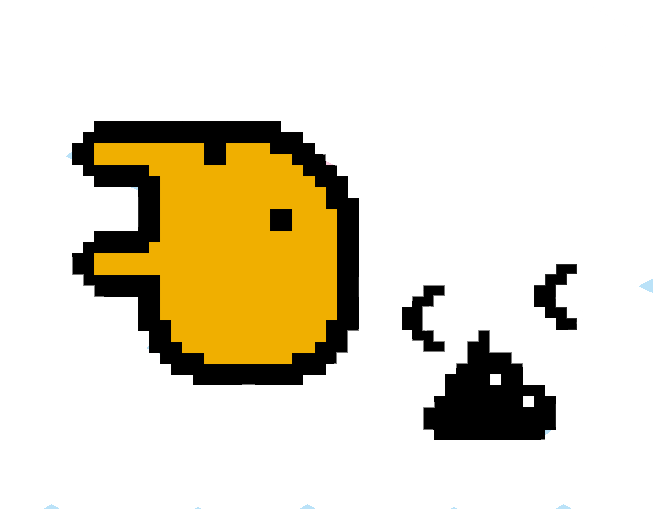 with the touch of a button. To make matters worse, he was hungry, but refused to eat out of some form of personal protest. After a few moments of discipline, and yet another game of rock-paper-scissors, I was able to convince him to eat, and promptly closed the Tamagotchi app out of frustration. It wasn’t actually fun anymore; Steve had become a chore.
The tediousness of the game really started to kick in at this point, mostly because of just how few things you can actually do wit your Tamagotchi. Between the “emulated” mode and “Color” mode you have the option of two very boring games to appease your pet with, and the rest of the process is nothing more than maintenance with your virtual creature. Bandai didn’t even so far as offer a live wallpaper for your pet to frolic around on as you go about your day. Your only interactions with your new-found pet during the day will be over hunger or a cleaning from the notification screen, and that’s it. The real problem here is that Bandai forgets that five-year olds don’t own smartphones – adults do – and they need to offer more than a novelty on the screen to keep us interested. It’s one thing to be a little keychain toy. All Bandai is making here is software, and they have no excuse to cut corners, even if it’s free with advertising.
On day seven Steve unfortunately passed away. It just happened – honest! I got a notification during dinner, having not heard from Steve for a few hours, only to find he’d passed on. It kind of bothered me in a way, but I also understood it was perhaps time for Steve to go. We had both outgrown each other, and Bandai just hadn’t done enough to keep it interesting for me. After all, Tamagotchi is a game first, and a virtual pet second, and I think Bandai forgets I need to stay interested too. This is why the game became boring and tedious pretty quickly, and why I just ended up resenting, not loving, Steve.
At the end of the day, the Tamagotchi app is certainly fun, if mostly for the sake of nostalgia. Once you really start getting into it though the novelty wears out fast and you just stop having fun. For something that’s purely software, you’d expect Bandai to put a little more effort on its part rather than merely recreate the original, 16-year old Tamagotchi experience. I’m sure they’ll come out with updates – and even eventually include the ability to share your Tamagotchis and go on visits with others. For now though it’s only worth the little flashback to fifth grade you’ll have with it. If you really want a virtual pet, there are better apps out there for both iOS and Android.
Bandai has a really cute, fun, nostalgic toy, but it has some catching up to do before it’s really where it needs to be. Free or not, Tamagotchi L.i.f.e needs substance, needs variety, and needs less poop. Maybe I should get a hamster after all.


