
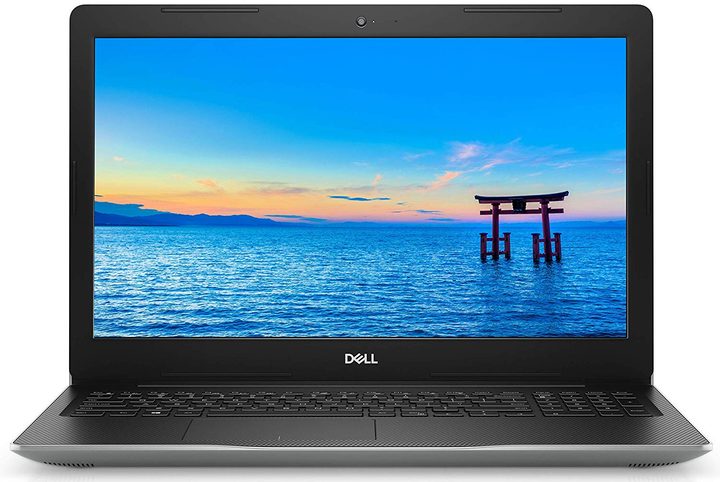
As the best Labor Day sales approach, online retailers are gearing up with solid discounts on all sorts of big-ticket items like computers. Dell has a number of sweet deals going right now on a variety of its best laptops, including the Inspiron 15 3000 series. One of the best offers we found is for the 15.6-inch AMD Ryzen variant with 8GB memory and 256GB internal storage, which you can score for only $450 — a cool 21% off its usual $570 price tag. Though there are many other Labor Day laptop deals where this one came from.
Under the hood, this Dell laptop packs a midrange mobile processor called AMD Ryzen 5 2500U. This chipset is the equivalent of the Intel Core i5 in CPU performance but is better in terms of graphics. Paired with the Radeon Vega 8 Graphics and 8GB of RAM, it allows you to switch back and forth between open applications without an issue. All in all, performance is superb and speedy enough for everyday computing activities, such as multimedia organization, surfing the web, and Microsoft Office tasks.
For visuals, this unit flaunts a 15.6-inch HD anti-glare LED-backlit display with a resolution of 1,366 x 768. Dell kicked things up by outfitting the laptop with its Cinema software. There’s the CinemaColor to boost the display’s vibrancy, details, and contrast levels; the Cinema Streaming for a seamless and stutter-free experience for both videos and music; and the Cinema Sound for studio-quality audio with clear tones at any volume.
This Inspiron 15 3000 model boasts a compact and lightweight profile that is equally suited for the dorm room, the office, and travel. For a thin package, it’s built with a bunch of ports and slots which enable convenient file sharing and connectivity. There’s an SD card reader, a USB Type 2.0 port, and an optical disk drive on the right side; and on the left, you’ll see an HDMI port, two USB Type 3.0 ports, an RJ45 port, and a headphone and microphone audio jack.
If you’re looking for a no-frills computer that can sail you through your everyday productivity and entertainment needs, this Dell Inspiron 15 3000 laptop is an excellent pick. You can order the 15.6-inch AMD Ryzen variant with 8GB memory and 256GB internal storage at a discounted price of $450 on Dell’s website.
Browse through our curated deals page for more discounts on college laptops, Chromebooks, and MacBooks. Also, be sure to check out our forecast for the upcoming Labor Day sales.



