To get the most out of battle royale games and to increase your odds of victory, Nvidia’s recently published study confirms what most gamers already know: Choosing the right hardware will lead to better performance. For Nvidia, this is more than just picking the most capable graphics card, as the company found that having the right monitor may be just as important. This hardware pairing will allow gamers to see things more quickly and respond to enemies, and a fast G-Sync monitor also makes things sharper by reducing blur.
For its study, Nvidia examined how these hardware choices affect performance across titles like Fortnite, PlayerUnknown’s Battlegrounds, and Apex Legends. In these games, users are thrown solo or as part of a team into a battlefield, and the goal is to be the last person or team standing. Players will have to combat enemies, find weapons or gear hidden in the game, and avoid being killed.
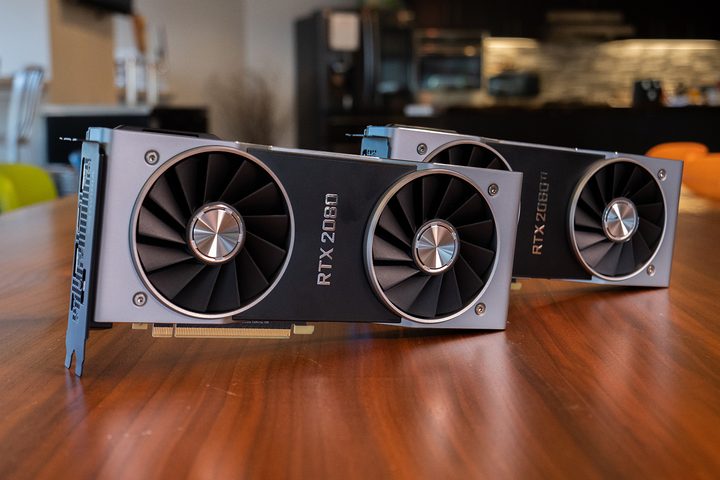
“In modern games, ‘Game Engine’, ‘Direct X Render’, and ‘GPU’ all have the same latency,” Nvidia stated in a blog post detailing its findings. “The faster your GPU, the less time these three processes take, and the faster you will see updated images on your monitor to react to. Hence, your GPU is the most important element to lower latency.” In fact, the difference in latency can be as much as six times when comparing a system without discrete graphics to one with a high-end graphics card. When comparing Nvidia’s high-end GeForce RTX 2080 graphics to a low-end GTX 750 Ti, latency is halved on the RTX system. Latency on the RTX system is just one-sixth of a system equipped with only Intel’s integrated HD 630 graphics, Nvidia’s study revealed.
Although GPU performance alone won’t win you the victory royale title, Nvidia found that there is a correlation between a better GPU and a player’s odds of success in a game, even after accounting for the fact that “better players tend to buy better hardware.” The company’s study revealed that players who play with a higher-end GeForce RTX 20-Series GPU had a 53 percent higher kill-death ratio compared with those on older GTX 600-Series graphics. To get even more performance and increase your odds of success at victory royale, Nvidia suggests pairing a strong graphics card with a fast refresh rate monitor.
“Everyday players of Battle Royale games that use fast graphics cards and high refresh rate monitors tend to achieve significantly better results than players with older, slower graphics cards and 60 Hz displays.,” Nvidia said. When a good GPU is paired with a monitor that supports faster refresh rates, Nvidia found that those playing with a 144 Hz refresh rate panel increased their kill-death ratio by as much as 52 percent across both GTX and RTX GPU series, while those who own a premium monitor capable of 240 Hz refresh rates increase their odds of winning by as much as 34 percent.