It’s been four years since Google and Apple began supporting passkeys, a new password-free authentication method. You’ve probably seen the option to add a passkey when logging onto popular websites. That raises the question of whether you still need a password manager in 2025 or if it’s time to switch to passkeys.
The best password managers make it easy to sign in and take the hassle out of creating and maintaining logins for all your accounts. Still, it would be nice to ease your subscription burden by canceling any unnecessary services. Let’s take a look at the current status of passkeys and whether this is really the end of passwords.
Passkeys aren’t universal
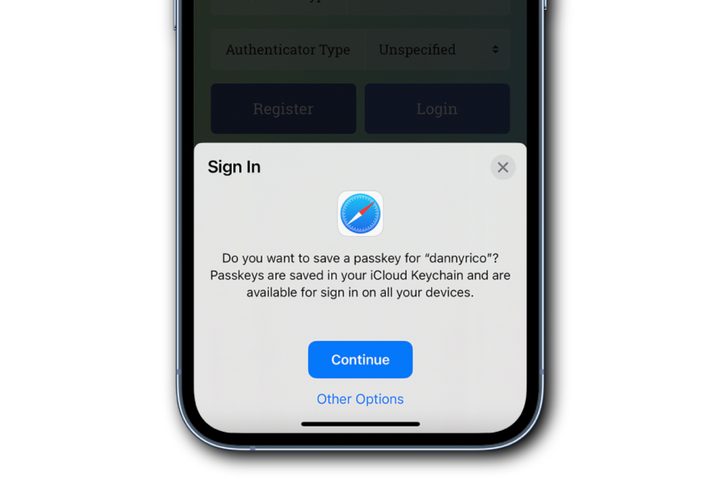
Big names like Amazon, PayPal, Uber, and many more have joined in with support for passkeys. That means a face or finger scan can quickly unlock the popular services you use most often. It’s hard to beat that convenience when it works.
However, passkey support isn’t universal. The technology must be implemented by website developers which takes time and costs money. That means many smaller companies have yet to add an option for passkey login. If you like to shop for rare finds from lesser-known retailers and local service providers, passwords are often still necessary.
Even if your favorite websites and service providers support passkeys, putting down your iPhone or closing your MacBook can cause problems. Your Android phone and Windows PC use different passkeys. Each major manufacturer and browser has its own version of passkeys, which work differently and aren’t compatible with one another.
If you stick with an iPhone and a Mac, passkey support is consistent within Apple’s ecosystem. If you have an Android phone and a Chromebook, passkeys should work seamlessly on both devices. However, many of us work cross-platform and need help to simplify what was supposed to be a better and easier login solution.
The problem with passkey compatibility and consistency isn’t a secret and there are workarounds. However, you might need multiple browsers or authentication apps on each device. Ideally, the same passkey you save on one device should be easy to transfer and use on every major operating system and browser with minimal effort.
Password managers help the transition
Fortunately, most password managers can help smooth the path during this awkward transition, just like they did when websites started requiring long, complex passwords with capital letters, numbers, and symbols.
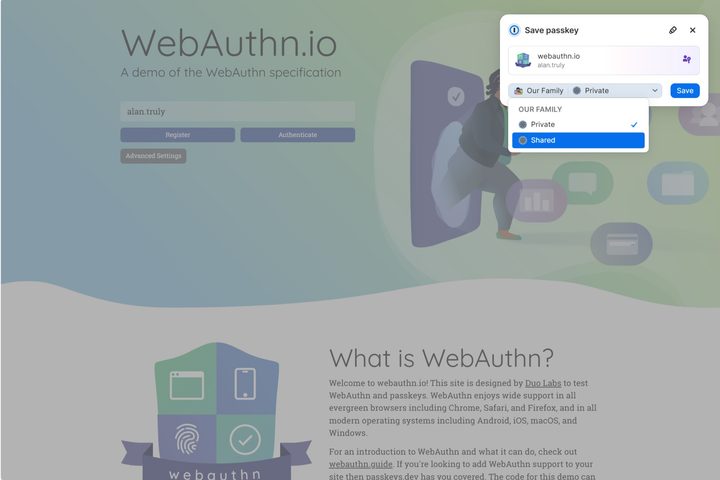
When creating a new account on a website that supports a passkey, your password manager can offer help. For example, 1Password displays a pop-up window that lets me save a passkey that will sync across all my devices so I can use biometrics, a PIN, or my master password to securely log in without the hassle of creating a password.
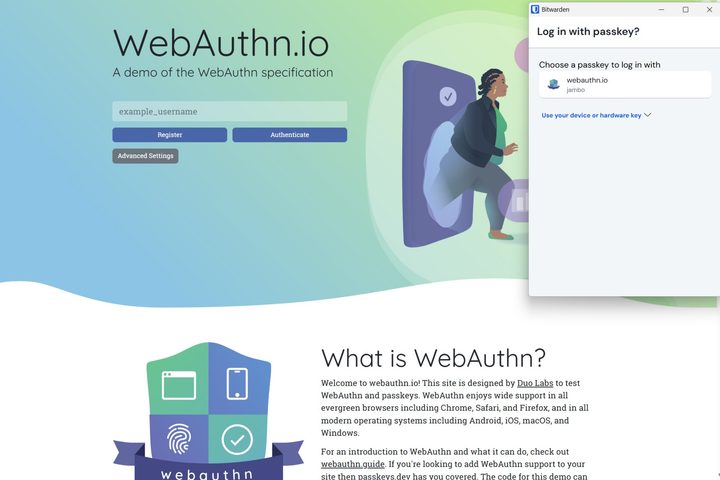
Bitwarden works well with passkeys so I can log in with a single click. That’s how simple passkeys should be and it’s disappointing that device manufacturers haven’t settled on a universal standard that works without third-party solutions.
Even if the passkeys from Apple, Google, and Microsoft were interoperable, there’s still the issue of website support and it could take several years for everyone to get on board with passkeys. In the meantime, the best password managers solve passkey issues and the burden of maintaining logins for all your online accounts.
With a good password manager, passkeys work across devices and display a more consistent interface so you don’t have to learn multiple techniques to authenticate. They also effortlessly generate and store strong passwords so you don’t have to.
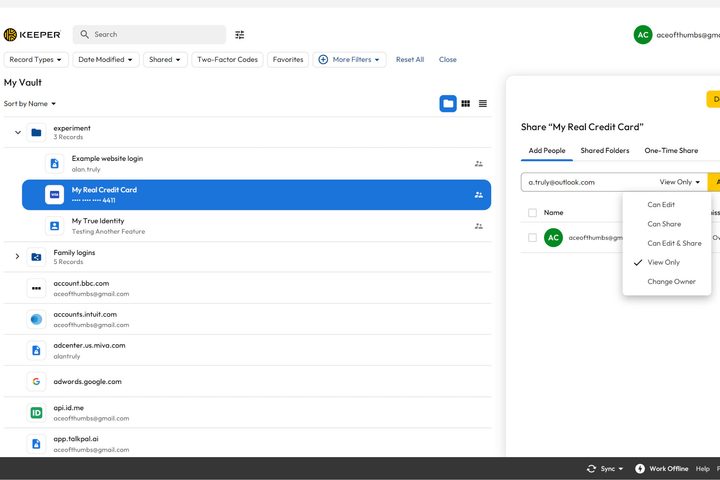
Want to share a secure note with an attached image with your family? Many password managers have that capability. Keeper provides 10 GB of encrypted file storage and lets you save and share an unlimited number of logins and passkeys.
Password managers are typically quite affordable. Proton Pass even offers a free version that supports passkeys.
When can we switch to passkeys?
As great as password managers are, the hope of eliminating passwords is compelling. I’m looking forward to effortless logins with a glance at a face scanner or a press on a fingerprint reader.
While passkeys aren’t a universal solution yet, they’re still more secure than standard logins that are typed in. Keyloggers collect usernames and passwords as you type, and sophisticated malware grabs unencrypted passwords from memory.
When you have an opportunity to save a passkey, it’s a good idea to do so. It will simplify logins on that device even if you need to use a password elsewhere. Complete support and smoother compatibility could take several more years and no one knows when you’ll be able to stop using passwords.
If you venture from an iPhone to a Windows PC or switch between a Mac and an Android phone regularly, a good password manager can simplify passkey use today and simplify the transition to a password-less future.
Until we live in a world with limitless resources and equal opportunities, the need for cybersecurity will continue. And until passkeys become a universal solution supported by all websites and online services with a consistent user interface, password managers and reliable antivirus software will be essential to streamline the login process and help protect us from hackers that target password managers.