Microsoft hasn’t been in the laptop game very long. In fact, the Surface Book launched in the fall of 2015, and in October of 2016, a year later, it’s receiving its first update in the form of an improved dock with a bigger battery and better GPU. The very next day, Apple fired right back with an update to its long-suffering MacBook Pro line, which brought newer processors and a touch-enabled OLED keyboard row into the fold.
Are the mid-range updates going to take the high-end laptop world by storm, or are they just another step on the road to greatness?
|
MacBook Pro 15-inch 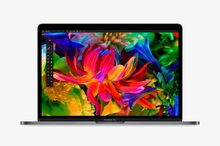 |
Surface Book with Performance Base 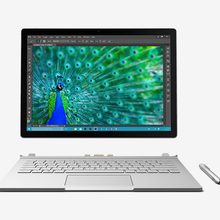 |
|
| Dimensions | 13.75 x 9.48 x .61 (in) | 12.3 x 9.14 x .51-.9 (in) |
| Weight | 4.02 pounds | 3.63 pounds |
| Processor | 6th Generation Intel Core i7 | 6th Generation Intel Core i7 |
| RAM | 16GB LPDDR3 | 8, or 16GB LPDDR3 |
| Display | 15.4-inch IPS display | 13.5-inch PixelSense Display |
| Resolution | 2,880 x 1,800 | 3,000 x 2,000 |
| Storage | 256GB, 512GB, 1TB, 2TB PCIe SSD | 256GB, 512GB, 1TB PCIe SSD |
| Networking | 802.11ac, Bluetooth 4.2 | 802.11ac, Bluetooth 4.0 |
| Ports | 4 x Thunderbolt 3, 3.5mm | USB 3.0, Mini DisplayPort, 3.5mm, SDXC |
| Webcam | 720p FaceTime HD | 5MP front-facing, 8MP rear-facing |
| Operating System | MacOS Sierra | Windows 10 |
| Battery | 76 watt-hours | Quoted 16 hours |
| Price | $2,399+ | $2,399+ |
| Availability | Available | Available for pre-order |
| Review | Hands-on | 4.5 out of 5 stars |
Design
These are both updates to existing machines, so there are no real surprises on either side design-wise. The Surface Book has a bulge around the keyboard now, although we haven’t had hands-on time with it yet, so we’re not sure how that affects the keyboard feel or system ergonomics. The MacBook Pro, on the other hand, is slimmer and lighter than it was before, but it’s still heavier than the Surface Book with Performance Base, and slightly thicker than the thinnest point on the Microsoft option.

Both laptops feel just as good as they look. Both are sturdy machines without panel gaps or worryingly flexible points on their respective chassis. Of course, the Surface Book’s removable keyboard lends it a versatility of use cases not available to the Apple side of the equation, but there are many out there who find the MacBook Pro’s look among the most attractive on the market.
Apple’s improvements to the keyboard and input methods on the MacBook Pro are a mixed bag. We were a big fan of the old keyboard, but weren’t so hot on the Butterfly key switches found in the new MacBook, which have now made their way to the MacBook Pro. The current Surface Book’s keyboard is less compelling, but not detrimental to the experience, particularly with such a solid touchscreen. The added bulk also gives Microsoft some room to expand the keyboard, although without having spent time with it, we can’t speak to whether that happened or not.
As expected, the new MacBook Pro features four Thunderbolt 3 (USB-C) ports and a single 3.5-millimeter headphone jack. Until Type-C support grows, a lot of users may still be put off by the lack of standard ports. The Surface Book’s pair of USB 3.0 ports, on the other hand, will please existing users, but it isn’t very forward-looking. A new base would’ve been a good opportunity to add support, but its connectivity is exactly the same.
At the end of the day, it’s hard to argue that aesthetic appeal is more important than actual, usable functionality, so the Surface Book gets the nod.
Winner: Surface Book
Performance
While so some of us have been waiting patiently for Apple to update the CPUs in the MacBook lineup, we had to settle for the older Skylake chips, instead of the more modern Kaby Lake offerings. The reasoning, or so we’ve heard, is that at release there are no Kaby Lake mobile chips with Iris Pro graphics, which help power the high-resolution display.
As the Surface Book’s internals haven’t changed up top, the processor offerings are also still Skylake generation, but the Surface Book with Performance Base only includes the Core i7 option. It’s a lower wattage version of the chip found in the MacBook Pro, which affects comparative performance more so than real-world responsiveness.
The performance back and forth carries over to memory and storage. The MacBook Pro 15 only comes in a 16GB model, while the base Surface Book with Performance Base has only 8GB. It can be upgraded to 16GB, however. The MacBook Pro also offers a 2TB PCIe SSD option, where the Surface Book maxes out at 1TB.
Both systems also feature dedicated graphics options. The MacBook Pro has Radeon RX 400 Series graphics, where the Surface Book with Performance Base packs in a GTX 965M. Which one of those takes a lead over the other is hard to say for sure without benchmarking, but the specifications such the GTX 965M is substanially quicker. It quotes almost 2 TFlops of floating-point performance. Apple’s MacBook Pro 15-inch only comes close to that with the Radeon Pro 460 GPU — the most expensive option — which quotes 1.86 TFlops. The base-level Radeon Pro 450 GPU quotes 1 TFlop.
Winner: Tie
No new displays
Both the MacBook Pro 15 and Surface Book boast excellent displays, with high resolutions and sharp contrast, but there’s a clear winner.

The Surface Book’s 3,000 x 2,000 PixelSense display not only beats out the Apple option in terms of resolution, but also in terms of capability. With a full 1,024 pressure sensitivity levels and stylus support, it’s great for writing, drawing, and taking notes. It also detaches completely from the keyboard, allowing you to use it as a standalone tablet.
Not that the MacBook’s screen is a bad option. The 2,880 x 1,800 panel boasts an extremely high maximum brightness, and great color gamut. However, Apple’s refusal to embrace touchscreens has begun to drag the older panels out of favor, and the OLED Touch Bar isn’t much of a consolation.
Winner: Surface Book
Portability
Unfortunately, we don’t have any recent battery tests to reference from the 15-inch MacBook Pro, and as we often mention, manufacturer quoted battery times aren’t often indicative of real-world performance. However, we would conjecture that the MacBook Pro’s 76 watt-hour battery is a fairly sizable one for the internals, and it should result in satisfyingly long runs.
The previously tested Surface Book with the Core i7 and older dedicated GPU ran for just under seven hours before it collapsed from exhaustion, but there’s a larger battery under the hood of the new model, though we’re not sure exactly how big it is. Microsoft’s own estimates moved from 12 hours on the older model to 16 on the new one, which should give you an idea of how much bigger the battery is.

Users won’t have much to complain about when it comes to size on either side of the aisle. The MacBook Pro is slightly thicker than the thinnest point on the Surface Book, but when closed, the Microsoft system is just under an inch thick at the hinge. Despite the MacBook Pro’s weight loss, the Surface Book with Performance Base is still almost half a pound lighter.
With almost identical sizes, the bigger question is definitely battery life, but without having both products in hand, there’s no way of knowing which lasts longer.
Winner: Tie
A victory as slim as the Surface
Clearly there’s no obvious choice between the two systems, and the biggest dividing factor is going to be operating system preference. That being said, there are a few reasons you might lean towards the Surface Book with Performance Base, assuming you have no loyalty to MacOS or Windows.
Performance, battery life, and portability are basically too close to call, which makes recommending one system over the other based on that too speculative. Pricing is very similar as well, albeit with the concession that the MacBook Pro 15’s base model offers a slightly better value than the Surface Book with Performance Base in its most basic configuration.
Ultimately, the Surface Book’s touchscreen and form factor versatility offer up a set of use cases that simply aren’t possible with the MacBook Pro. Not everyone is going to make use of them all the time, or maybe even at all, but wouldn’t you rather have the option?