
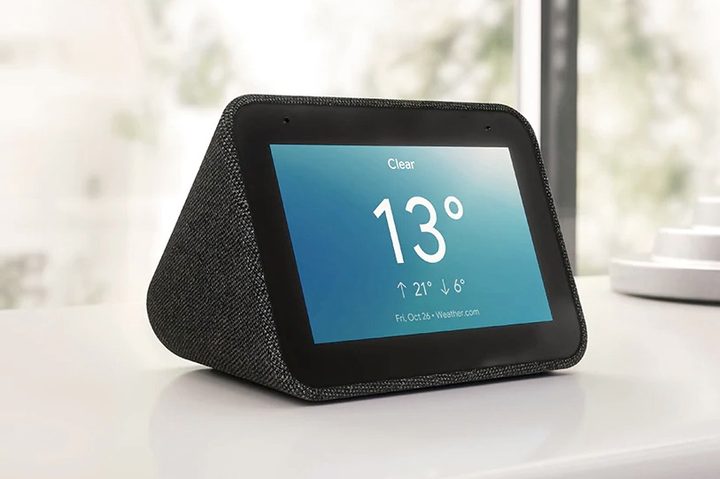
The very first alarm clocks we know of date back to the 16th century; they were iron wall clocks and the “alarm” consisted of a bronze bell. We’ve come a long away since then — today’s alarm clocks not only can serve to wake us up or notify us, but can be an integral part of a smart home. Take, for example, Lenovo’s Smart Clock, which carries Google Assistant, making it an access point for everything from playing music to managing your schedule to working your home security system. Right now, at Best Buy, this alarm clock is on sale for only $50, down $30 from the usual $80 — a deal worth waking up early for.
There’s a whole new world of smart alarm clocks that go way beyond waking us up and are equipped with all kinds of interactive features. The best ones, like the Lenovo Smart Clock, offer USB connection, voice interaction, touchscreen, and — in a nice twist on a machine that was once used only to wake us up — peaceful “ambient” sounds to help us fall asleep.
For our money, the Lenovo Smart Clock with built-in Google Assistant can rival the Amazon Echo Show, but it’s less noticeable and has fewer bells and whistles, or as some see them, complications. It’s got a four-inch screen and gray-fabric backing, which sits nicely on a bedside table. It has a gentle wake-up mode wherein, over 30 minutes, the face of the clock (and any other Smart lights you’ve programmed) gets brighter. It’s a genuinely nice way to wake up. And get this: Touch the device anywhere to snooze it.
But it also does so much more. Imagine the peace of mind of being able to see footage from your home security system, right there on your alarm clock. There’s a USB port on the back so that once you’re up-and-at-’em, your fully charged phone can be ready to go, too. It’s built-in connection to Google Assistant opens up a whole world, from playing ambient noise while going to sleep, to controlling your lights and other smart devices, to listening to the weather or news in the morning. From your bed, you can control the 30,000 smart devices that work with Google Assistant. On top of this, you can create custom schedules, or set a morning (or evening) routine that customizes your delivery of local traffic, news, weather, and sports automatically — and then at night play your ambient sounds, lock the doors and set your lighting. You can program it any way you want! And of course, it’s entirely voice-activated, so you can just tell your Lenovo Smart Clock that you’d like to want to watch your favorite show, and to turn it off when it’s time for sleep.
Everyone needs an alarm clock, but the Lenovo Smart Clock delivers so much more. It can help you sleep, and act as an entry point to all your home’s smart devices, without ever leaving your bed. All that convenience, and peace of mind, for just $50, that’s $30 off the regular price of $80 at Best Buy.


