 $
$
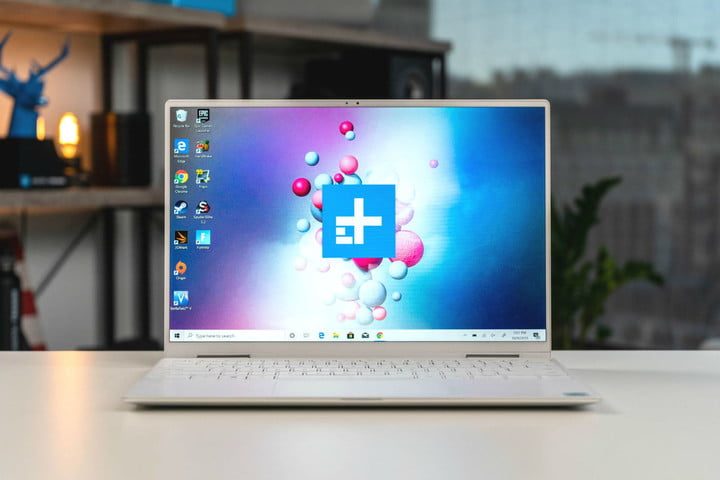
This deal will not last long. If you’re looking for a new laptop this fall for work, school or just everyday computing, this could be your chance to land the ideal machine — the Dell XPS 13 — at a discount. The XPS 13 is Dell’s standard-bearer laptop, and it’s come to represent the legendary quality and efficiency of that brand. Right now, you can save $110 on the Dell XPS 13. But you’ve got to move fast. Just for today, the Dell XPS 13 laptop is just $750, down from its regular price of $860.
We love the Dell XPS 13 as an everyday laptop. However the fall of 2020 finds you — if you’re a student starting up a new year, an employee heading back to the (home) office, or just someone looking for a computer for streaming, chatting, and everyday occurrences — the Dell XPS 13 will have a million uses for you. It’s powerful, fast and ideal for bringing a ton of possibility with you on the go. In fact, Dell designed the Dell XPS 13 as the ultimate travel companion. It’s only 13 inches, which is the most compact laptop Dell makes, and it weighs in at 2.7 pounds, which is ultra light.
As so much more of our work and social lives move to Zoom, Skype and other video services, something we’re all concerned with is cameras. The Dell XPS 13 boasts a 7MP camera that’s HD, but more importantly, Dell has repositioned the webcam on this laptop. It’s been moved to the top of the screen, and they’ve centered it on the InfinityEdge display, giving it, and you, the best possible vantage points. Also, Dell has upgraded the four-element camera lens — it’s now smaller, and yet provides even better images, especially in low light, which was a previous failing. It’s now easier than ever to whip out your laptop and have a crystal-clear call or meeting.
And the site where you see it all happens is just beautiful. The 13.3-inch screen has 8 million pixels of 4K Ultra HD resolution. And its touchscreen abilities work wonders, giving you all the fun and functionality of a tablet at every turn. There’s super-trim bezels and a 16:9 aspect ratio. Its tip-top performance in terms of visuals and video (whether we’re talking Zoom, video games, or home video editing). And yet, all these visuals are not too taxing on the battery, a key factor in deciding on any portable computer. How does 19 hours sound? That’s what you’ll get on a single charge (17 if you’re streaming your favorite content). And out of the box, it comes ready to work with Windows 10 Home, Killer Wi-Fi 6 AX1650 (2 x 2) and Bluetooth 5.1. And the touchpad is as responsive and easy to navigate as ever.
Of course, you need the right power and speed to make those calls function properly — as well as many open tabs at once, or streaming fast action content, or playing complex games. The Dell XPS 13 comes loaded with the newest 10th-generation Intel Core i5-10210U Processor (6MB Cache, up to 4.2GHz) backed up by 4GB RAM and 128 GB solid-state drive (that’s a ton of room, and with and SSD, you’re guaranteed speed and reliability for storage). All in all, this adds up to an incredibly versatile machine. You can do not just anything with it, but everything, all at once.
No matter what your projects this fall — whether it’s work or school deadlines, managing a household, or starting or upgrading your home business — the Dell XP3 13 is a fantastic laptop for everyday. Right now, there are some fantastic laptop deals out there that you can browse, and even some excellent Dell XPS deals, if you want to compare. But if you act right now, you can get a Dell XPS 13 for only $750. You can save $110 off its regular price of $860. But it won’t last long!