
There’s been a rash of stories of late that declare “streaming” (I’ll explain the quotes shortly) dead because it costs more than cable. You can ignore those stories. And there’s been a bevy of stories in response debunking those stories because contrarianism is sexy, and because bad facts deserve to be called out. But you can ignore those stories, too.
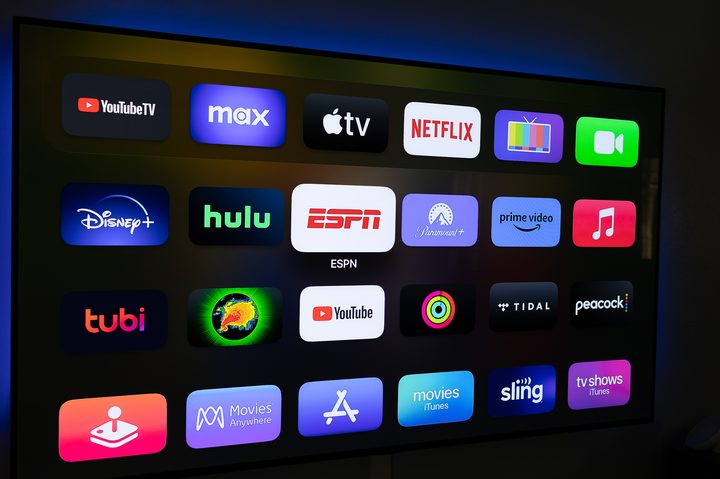
None of them matters. First, because lumping all “streaming” (this is where the quotes come in) into the same bunch is lazy and dumb. All video is “streaming.” If you watch Netflix, you’re “streaming.” If you watch YouTube TV or Sling — or any of the newfangled free streaming services — you’re “streaming.” If you rent a movie from iTunes or Amazon or Google or wherever, you’re “streaming.” Digital bits make their way into your home and are decoded by a little electronic doodad and then presented on your TV or computer or phone. By the way, “cable” also takes digital bits and feeds them into your home before decoding them with a little electronic doodad (often doing so with a far inferior user experience), just in a somewhat different manner, insofar as the bits and bytes are concerned. So we’re sort of splitting hairs here.
And you also can ignore all those stories because they’re not for you. They’re industry-level stories that generally intended to plant an analyst’s name or company in some publications. Stories about streaming are an easy way to do it. (Stories about AI are another.)
When it comes to “streaming” versus cable — or satellite, or whatever — there are only two things that should matter to you: Is it easy? And is it affordable? Both are important. And both are subjective.
A subscription to a cable or satellite service can certainly be easy. Someone comes and sets everything up and makes sure it’s working. They show you how to use it. Or they just ship you the equipment, and you plug it in. Then you just pay the bill every month. On the other hand, it’s not exactly difficult to set up a streaming app, be it Netflix or Disney+ or Hulu or whatever.
Those cable-versus-streaming stories also ignore a pretty important truth: There’s no way to watch all the things on a single service or provider. That’s just not how entertainment (or news or sports) works in 2023. A cable subscription won’t get you Stranger Things. Or let you watch Lionel Messi play for Inter Miami. Or watch Justified: City Primeval. You’re almost certainly going to use a mix of lots of sources. Or not. It’s your call.
The only thing that matters is whether you’re getting your money’s worth.
As for affordability, you’re going to have to do a little homework here. What’s affordable to me might not be as affordable to you. (Or the other way around. I am but a modest blogger.) The good news is that the math is pretty simple.
In 2017, my family was paying roughly $220 a month for TV and internet (and that included HBO), Switching to PlayStation Vue instead of cable saved us around $60 a month, or more than $700 a year. Things have changed a good bit since then, including switching from cable-based internet to fiber — and cutting that bill in half in the process. That left a lot of cash we could spend on more streaming services. Or not. Maybe we just pocketed the rest.
And that’s the point here. Add up what you’re spending on cable and internet and all the other services. Make a little spreadsheet. And then make some choices. If you don’t feel like you’re getting your money’s worth, then it’s time to cancel. (Pro tip: See if your cell phone provider has any deals. I’m only paying $5 a month for Netflix that way.) You don’t owe anything to these companies, other than a monthly payment. And it’s not your job to help cable or streaming “win.”
And don’t just do the math a single time and then forget about it. Do it at least once a year. It doesn’t matter which method you use to watch live TV, it just matters that it’s your money at play. Audit your expenses, and be ruthless with your cuts.
Also be ruthless with the headlines you choose to read.



