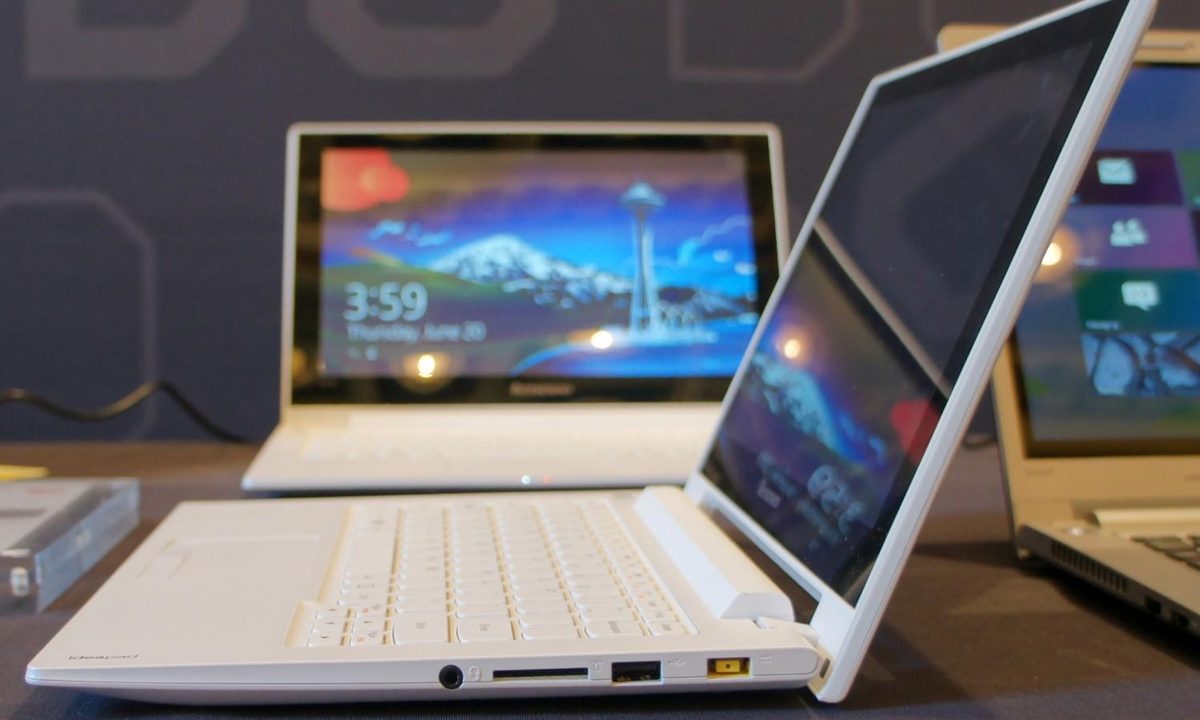
“It’s no Ultrabook, but budget buyers looking for a compact touchscreen laptop with a good keyboard will find a lot to like with the S210 Touch.”
- Nice keyboard
- Low price for a touch-enabled laptop
- Removable battery
- Striking white shell
- Cramped touchpad
- Lacks more efficient 4th-generation Core processor
“Why you can trust Digital Trends – We have a 20-year history of testing, reviewing, and rating products, services and apps to help you make a sound buying decision. Find out more about how we test and score products.“
It’s no Ultrabook, but budget buyers looking for a compact touchscreen laptop with a good keyboard will find a lot to like with the S210 Touch.
One of the first things we learned when we started using Windows 8 was that the OS is far more intuitive when used with a touch screen. The problem is, while there’s been all types of high-priced, touch-enabled Ultrabooks and convertibles, we’ve seen far fewer lower-priced Windows 8 laptops with touch. But Lenovo seems ready to rectify the situation.
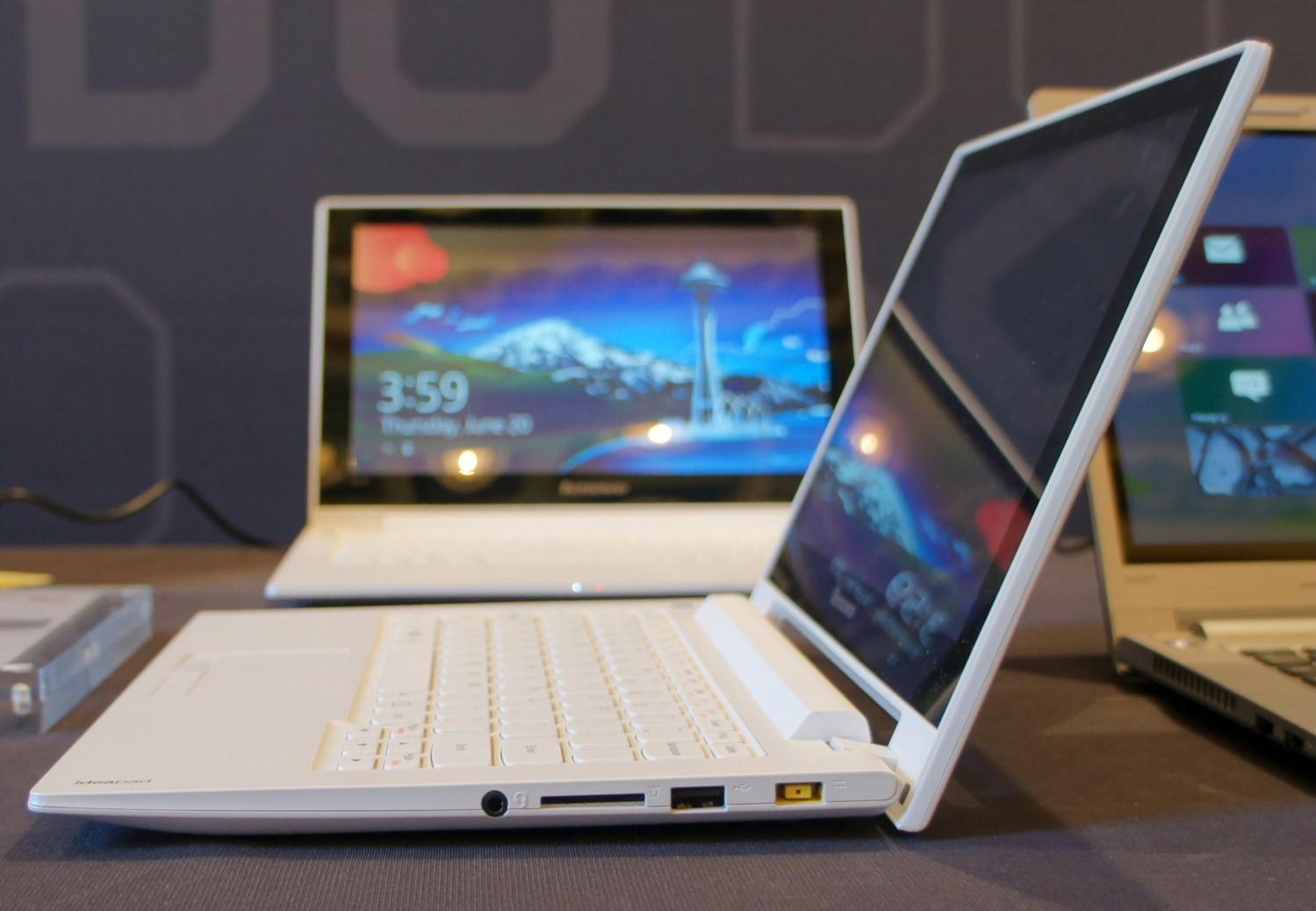
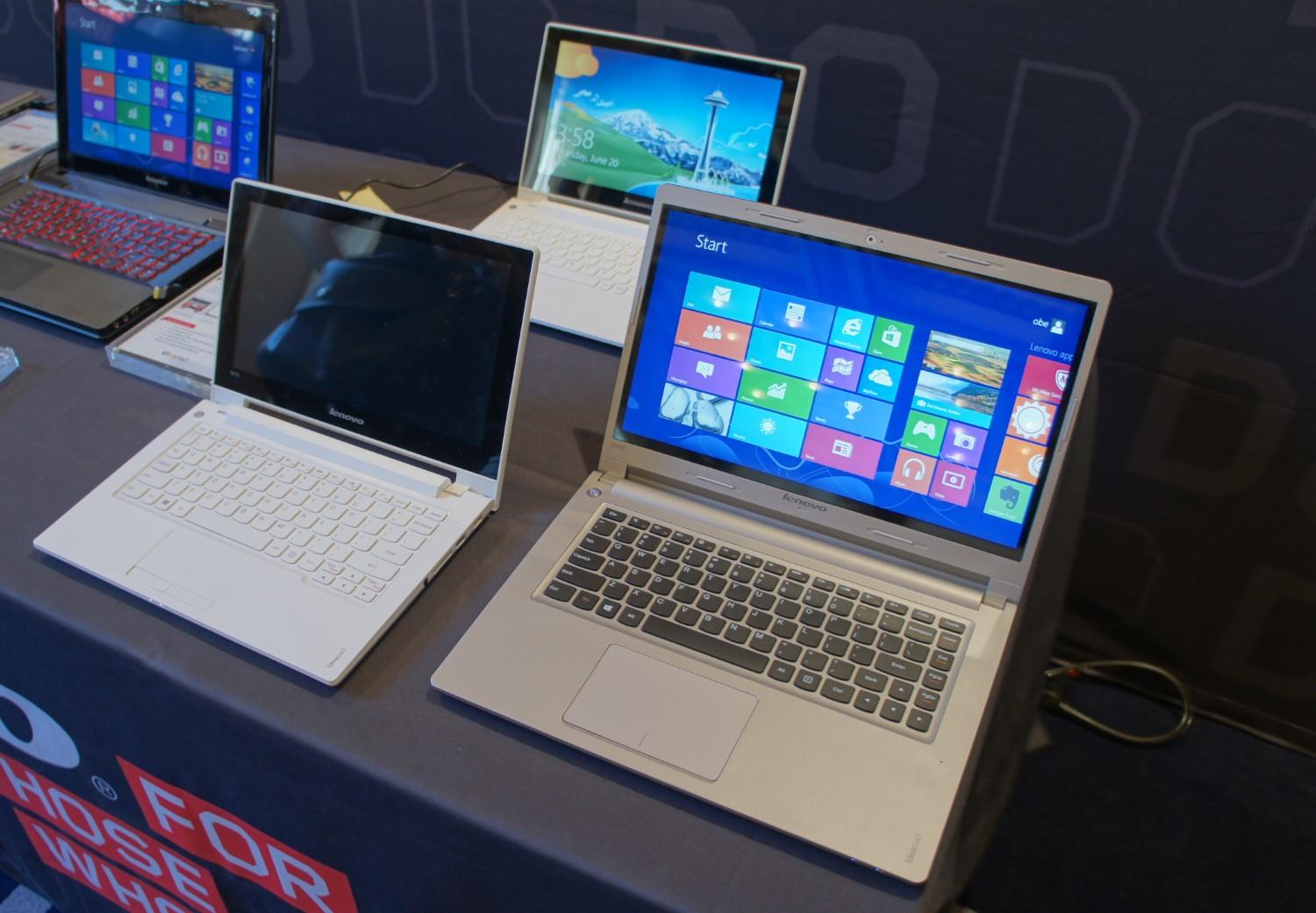
At a press briefing in New York City, Lenovo showed off the strikingly white S210 Touch, an 11.6-inch touchscreen laptop that Lenovo says should start at around $430. Fans of budget-priced systems may remember that the S-series used to be Lenovo’s netbook line. And the S210, with its 1366 x 768 display, compact frame, and 3-pound weight, could certainly be mistaken for an Intel Atom-powered laptop from a few years ago.
But the S210’s innards should make it much more responsive than the average low-end laptop. Lenovo says the laptop will be available with up to an Intel Core i3 (3rd generation) processor, 8GB of RAM, and up 1TB of hard drive storage, paired with either 8GB or 16GB of solid-state flash cache for speeding up boot times and launching your most commonly used programs.
The S210 Touch won’t win any awards for slimness or light weight, at 0.88 inches thick and just over 3 pounds. But it doesn’t feel thick or heavy unless you’re stepping down from using a high-end Ultrabook.
And because Lenovo wasn’t aiming to make the S210 as slim as possible, there’s room for a decent amount of ports. The left edge houses a blue USB 3.0 port (still a nice feature for a budget-priced laptop), an HDMI port, and a flip-down Ethernet jack. The right edge is occupied by a headphone jack, SD card slot, a USB 2.0 port, and the rectangular power jack.

There’s nothing to really get excited about with the ports here. But there’s nothing major missing, either, which isn’t a given when you’re talking compact, low-priced laptops.
…as far as compact, budget-priced laptops go, we think the S210’s keyboard is pretty great.
The same can’t be said for the laptop’s touchpad, which seems like something left over from the old netbook days. Though it does have pleasingly tactile dedicated buttons, they’re also tiny. Of course, once you get used to using the touchscreen for taps, swipes, and clicks, you probably won’t rely on the touchpad as much. Still, the tiny touchpad is one area where the S210 feels compromised.
We’ll have to wait until we get a review unit to put the S210’s screen through its paces. But in our brief time with the machine, it looked bright enough, and viewing angles didn’t appear to be a major problem. As for the 1366 x 768 resolution, it’s about what we’d expect, given the laptop’s size and price.
Battery life tests will also have to wait, although we don’t expect impressive longevity here. The S210 is equipped with last-generation processors, not the more efficient 4th-generation Haswell CPUs. But that’s no fault of Lenovo’s. Intel has so far only launched Haswell CPUs in more powerful Core i5 and i7 varieties. Lower-end Core i3 Haswell processors are expected to arrive later this year.
Overall, we liked the Lenovo S210 Touch in our brief time with it. Its low price will likely entice many cost-conscious consumers, and its touchscreen will make Windows 8 a more enjoyable, less-frustrating experience for those taking their first steps with Microsoft’s latest OS.
And for those looking for something a bit larger, Lenovo is also outing the 14-inch S400 Touch. It offers similar internal components, with an option for dedicated AMD HD 7450M graphics, in a 0.87-inch thick, 4.6-pound package.
Rather than an all-white shell, the S400 Touch borrows its looks from the company’s U-series Ultrabooks. And unlike most Ultrabooks, both S-series laptops have removable batteries – a nice feature for those looking to keep their laptops for years. When the battery starts losing its ability to hold a full charge, you can order a new one and snap it in. Generally, with an Ultrabook, you’d have to send the laptop in to have the battery replaced, or buy a new device altogether.
The S210 Touch will be available in the third quarter, so stay tuned for a full review.