“With a stunning Retina-besting display, and a slimmer exterior, Lenovo’s Yoga 2 Pro is better in every way than last year’s model, save for battery life.”
- Stunning super-high-resolution screen
- Thinner and lighter than last year’s model
- Excellent keyboard is now also backlit
- Runs relatively cool and quiet
- High pixel count leads to sub-par battery life that’s significantly shorter than last year’s model
- Keyboard still exposed in tablet mode
“Why you can trust Digital Trends – We have a 20-year history of testing, reviewing, and rating products, services and apps to help you make a sound buying decision. Find out more about how we test and score products.“
While we don’t have any hard sales numbers, we have strong suspicions that Lenovo’s original IdeaPad Yoga was one of the more successful convertibles of the last year, if not one of the more successful PCs, period.
After all, the company’s laptop sales were up 8 percent recently, despite an overall market decline of 12 percent. And everyone surely can’t be buying high-priced offerings like the ThinkPad Helix. Add to those numbers the fact that Lenovo recently expanded the Yoga brand to the Android-powered tablet space, and it’s pretty clear that the company thinks it has a hit on their hands.
So how does Lenovo aim to improve on last year’s Yoga success story with this year’s new IdeaPad Yoga 2 Pro? For starters, they’ve added one of the most stunning screens we’ve ever seen in a laptop. That includes Apple’s much-hyped Retina Display MacBook Pros. For the second course, the company predictably drops in a now-familiar Intel Haswell processor. And for dessert, they’ve included a backlit keyboard, while managing to make the system slimmer and lighter than last year’s Yoga 13.
Of course, you get the same innovative hinge from the original model, which must be a hit, because Sony and Dell are offering up similar products.
Slimmer, lighter, but otherwise familiar
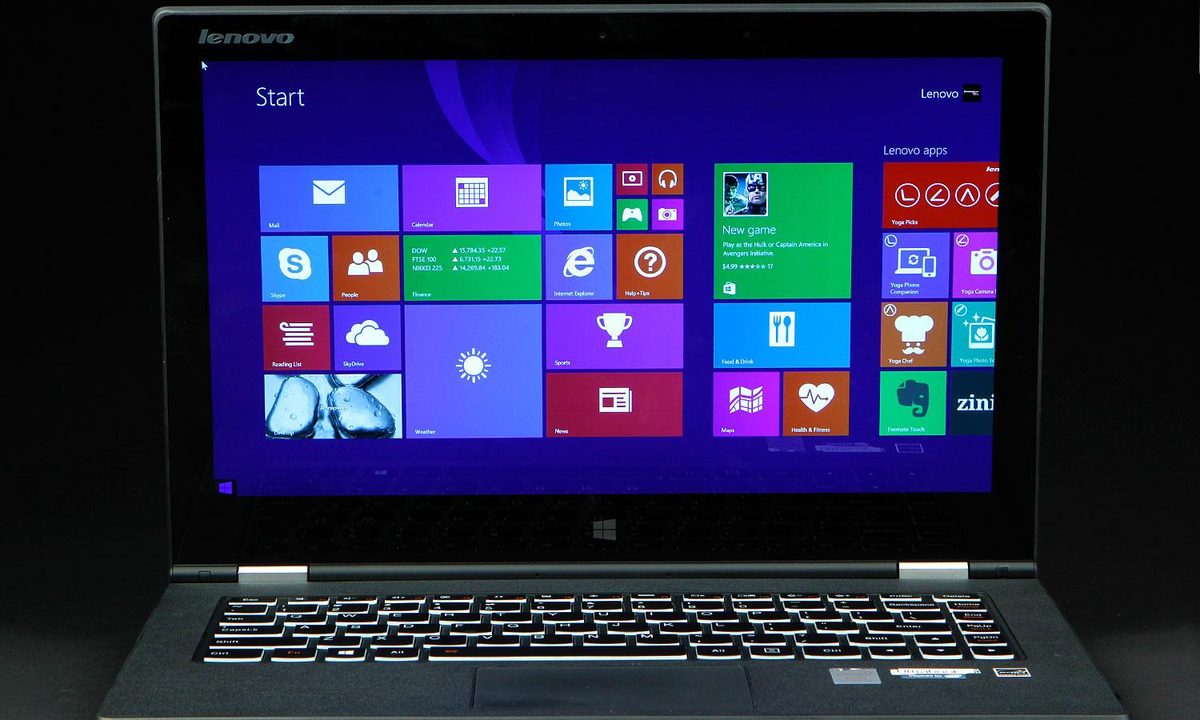
If you’re familiar with the Yoga 13 or Yoga 11S, the design of the Yoga 2 Pro isn’t drastically different. The edges are tapered now, which makes the laptop feel slimmer than it is, and at 0.61-inches, it’s already plenty slim. The shell’s exterior is made of plastic (silver in our review model, but “Clementine Orange” is also an option), but doesn’t look or feel overly cheap. Still, we’d be happy if Lenovo had opted for Aluminum or Magnesium for a more premium (and durable) body.
Port selection, much like last-year’s model, is a bit sparse, but covers the basics. The right edge houses a sleep-charging USB 2.0 port, headset jack, volume rocker and a screen rotation lock button. A tiny power button sits near the front edge. The power button is hard to find at first, and a bit difficult to press, but we got used to it after a couple days of use. On the left edge you’ll find the power plug, a USB 3.0 port, Micro HDMI, and an SDHC card slot.


The system feels reasonably light for a 13-inch laptop. It weighs 3.06 pounds, or about a third of a pound lighter than the Yoga 13. But with the screen folded around, it’s very heavy for a tablet, making it more the kind of device you’d use in your lap than one you’d hold in your hand.
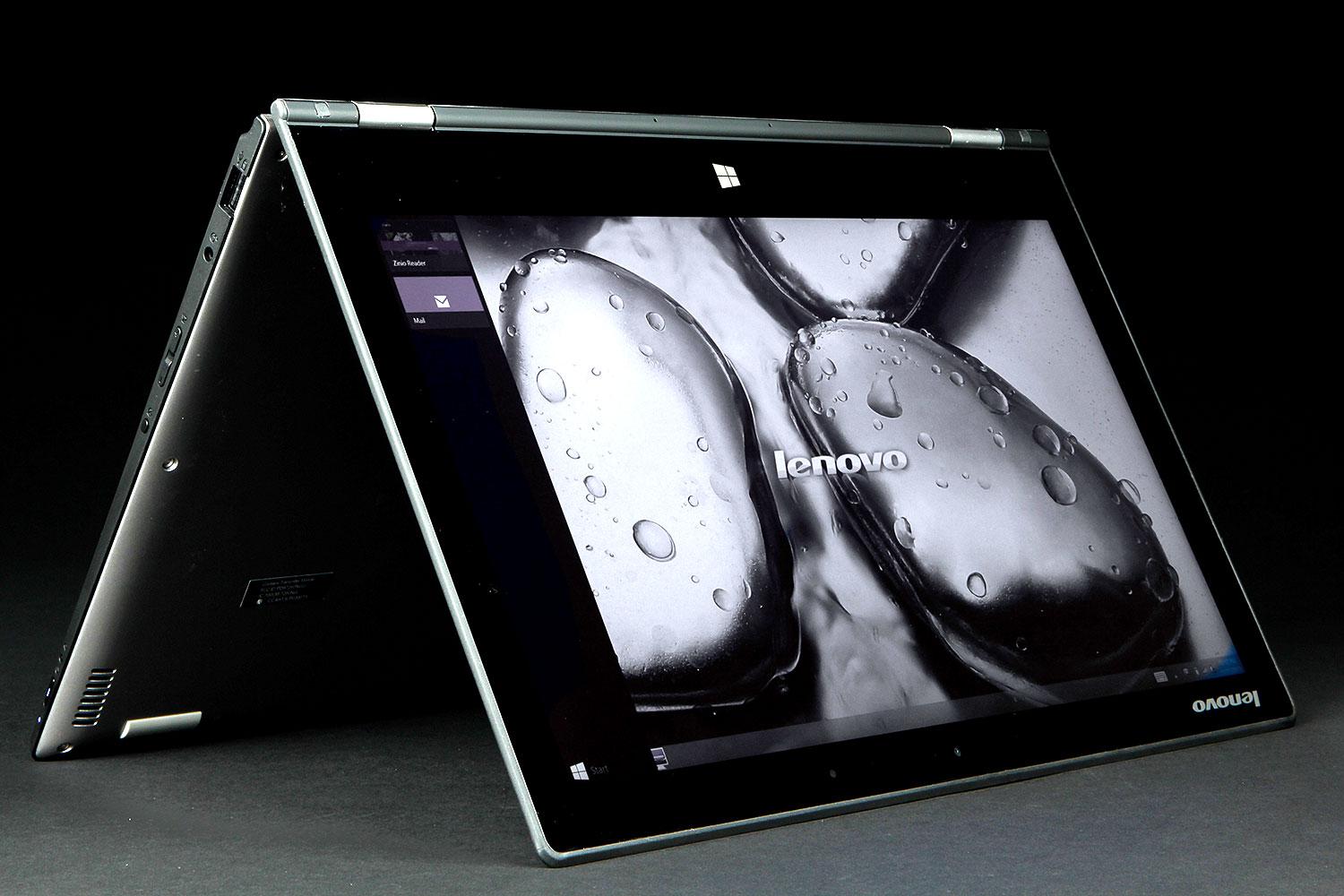
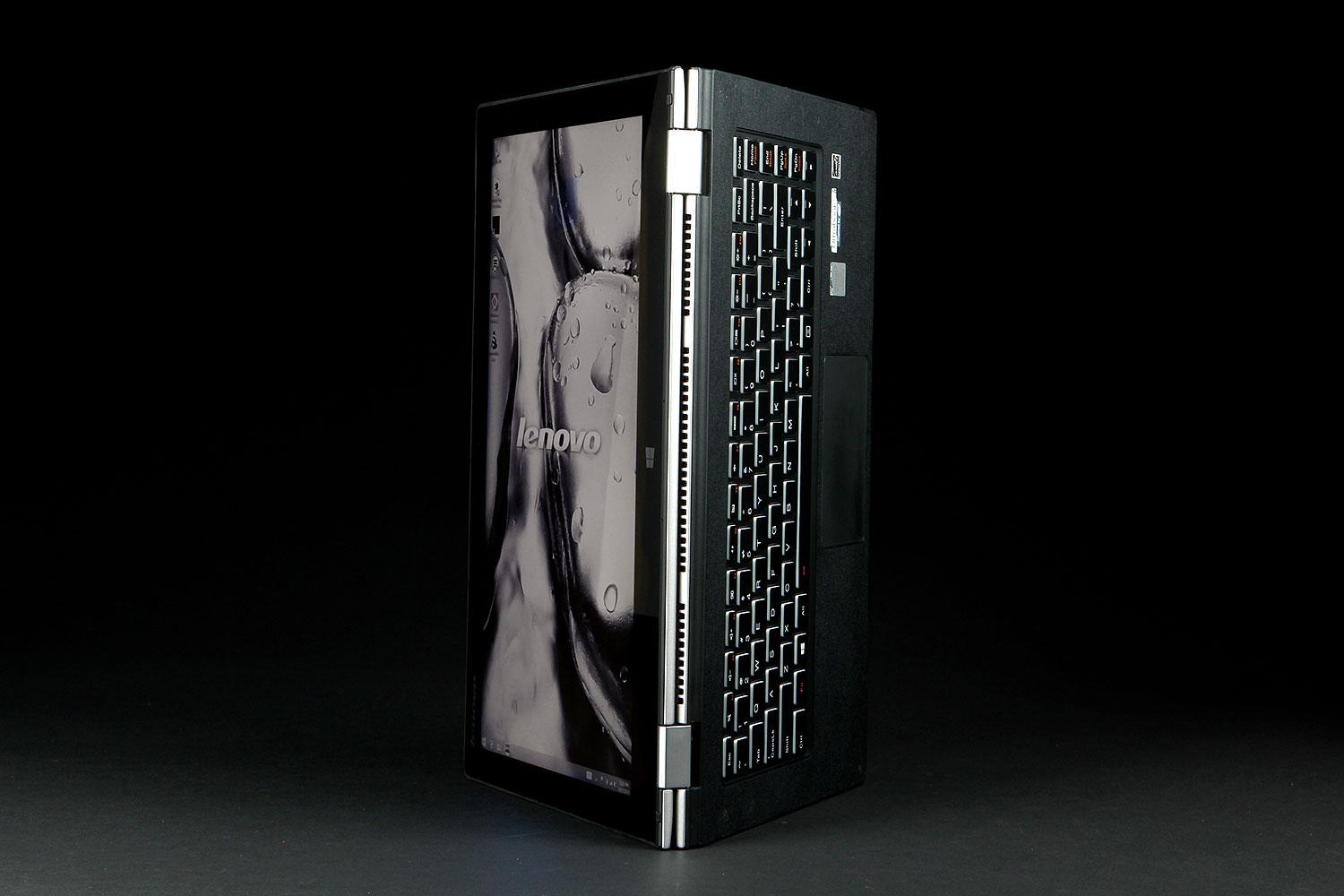
And of course, just like the original Yoga, in Tablet Mode, the “bottom” of the Yoga 2 Pro becomes the (disabled, but still disconcertingly tactile) keyboard. We weren’t really bothered by the feel of the keys resting on our fingers while holding the Yoga 2 Pro. But if you leave the device in Tablet mode a lot and rest it on, say, a heavily trafficked kitchen table or counter, the keyboard is likely to get pretty dirty.
Solid input, now with backlighting
Speaking of the Lenovo 2 Pro’s keyboard, it offers a pleasant, mostly roomy typing experience, with key travel that doesn’t feel overly shallow and little in the way of noticeable keyboard flex. Our only real complaint is, like last year’s model, the keys on the right edge (Home, End, Page Up/Down) are a bit squished.
Keyboard backlighting is the major new addition here, and it’s much appreciated. However, there’s only one brightness level, and the lighting is a bit uneven, with the keys above the space bar glowing a bit brighter than the rest. Ultimately, these are really more nitpicks than serious issues.
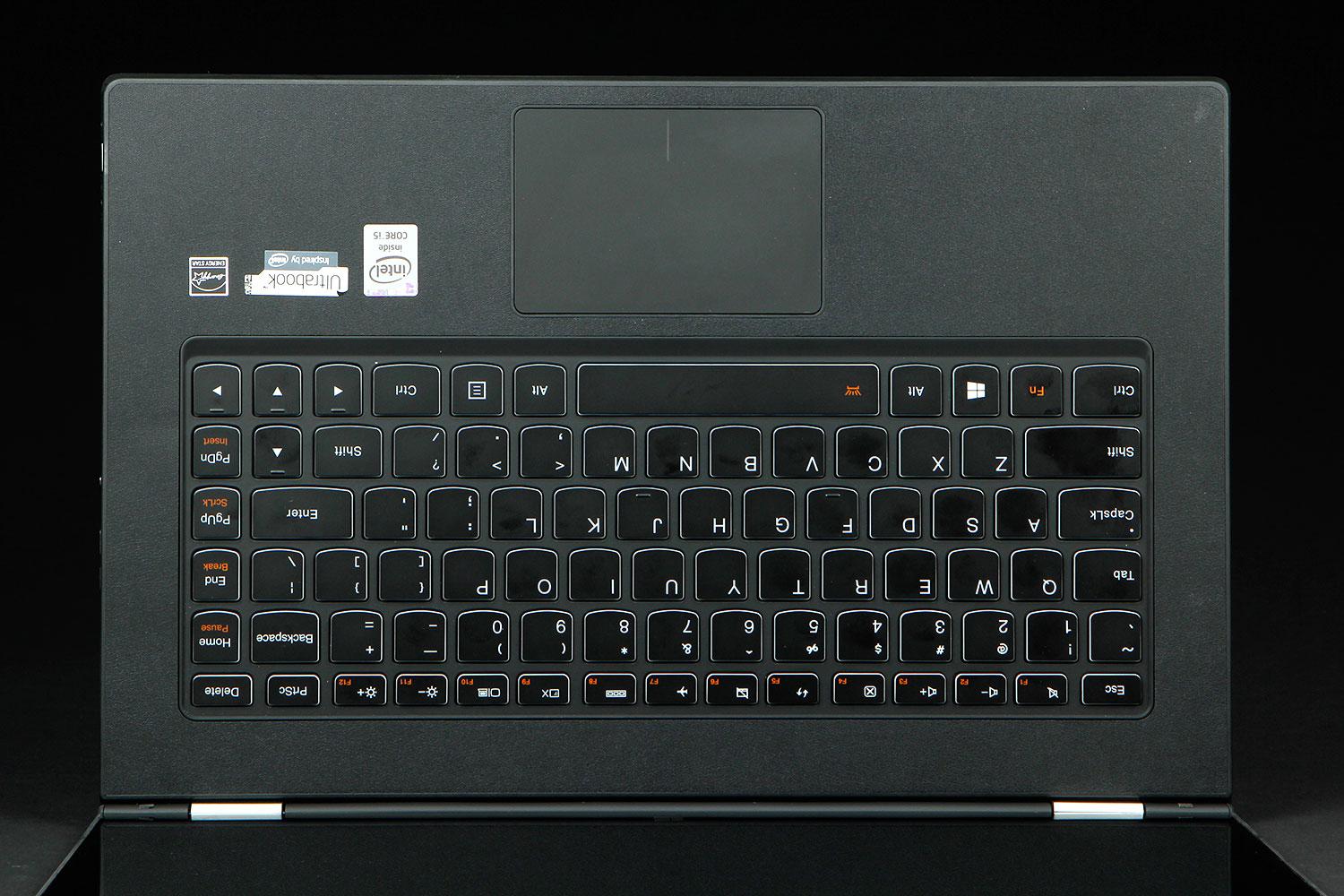
The touchpad is made of glass, the sole part of the laptop’s exterior (save also for the hinge) that isn’t plastic. At a bit over 4 inches diagonally, it’s not overly roomy by today’s standards, but it worked quite well in our review unit, registering fine cursor control and multi-touch gestures equally well.
Same multi-mode hinge, but it is a bit bouncy
In case you’re unfamiliar with the Yoga’s hinge, which seems largely unchanged from last-year’s model, here’s a quick primer. The lid opens all the way up and folds over backwards against the back of the laptop. This gives the Yoga and Yoga 2 Pro a series of different (and varyingly useful) screen orientations, which Lenovo calls modes. There’s your standard Laptop Mode, of course. And if you keep folding the hinge back until it resembles an A, you’re in Tent Mode, which can be used for giving presentations or watching movies. And if you fold the hinge all the way against the back of the laptop, you’ve got Tablet Mode, which makes the Yoga 2 Pro function (if not exactly feel like) a tablet.
If you want a device that’s a laptop first, but can be used as a tablet when you’re mostly sitting down with the device in your lap, the Yoga’s design works fairly well. But those who want a tablet that’s more portable should look to a device with a detachable screen (like Lenovo’s own Helix, or HP’s more affordable Split x2). The Yoga 2 Pro gets heavy in the hand pretty quickly as a 3-pound tablet.


Also, in laptop mode, the screen bounces a bit in reaction to your finger taps and swipes. This may annoy some people, but we didn’t mind it all that much. Still, it would be nice if Lenovo could resolve the issue in future iterations, though it may require a more rigid metal lid.
The screen is stunning, but is probably overkill
After living with (and testing) so many laptops with 1,366×768-resolution screens, we’re happy to see laptop makers (other than Apple) finally including more screens that sport 1080p resolutions and above. And when it comes to the Yoga 2 Pro, the resolution is way above 1080p (1,920×1,080). The Yoga 2 Pro’s screen is 3,200×1,800, or more than 2.5 times the pixels as 1080p.
That’s more pixels than you’ll find on Apple’s 27-inch iMac (2,560×1,440), more than you’ll find in Apple’s 15-inch Retina Display MacBook Pro (2,880×1,800), and generally more pixels than you’re likely to find anywhere on a single screen outside of a multi-thousand-dollar 4K HDTV (3,840×2,160).
Put simply, the Yoga 2 Pro’s screen is one of the nicest we’ve seen on any computing device.
What that means is, much like the Retina Display MacBook Pros, you can’t discern individual pixels with the naked eye, and even the tiniest of text looks extremely crisp. Also, Windows 8.1 now does a pretty good job of scaling its menus and text, so using the desktop isn’t an exercise in squint-inducing frustration.
It should also be noted that the Yoga 2 Pro’s screen isn’t just impressive because of its pixel count. It gets quite bright for a laptop screen, and was able to reproduce a very impressive 99 percent of the sRGB spectrum in our Spyder4 Elite testing, while delivering good contrast and black levels, with nary a viewing angle issue to be found. Put simply, the Yoga 2 Pro’s screen is one of the nicest we’ve seen on any computing device. We only wish Lenovo could deliver panels that were half this good in many of its lower-priced laptops. Yes, we’re looking at you, IdeaPad Flex 14.
With the praise out of the way, though, it’s worth asking just how useful all these pixels are. Sure, they’re great for showcasing high-resolution photos, which may make the Yoga 2 Pro a nice option for photo editors. And 4K YouTube videos look reasonably good (they are still compressed).
But given where we’re at with the Windows Store app ecosystem (getting better, but still well behind iOS or Android, in quality and quantity), don’t expect a flood of apps made for ultra-high-res screens to appear there anytime soon.
And as we said, Windows scales up its interface in 8.1 to make sure you can actually use the desktop at this high a resolution without a magnifying glass. You can jump into the settings and scale the OS back down. But then the fonts, icons, and menus are so tiny that they’re unreadable unless your nose is a few inches from the screen.
So, as much as we love the Yoga 2 Pro’s screen (and make no mistake, we love it), we’re not sure this much resolution is really warranted in a 13-inch panel. We certainly wouldn’t complain about it as a feature, except we’ll have to in a bit when we get to battery life and find out (spoilers!) that last year’s model lasted longer on a charge, despite the Pro 2’s more efficient Haswell CPU.
Component options & pricing
Lenovo shipped us what’s more or less the mid-range model of the Yoga 2 Pro. With a now-familiar Intel Core i5-4200U processor, a 128GB SSD, and an adequate, though rather lackluster 4GB of RAM, it’s technically priced at $1,199, but available directly from Lenovo, as well as at your local Best Buy, for $999.
If you don’t do much CPU-heavy work, Lenovo sells a Core i3-based model, with otherwise identical specs for $929. And if you want more storage, RAM, and a more powerful CPU, Best Buy sells a Core i7 model with 8GB of RAM and a 256GB SSD for $1,199.
All models ship with Intel HD 4400 graphics, which do just fine displaying HD video and running basic games. But don’t expect to be firing up Battlefield 4 and gaming at anywhere near the screen’s native resolution.
Performance is about what we’d expect, except for battery life
At this point, we’ve seen quite a few laptops with the same Core i5-4200U that shipped in our Yoga 2 Pro. In fact, it’s the same chip that was in one of the last laptops we reviewed: Dell’s aluminum-clad Inspiron 14 7000 Series. While that laptop has a cheaper $849 price tag and its own excellent (though only 1080p) touchscreen, has no solid-state storage, unlike the Yoga 2 Pro.


The Yoga 2 Pro’s SSD certainly helped it in the holistic PCMark 7 benchmark, where its score of 4,722 far outpaced the 2,722 that Dell’s Inspiron 14 7000 series managed on the same test. But in the CPU-specific 7-Zip Compression test, the Yoga 2 Pro’s score of 7,080 was exactly matched by the Inspiron’s showing (also 7,080).
Because both the Yoga 2 Pro and the Dell Inspiron 14 7000 series also have the same Intel integrated graphics, we’d expect performance on 3DMark to also be pretty close. But Dell’s machine does a bit better, scoring 4,296 on the Cloud Gate test and 649 on the more-demanding Fire Strike benchmark. The Yoga 2 Pro, though, managed to stay relatively close, delivering 3,889 and 579 on the same two tests, respectively.
Also much like the Dell system, the Yoga 2 Pro runs fairly cool and quiet under load. At idle, the underside hovers at around 82 degrees. At full CPU load, the bottom side of our review unit hit 92.5 degrees, and things got as high as 95.1 degrees under a full GPU stress test using FurMark. But that temperature was measured on the top of the system, above the keyboard. The underside never got warmer than 94.2 degrees when taxing the GPU.
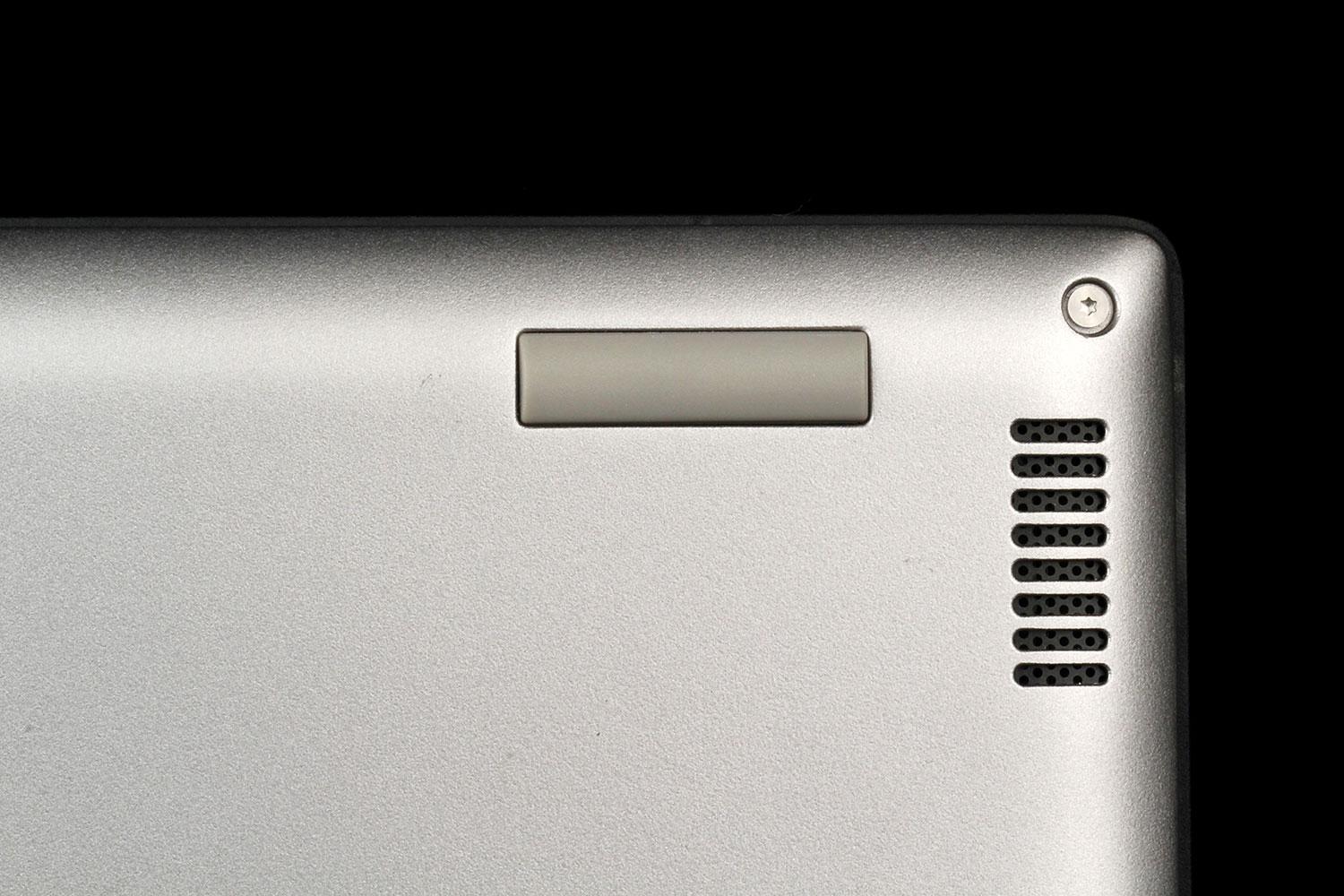
The Yoga 2 Pro is also a quiet operator. The fan is audible at a low hum in a very quiet room when leaning on the CPU or graphics. But even after stressing the laptop’s processor for several minutes, our sound meter only measured 40.8, not much above our 40dB office baseline. The Dell system is a bit louder under load, at 41.8dB, but both systems are quite quiet.
Have we finally found Haswell’s Kryptonite?
We’re so used to writing about Intel’s latest 4th Generation Core (Haswell) processors delivering better battery life at this point, that we’re a bit shocked to say that’s not the case here. In the Peacekeeper Web browser benchmark, the original Yoga 13 lasted 4 hours and 6 minutes. The Yoga 2 Pro conked out on the same test in just 3 hours and 14 minutes.
Even under a lighter load, running our Battery Eater Reader’s test, which scrolls through a text file at 70 percent brightness, the Yoga 2 Pro lasted just 6 hours and 29 minutes, while the Inspiron 14 7000 Series held on for 8 hours and 10 minutes. Lenovo’s lower-end Flex 14 lasted 8 hours and 41 minutes on the same test.
We’d be inclined to say that a massive amount of pixels is the nemesis that finally brought Intel’s Haswell to its knees. Except, well, the 13-inch Retina Display MacBook Pro has lots of pixels, and lasted nearly twice as long on the Peacekeeper benchmark, likely thanks to a larger battery.
Conclusion
After staring lovingly at the Yoga 2 Pro’s screen for a bit longer than we’d care to admit, and appreciating its other improvements, like its lighter weight, slightly slimmer shell, and backlit keyboard, a part of us wants to heap praise on Lenovo for improving on what was already a good convertible, and taking a risk by dropping in possibly the best screen we’ve ever seen on a laptop.
But our practical side, the one that would never let us opt for a shiny, gas-guzzling sports car over a hybrid, thinks Lenovo made a mistake with the Yoga 2 Pro. Sure, the screen is stunning, and the plethora of pixels certainly makes more sense here than, say, in the Chromebook Pixel.
But if Lenovo expects the Yoga 2 Pro to have the same mainstream appeal (and success) as the original Yoga 13, they probably should have opted instead for a nice 1080p screen (like the one in Dell’s Inspiron 14 7000 Series). Doing so, they could have cut a fair bit of the price, deliver the kind of long battery life we’ve come to expect from Haswell-based Ultrabooks, while keeping the laptop light at around three pounds.
As it stands, the Yoga 2 Pro’s screen, as nice as it is, mostly feels like a liability—cutting battery life considerably, while not really being all that useful. The system certainly isn’t up to gaming at its native resolution, the OS menus are upscaled to 200% by default to keep things readable. And, unlike with Apple, Windows Store developers aren’t exactly delivering a stream of apps that take advantage of screens with high pixel densities.
There’s no doubt that high-resolution photos look great on the screen. That means photo-heavy digital magazines look pretty good, too. But the Yoga 2 Pro’s Tablet Mode works best in your lap or on a table. Unless you’re a body builder with a penchant for prose, you aren’t going to want to hold a 3-pound convertible up near your face to read magazines for very long.
Highs
- Stunning super-high-resolution screen
- Thinner and lighter than last year’s model
- Excellent keyboard is now also backlit
- Runs relatively cool and quiet
Lows
- High pixel count leads to sub-par battery life that’s significantly shorter than last year’s model
- Keyboard still exposed in tablet mode