
 App Store rank is make-or-break for new apps. If you don’t crack the top 25 or get yourself featured – and fast – it could quickly be game over. Developers are well aware, and have spent time and energy trying to crack Apple’s App Store code, which has proved difficult thanks to Apple’s secrecy and issues with spambot-boosted rankings.
The latest iteration of iOS has also put a new spin on the algorithm. The App Store has received a significant makeover: Gone is the listing interface, and in its place are visual cards that prompt you to horizontally swipe through your app options. Genius, the suggestion mechanism Apple has used for iTunes music discovery, has also (finally) been turned on in the App Store. How the main hubs are organized has been revamped as well, although much of what’s happening here appears to be mostly aesthetic.
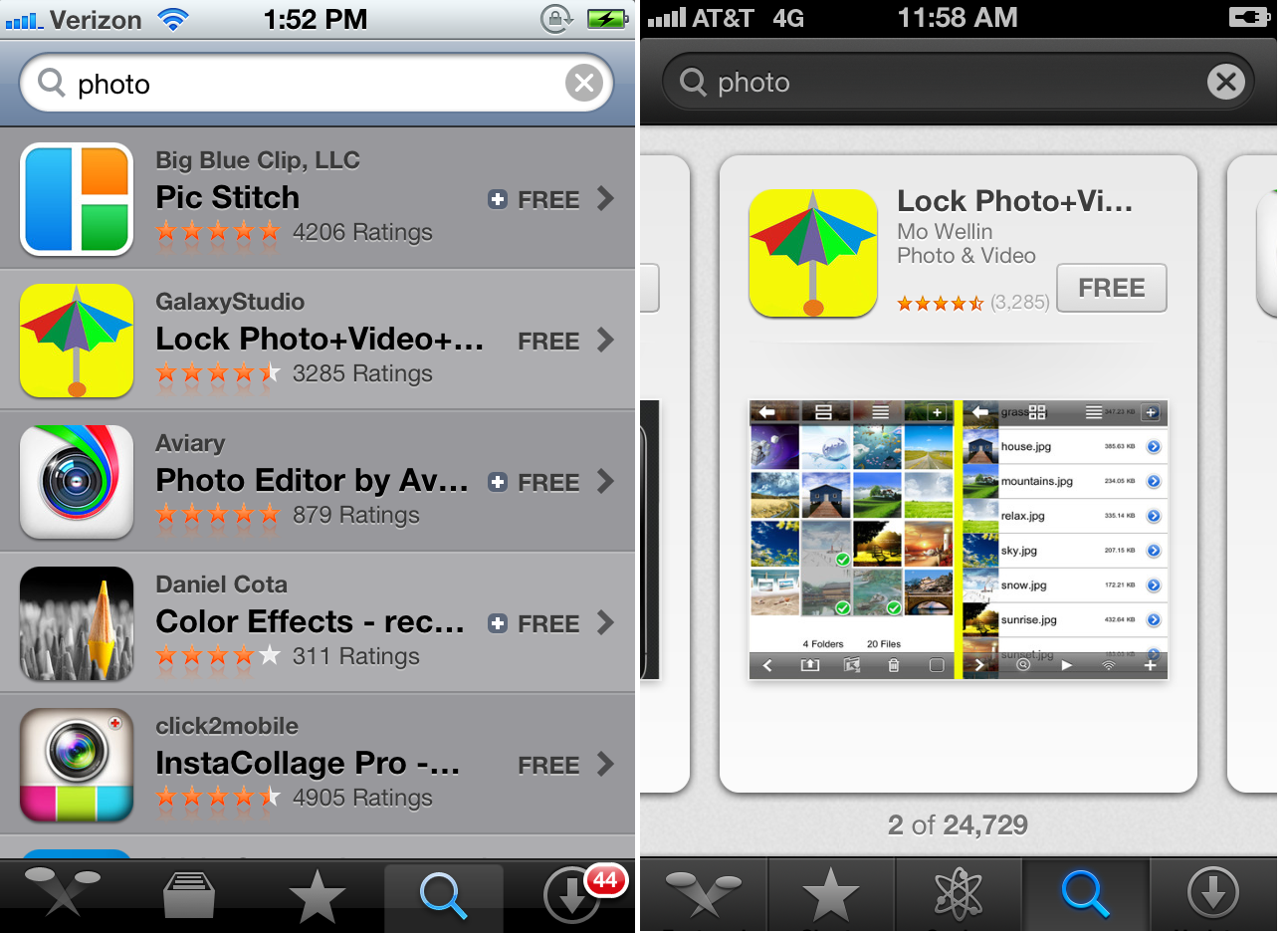
But is it? There is one obvious drawback to the very visual reorganization, and that’s that top billing via search matters more than ever. Instead of a list that shows the five top 10 apps when you search for something, you now see one app that gets the whole screen all to itself. Search options are showing up as identical between iOS 5 and iOS 6. But being on the top spot obviously now carries more weight – and being number six or seven is now that much worse. One flick in the iOS 5 App Store and you’d be looking at those options; now it takes that many more swipes. This might sound inconsequential, but it’s not: The time that it takes for an app to be found is incredibly important to developers. “The recent iOS 6 App Store change is difficult for developers because now you essentially need to rank in the top 1 or 2 spots instead of the top 10 to have the same impact on number of downloads,” app optimization platform Ooomf CEO Mikael Cho tells me.
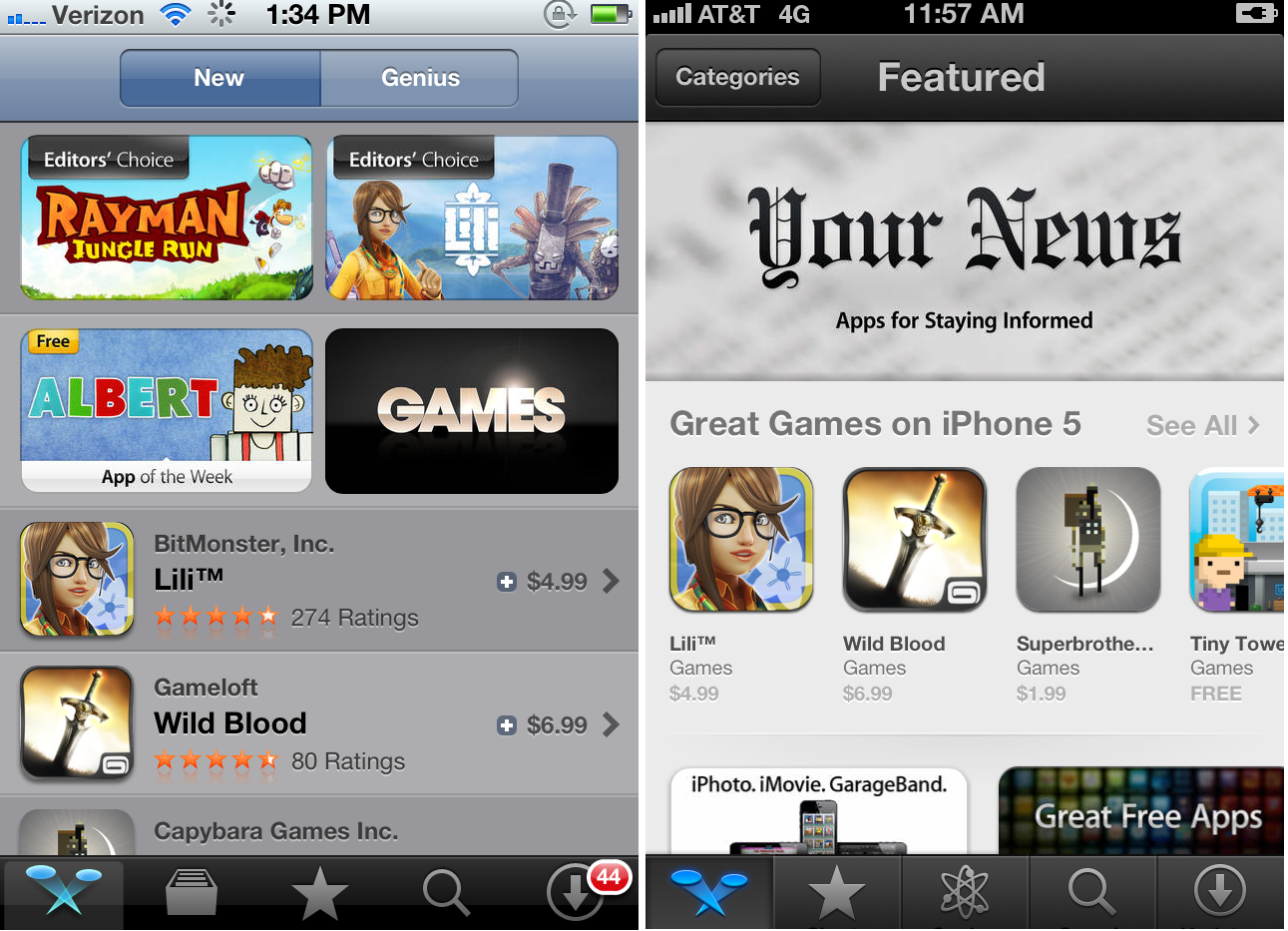
New Releases are now being reshuffled under New and Noteworthy, a curated section whose algorithm, suffice it to say, is completely unknown (entirely made by editors? How much do downloads play in? Or release dates?). Formerly, you could search any subcategory and look for the top paid, top free, and new releases in that section – but that’s now gone. New and Northworthy consumes the New Releases hub, which could add some confusion for developers. It was formerly a really nice feature for smaller apps to get their name out there, and now it’s gone.
“Everything has changed with the new iOS 6 app store. I’m sure we’ll see a hit in our daily downloads count but not sure the severity just yet,” says app search alternative Crosswa.lk co-founder Patrick Jackson. “Developers can no longer rely on the initial bump of being featured in the ‘new’ section, which was historically the best way to get tons of eyes on your app for free. I think with the new changes the best path for a user discovering your app is to optimize where you appear in search. This is going to take time considering Apple doesn’t publicize their algorithm and updating search keywords requires a new app submission or update. With all the new changes I think we’ll see developers utilizing other methods for promoting their apps like optimizing/buying placement in 3rd party app directories, in-app cross promotion, and pay-per-install.”
The changes might seem tedious and looks-based, but to developers, they matter. The main argument here is being summarized as Apple giving unfair advantage and attention to already-popular apps, something users should also take issue with. App discovery has been mediocre at best, and while the App Store now has Genius in working order and is inarguably easier on the eyes, its pure function leaves a whole lot to be desired – for those building for it and those consuming it.


