
 This week we’re bringing you equal opportunity apps: We’ve got mobile apps for iOS and Android, as well as a few Web-based tools for the handful of you still resistant to joining the smartphone ranks.
iOS
This location app is less social than you might think. Arrived is more about productivity than broadcasting your location across various social networks. The iOS app lets you notify certain people when you’ve arrived at certain locations, and uses your iDevice’s gyroscope to automatically issue this update. The (very minor) pain of geo-social apps like Foursquare and Gowalla is that you have to physically pull out your phone and “check-in.” If you want to skip that hassle, Arrived takes care of the details for you.
Cost: Free

Before you write Foodily off as just another recipe app, hear us out. The iPhone (and Web) app is a social network that connects you with other users, with whom you can peruse and share recipes. You also can curate your own recipe lists, divided into pre-set categories, like “healthy” and “weekday,” or make your own. Of course, Foodily is also easy-on-the-eyes, with stunning food photos and a built-in filter that helps you make your own recipe images just as mouthwatering. Foodily is one of the apps that has partnered with Facebook’s new Open Graph and you’re certain to see if popping up in the Timeline and News Feed soon enough. (Android and iPad versions are in the works, and Web and Facebook apps are available).
Cost: Free
Oink is the brainchild of former Digg execs Kevin Rose and Daniel Burka. Oink lets you “rate the adventure” – to explain further, Oink is like an extension of Foursquare or Gowalla, which allows you to rate a restaurant or salon, but not the more specific elements of these places. With Oink, you can share and rate the décor of a bar, or the coffee at a hotel. Oink also features Twitter integration.
Cost: Free
The overtly sentimental souls over at 1000memories have brought us Shoebox, an app that lets you convert your old film photos into a digital format. With some simple editing tools, the technology does a nice job recreating your pictures and preserving them digitally. Of course the idea behind it is to tell stories with the keepsakes, so you can add voice, captions, dates, or tags to the images as well.
Cost: Free
Android

Divide is both a personal and professional application. It basically takes your smartphone and turns it into two: one for work and one for you. Everything that’s work-related is secured separately, and all the data you save and create there is encrypted. Given that many of us subject our phones to these double lives, it’s a smart tool to help you keep your brain straight and apps organized. Divide also gives you a management tool that tracks your device usage and wipes personal and/or business information you no longer need.
Cost: Free

Taking a cue from the search-to-discovery digital-culture shift we’re reeling from, Banjo doesn’t just act as a social network, it helps you discover them. It’s a relief whenever there’s a tool out there that doesn’t want you to take part in yet another online community, and you don’t even need to create a profile to use Banjo. Like Color, Banjo uses your location to show you your physical social network—everyone around you who’s also using the location-based app. You can also sync your various social networks to fully utilize Banjo. It’s also available for iPhone.
Cost: Free

While the iPhone 4S gets top billing as far as smartphone cameras go, there are a handful of Android devices that hold their own. Lapse It is an easy app for creating time-lapse videos, and it integrates with various social networks, so you can quickly push out content to wherever you like.
Cost: $1.99
Web
 This simple Web-app is a no-frills, photo-heavy recipe curator (which also recently added drinks recipe). After entering the foods you either have or are craving, Gojee pulls up big, beautiful, browser-filling images for you to peruse. You can add your two cents, and share recipes to other social networks, as well.
Cost: Free
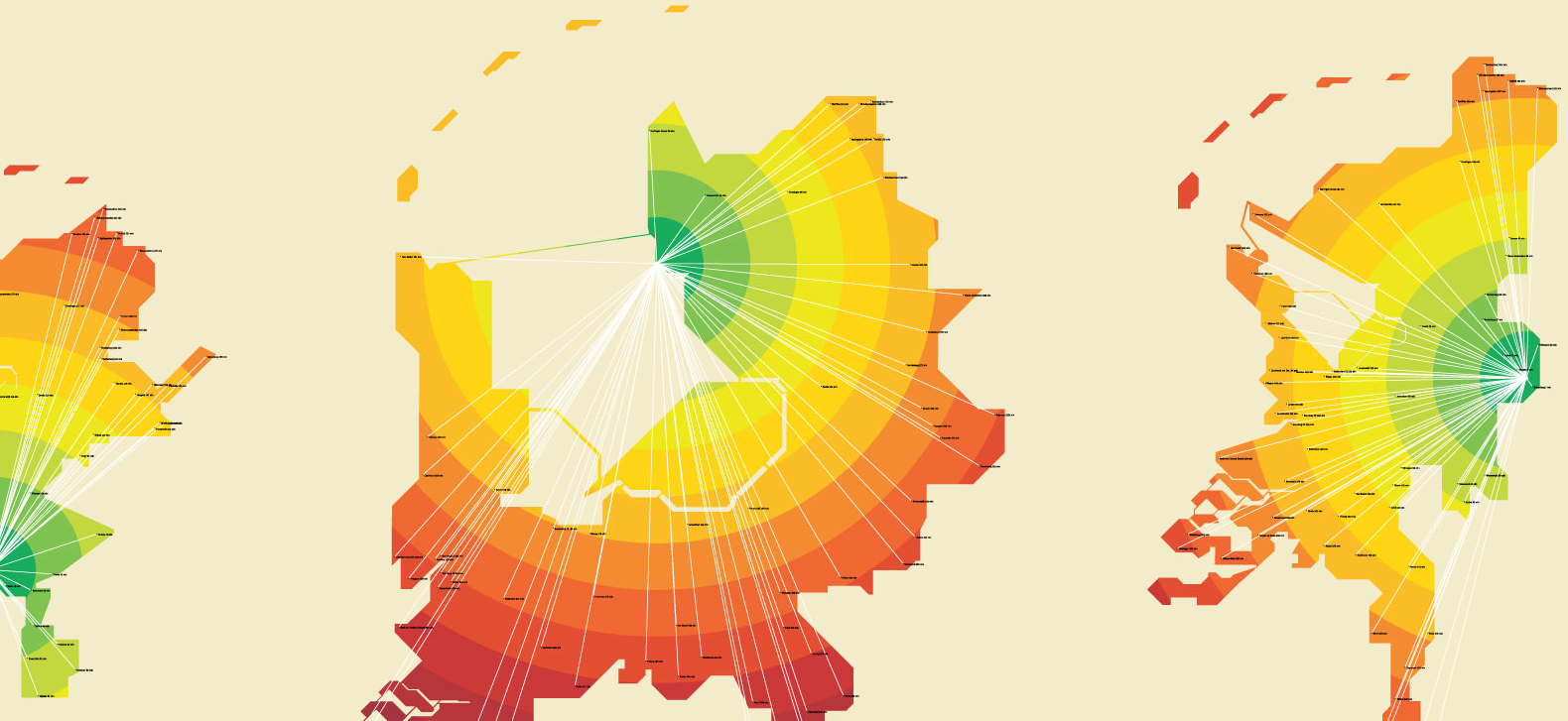 If you’re willing to put up with Google translation, Timemaps is a fun (although relatively useless, for U.S. citizens) way to plot a commute through the dizzying Dutch transportation system. Instead of socializing the everyday travels, Timemaps simply shows you how long it’s going to take to get around various towns in the Netherlands throughout the day, based on your starting location. It uses real-time information to plot your trip as well, and gives different routes depending on what time of the day it is. For Americans, it’s merely interesting to look at—but hopefully this idea translates to Stateside use.
Cost: Free
 We know what you’re thinking: another travel app? Uptake is indeed for the vacation-minded out there, but it uses social networking metrics to help you plan your trip. Its Facebook app gathers information about your friends’ travels, so you have more personalized insight on hotels, restaurants, and other venues.
Cost: Free


