

United Parcel Service, better known as UPS, has finally released an app for the iPad. While most of you will probably stop reading after that sentence, know that the boys and girls in your company’s shipping department are celebrating. For anyone who’s had to ship and receive packages, the ability to track a shipment is hugely important in the world of logistics – a missed shipment could take a big hit to a company’s profit or ruin a family’s Christmas. Which is why a simple app like this can be a godsend, and you no longer have to be tied to your desktop to access UPS’s tracking service.
The free app, which functions similarly to the existing UPS Mobile app for iPhone/iPod Touch, lets you manage your shipments, as well as reschedule or reroute them – you’ll only need an online connection, naturally.
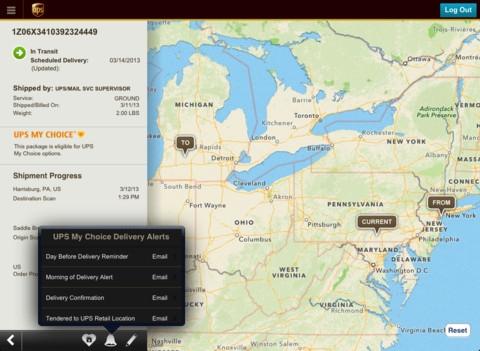
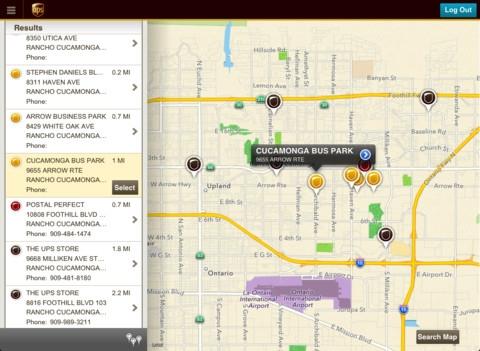 “The UPS iPad App release aligns with our customers’ increasing use of tablets for shopping and completing day-to-day tasks online,” said Stu Marcus, vice president of customer technology marketing at UPS, in a statement. “The new app allows our customers to more easily view and manage their shipments from an iPad. The enhanced mapping features of the app provide an engaging visual display of shipments in transit, and details of a shipment’s progress are updated regularly while en route.”
To use the aptly named UPS App for iPad, just start the app, enter a tracking number, and instantly get the status of your shipment. The app will even save as many as five tracking numbers, eliminating the need for you to reenter them repeatedly. You’ll also be able to plot the actual location of the package on a map. And if you need to figure out where the nearest UPS store is, it can do that too.
The above mentioned features are standard for all users, but if you register for an UPS ID account, you have access to even more. You can add nicknames to certain packages you’re tracking, which is helpful if you have multiple shipments en route. If you’re an existing user of UPS’s My Choice program, the app lets you manage your deliveries across multiple fronts, such as rescheduling, rerouting, and even getting text alerts to give you a heads-up before it’s delivered.


