

“The Surface Pro 2 is much improved over the original, but it's still too heavy for a tablet and is no steal at a price starting around $900.”
- Fast Intel "Haswell" Core i5 processor
- Kickstand has 2 angle settings
- 75 percent better battery than Surface Pro
- MicroSD support
- Touch Covers have backlit keyboards
- Keyboards still sold separately for $120
- 8GB RAM models cost $1,300 and up
- No thinner or lighter than Surface Pro
- 7-8 hour battery life is still weaker than other Haswell PCs
- Very heavy for a tablet
“Why you can trust Digital Trends – We have a 20-year history of testing, reviewing, and rating products, services and apps to help you make a sound buying decision. Find out more about how we test and score products.“
The Surface Pro 2 is much improved over the original, but it’s still too heavy for a tablet and is no steal at a price starting around $900.
 With the recent announcement that it’s acquiring Nokia’s handset business and the imminent launch of the Xbox One, Microsoft feels more like a hardware company than it arguably ever has before. But it has a mixed track record on that front, with major successes like the Xbox 360 and Kinect, and not-so-successful ventures, like the Zune media players, the Kin smartphone line, and, well, the original Surface RT tablet, for which, the company had to take a $900 million loss.
Don’t expect to use the Pro 2 comfortably in your lap with one of the keyboard covers attached.
We spent some time with the Pro 2 at the Surface 2 launch event this morning and came away with mixed feelings. The Pro 2 is still arguably one of the best productivity tablets you can buy, and its updated components should mean much better battery life (Microsoft claims a 75 percent improvement over the original). But the keyboards still add over $100 to the $900 starting price, and if you want more than 4GB of RAM, you’ll need to spend at least $1,300. We have some issues.
A familiar exterior
The Surface Pro 2 sports essentially the same exterior as the original Surface Pro, with a black shell that now sets it apart from the gray hue of the lower-priced Surface 2 (RT). That’s fine by us, as the original Surface Pro looks and feels great, with a premium Magnesium-alloy shell that’s been carried over to the updated model. And port selection at least covers the basics, with a USB 3.0 port, Mini DisplayPort, MicroSDXC slot, and a headset jack. But those looking for a thinner, lighter device will have to look elsewhere (perhaps to the Surface 2). The Pro 2 weighs in at about 2 pounds, just like the original, and is the same thickness, as well (0.53 inches).
Microsoft claims the Pro 2’s screen and speakers have been updated as well. But in our brief time with the tablet in a crowded event space, it was impossible judge speaker output. The 1080p screen (the same resolution as the previous model) looked great, but then so does the screen on the original Pro. For what it’s worth, Microsoft claims the Pro 2’s screen has “46 percent more accurate color,” which may be a selling point for professional media creators. We’ll have to wait until we can test the screen for ourselves to see if it’s a major improvement, but we didn’t leave the Pro 2 with any obvious complaints about the display.
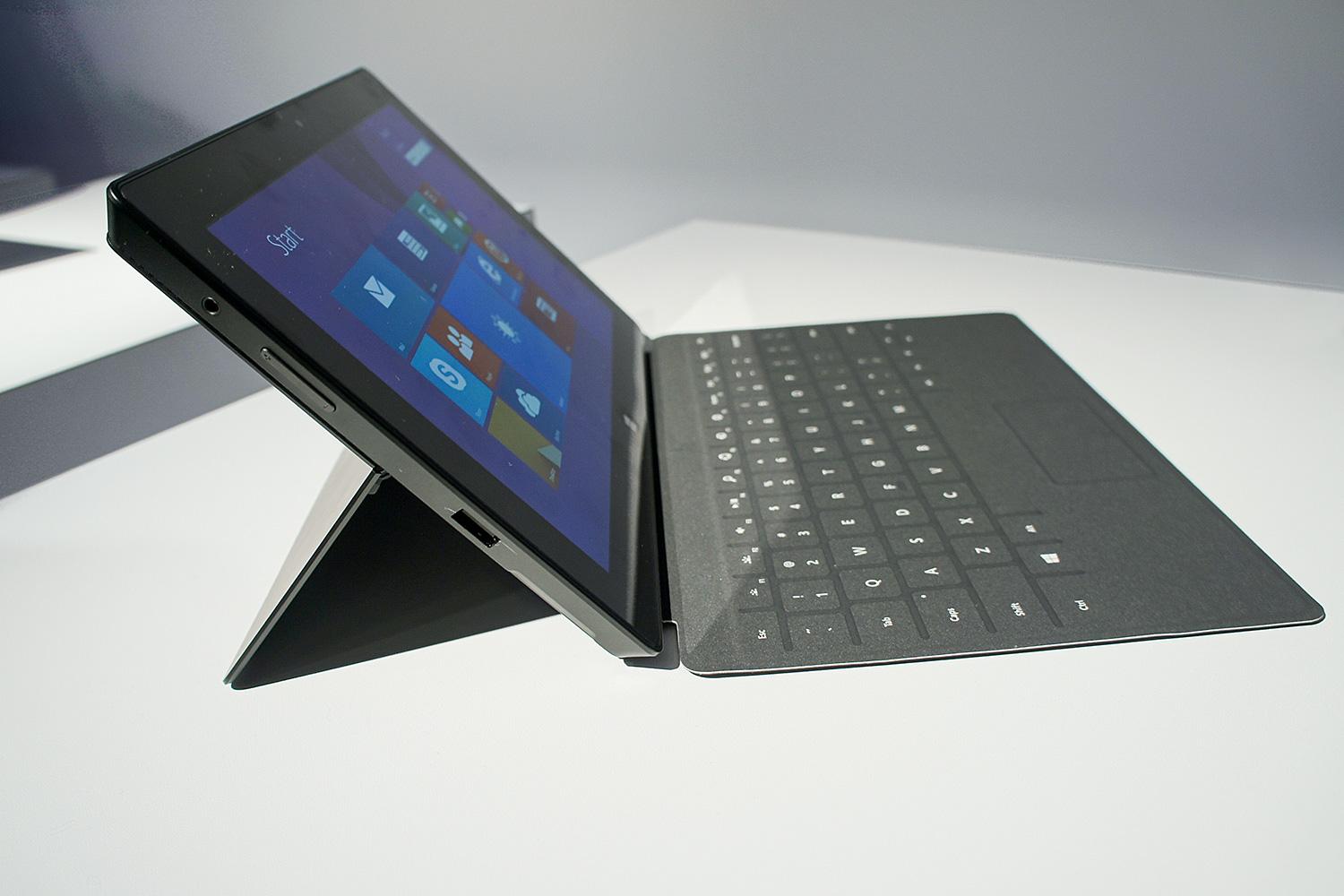
The main exterior change with the Pro 2 (and the Surface 2) is the kickstand, which now props up the device at two different angles: One feels about the same as on the original Surface, while the other is more reclined, which will be helpful for tall users or when using the device while standing.
Microsoft claims that the new lower screen angle option also helps when using the Surface in your lap. That’s probably true for tapping and swiping, but don’t expect to use the device comfortably in your lap with one of the keyboard covers attached. With their floppy hinges, they aren’t nearly as lap-friendly as your average laptop. No amount of screen angle adjustment is going to fix that.
Much improved innards
Most of what’s new about the Surface Pro 2 hides inside the tablet. Microsoft has added a dual-core Core i5-4200U processor, which is of the fourth-generation Core (Haswell) variety. That should mean much improved battery life, about 50 percent better graphics performance, and (Microsoft claims), about 20 percent better performance than the original Surface Pro overall.
Microsoft claims that the Surface Pro 2 is “faster than 95 percent of laptops on the market today.” Considering that Haswell-based laptops are still slowly trickling out, and laptop sales have been down recently, that’s not much of a stretch.
Other components include 4GB of RAM in the two lower-end models, with 64GB or 128GB of solid-state storage ($900 and $1,000 respectively). Step up to 256GB of storage ($1,300), and you get 8GB of RAM. If your local storage needs are greater, you can get a model with 512GB of storage (and the same 8GB of RAM), but that model costs $1,800.
Microsoft claims that the Surface Pro 2 is “faster than 95 percent of laptops on the market today.”
Keep in mind, also, that all these prices are sans-keyboard. The keyboards start at $120 for the non-tactile Touch Cover 2, and top out at $200 for a tactile model with an additional battery, called the Power Cover. With the Power Cover, Microsoft claims the Surface Pro 2 will get 2.5 times the battery life of the original Surface Pro. But you’ll have to wait for the battery-equipped keyboard, as Microsoft says it won’t be available until “early 2014.”
We’ll also have to wait at least a bit to see just what kind of performance we can expect from the Surface Pro 2. The internals sound promising, but the Surface Pro units we spent time with at the launch event had their touchscreens disabled because, as a Microsoft rep told us via email, they were “for photo purposes only.” We were able to mouse around and type with the keyboards, but couldn’t get a good sense of how smooth things were when swiping around Windows 8.1.
We’ll also have to wait until we get a review unit to test Microsoft’s claims that the Pro 2 runs “cooler and quieter” than the original model.
Docking Station for Surface Pr0
We were, though, able to spend some time with the $200 desktop dock, which the company also says will be available early next year. For those who need more ports, the Docking Station provides one USB 3.0 port, three 2.0 ports, Ethernet, as well as an audio jack and a DisplayPort which will let you run a display at resolutions up to 2,840 x 2,160 pixels.
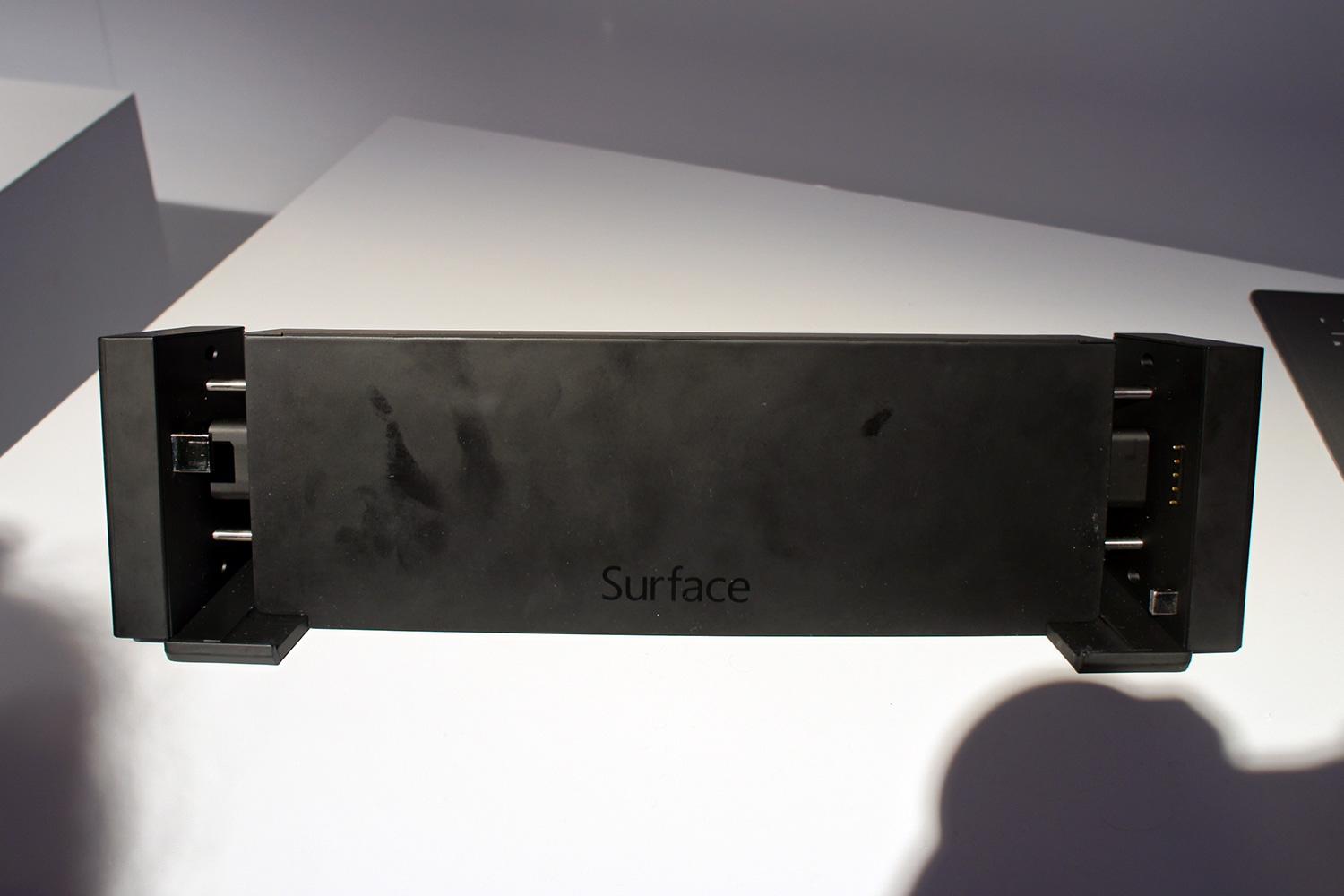
The dock will do-doubt be an important accessory for those looking to use the Surface Pro 2 as their main PC. And its ports are at the back, with the exception of the 3.0 port on the left side, which should help keep your setup looking clean.
But dropping the tablet into the dock isn’t as easy as some other docks we’ve used in the past. Because the dock needs to connect to the tablet’s USB and DisplayPort connectors, which live on opposite sides of the tablet, you’ll need to use two hands to dock and undock the device. And the dock isn’t adjustable, so if you need its extra ports, you’ll be stuck using the Pro 2 at a fixed screen angle.
Conclusion
If the Surface Pro 2 delivers on Microsoft’s promises of much-improved battery life, a more accurate screen, and better performance, and Windows 8.1 improves issues with scaling on desktop apps (1080p on a 10.6-inch screen can be squint-inducing), then the Surface Pro 2 will be much more appealing than the original. But we’ll have to wait until we spend more time with the device before making final judgments.
We will say, though. If the company wants the Pro to sell well beyond power users and niche markets, the $900 starting price is pretty high – especially when you add at least $120 for a keyboard cover. If you need more than the fairly cramped 64GB of local storage on the base model, you’ll have to spend at least $100 more. Microsoft does, though, include a generous 200GB of its cloud-based SkyDrive storage for two years.
But even if cloud storage lets you live with the $900 base model plus keyboard, the Pro 2 is a $1,000+ device. And beyond business users, we wonder how many consumers are still willing to even consider spending that much on a computing device. There is, of course the Surface 2, which starts at a much more reasonable $450. But the Surface 2 runs RT, which means it can only run apps from the Windows Store.
For those who like the form factor of the Surface, who need to run regular or “legacy” Windows software, we’d like to see Microsoft ship a lower-priced option of the Surface Pro 2. At the very least, a keyboard should be included in the $900 base price if the company wants to entice more than the top tier of customers.
Highs
- Haswell internals mean better CPU and graphics performance
- Kickstand now has two angle settings
- Promise of 75 percent better battery life than original Surface
- MicroSD slot to expand base model’s cramped storage
- Improved keyboards are backlit
Lows
- Keyboards still cost extra
- Models with 8GB of RAM are priced at $1,300 and up
- The tablet itself is no thinner or lighter than original Surface Pro


