

“The Kindle Fire HD is a good device if all you want to do is consume Amazon content.”
- Excellent Dolby sound
- Great access to Amazon content
- Clear HD screen
- Great battery life
- Lockscreen ads are blatant and annoying
- Amazon goes overboard upselling products
- Interface is laggy at times
- Limited to Amazon services & content
- Amazon email/calendar apps don’t match Google’s
- No homescreen customization
“Why you can trust Digital Trends – We have a 20-year history of testing, reviewing, and rating products, services and apps to help you make a sound buying decision. Find out more about how we test and score products.“
About a year ago, the Amazon wowed the tech world with the Kindle Fire, a mainstream, easy-to-use tablet that cost only $200. Over last holiday season, the Fire rose to prominence as the most popular tablet outside of the iPad, eclipsing rivals like the Asus Transformer and Barnes & Noble Nook Tablet. Earlier this month, Amazon finally took the wraps off of its new 7-inch Kindle Fire “HD,” which boasts faster speeds and more pixels. But with impressive tablets like the Nexus 7 out and Nook HD’s on the way, is Amazon still the best game around? Has it learned from the mistakes of its first Fire?
Video review
Design and feel
Like the original Kindle Fire, the first thing you’ll notice about the Fire HD is how boring it looks. It’s still just a big black slab; only this time, it actually looks even less sleek, with a much larger bezel surrounding the 7-inch screen. We’re not sure who runs the hardware design department at Amazon, but they aren’t going to win any awards at this rate.
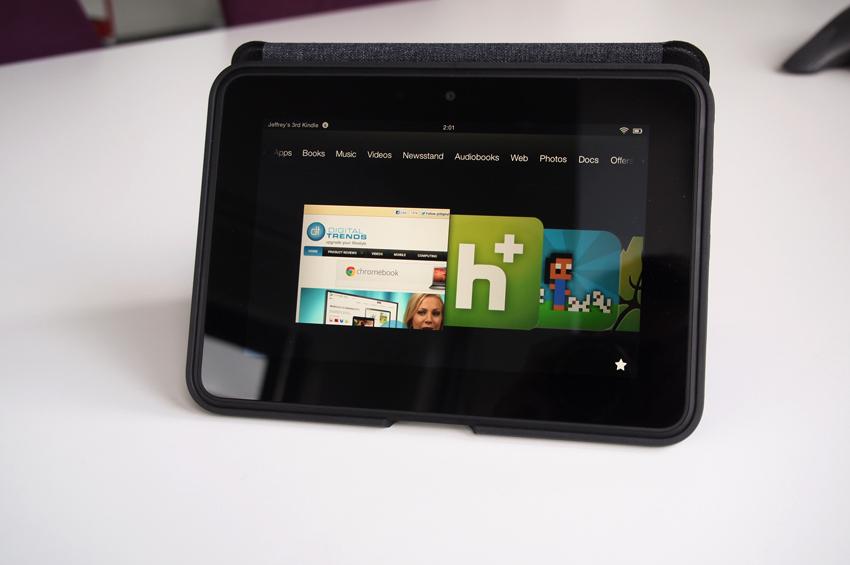 On top of being bland, the new Fire also has also switched its default orientation to landscape (wide) for unknown reasons (maybe the new speakers?). You can still hold the device in a portrait orientation, but the webcam will be right where your hand is and the volume and power buttons won’t be easy to access, though they aren’t very easy to find or press even when you’re holding the device the right way. In a dark room, it can actually take beginners quite some time to feel around and locate the volume buttons.
Compared to similar $200 devices like the new Nook HD and the Nexus 7, the Fire HD’s hardware design seems outdated and clumsy.
Dolby sound
The one bright spot of the Kindle Fire HD is a metal bar that runs along the back of it. On the left and right sides of the device are two excellent speakers. The Fire HD is the first tablet we’ve seen that runs Dolby Digital Plus sound enhancing and the results are amazing. Somehow, the sound actually feels somewhat surround-like. This is the best-sounding small tablet on the market, beating the Nexus 7 handily. The iPad still pumps out louder jams, but its single speaker doesn’t produce the depth and balance that the Fire HD’s dual speakers do. Though we’re not fond of whoever designed the hardware, we would gladly give a hug to whoever decided to go with Dolby sound on the Fire HD.
Operating system
Like the Kindle Fire, the HD runs an extremely modified version of Google’s open-source Android operating system. But to say “modified” is to understate it. Basically, Amazon has ripped out the interface of Android 4.0 and made its own. It has gone so far as to remove all Google apps and access to the Google Play store. In fact, if we weren’t telling you that this phone ran Android, you may never know. For all practical purposes, this device runs on its own separate platform. It shares little in common with other Android tablets. That’s a good and bad thing.
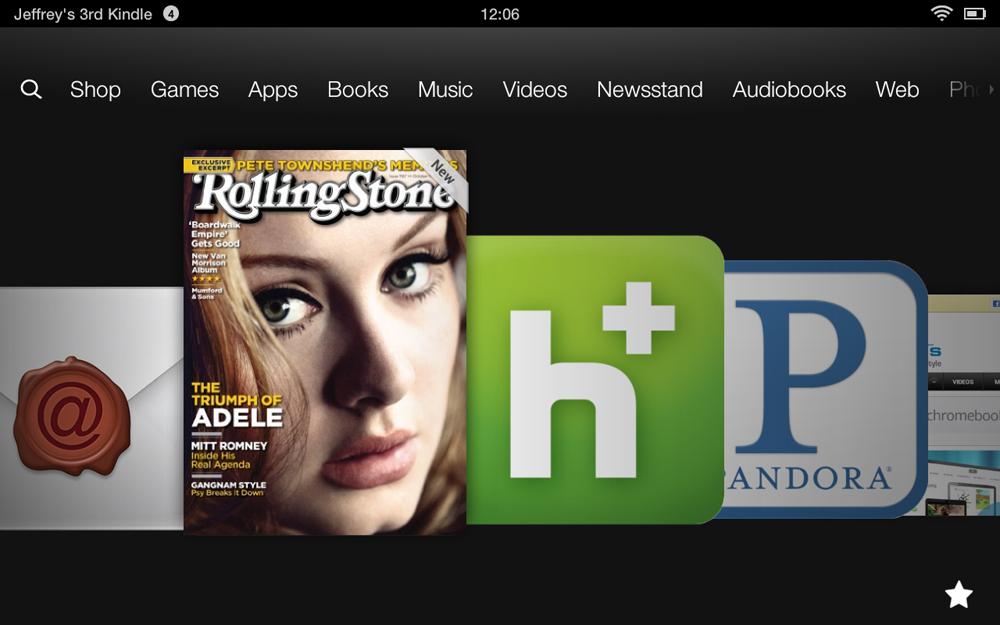
Amazon has done a great job making it easy to purchase and download Amazon services and goods. A line of links at the top of the “homescreen” shows everything you can do with a Kindle Fire HD. You can shop, buy games, buy apps, buy books, buy music, buy videos, buy magazines, buy audiobooks, browse the Web, look at photos, or work on documents stored on Amazon’s Cloud Drive (which costs money). This is a device for buying content and then playing that content.
 |
 |
 |
 |
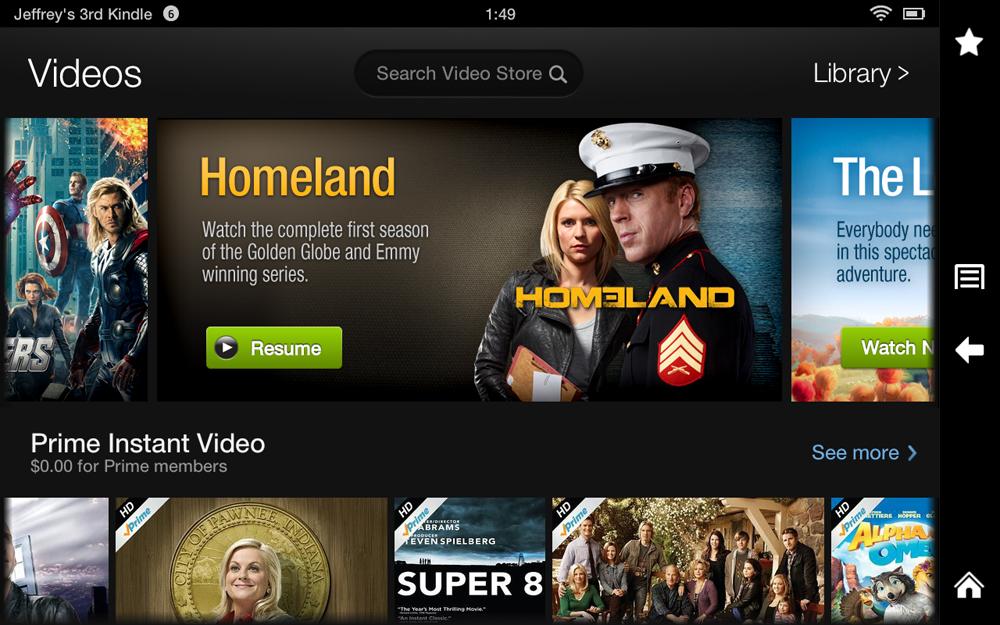 |
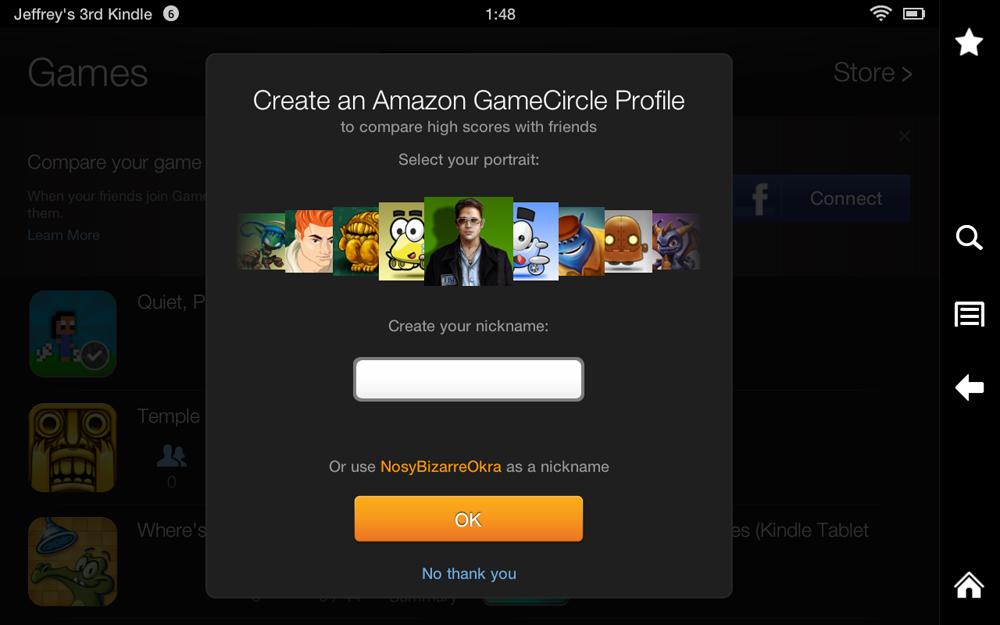
Most of the time, Amazon’s interface is simple enough to use, but since the homescreen is now nothing but a carousel of recently used apps on a black screen, it is easy to get lost in the menus. Many screens and sections look quite similar, and we found it disorienting at times how quickly Amazon moves you from device collections to stores to homescreens and other screens that often look remarkably similar. The original Fire had the same problem, but here it seems worse, not better. Some sections take you to the store first, others to your library first, but you have cloud libraries and downloaded libraries – Amazon doesn’t make it simple enough to know where you are.
Having said that, once you grow accustomed to the style of the interface, you’ll do just fine, but don’t expect a fluid, iPad-like experience on the Fire. Though it has updated specs, it still seems to lag a bit. Barnes & Noble’s new Nook HDs had this problem as well, and we wonder why. Android tablets like the Nexus 7 are speedy and smooth.
Ads, ads, ads
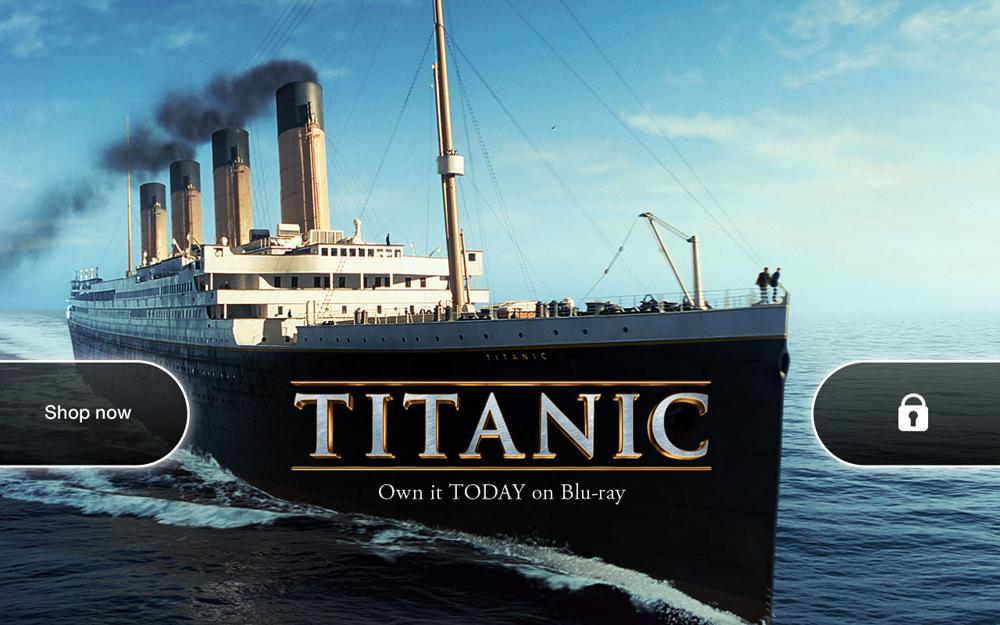
There is another new feature of the Kindle Fire HD, and this one may annoy you. Amazon has brought over the idea of having ads on the lock screen from its Kindle e-readers. While the ads weren’t intrusive on the monochrome Kindles, on the Fire, they are bright, full of color, and dominate the lock screen. If you swipe to unlock from the left side, you’ll be taken to the ad’s homepage as well, which caught us offguard once or twice. On top of that, Amazon has an “Offers” section on the homescreen, listing out the ads that are running on your device.
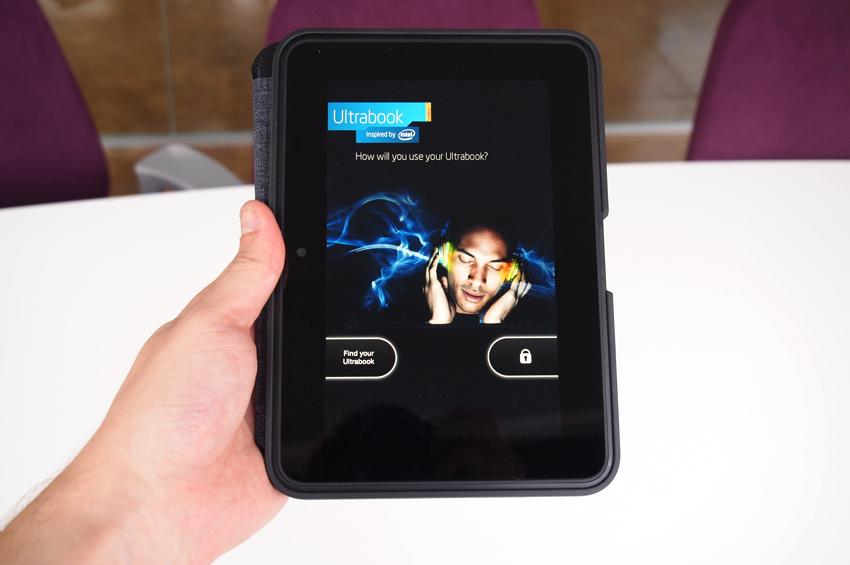 Right now, our Kindle Fire HD has an Intel Ultrabook ad on it. Earlier it was running a Titanic 3D ad and one for Discover card. We’ll probably get used to these, but they are a big reminder that we’ve got a budget tablet. Amazon claims you can opt out of the ads for $15, but the option either isn’t available yet, or is so well buried that most consumers will have a hard time finding it. We couldn’t.
Hardware specifications
The Kindle Fire HD runs well enough, but it isn’t as smooth an experience as we’d like. Buttons and menus sometimes take an extra tick to load and nothing feels fast about it, much like the original Fire. As far as actual hardware goes, Amazon’s tablet seems like it should perform better. It has a 7-inch 1280 x 800 pixel IPS LCD touchscreen (same as Nexus 7), 16GB or 32GB of internal flash memory for storage, a 1.2GHz dual-core TI OMAP 4 processor, 1GB of RAM, a webcam, 2.4GHz and 5.0GHz Wi-Fi connectivity, Dolby Digital Plus sound, Bluetooth connectivity. It charges via Micro USB and has a Micro HDMI port on the bottom as well, should you need it. No microSD, however.
The Kindle Fire HD is rated for 11 hours of battery life. In our time using the device, it seems to match this battery life rating fairly well and does not drain quickly while idling, which can be a problem on some Android devices. It’s one of the better battery performers in the tablet space.
Overall
The Kindle Fire HD is a good device if all you want to do is consume Amazon content. If you’re a big fan of its services, then plop down 200 Washingtons and buy yourself a Fire HD. Just don’t expect it to be a great email client, Web browser, or have the robust Google Play app catalog that an Android phone might have. $200 is not a bad price, and the Dolby sound is especially impressive, but the unlock screen ads and laggy navigation will be a constant reminder that you’re using a device made by a company that doesn’t really care so much about devices. Amazon just wants you to buy things. It’s a store. Here’s to hoping the Kindle Fire HD 8.9 offers a little more bang for your buck. As it stands, the Nook HD may end up being a better option if you’re hunting for a 7-inch $200 tablet, and the Nexus 7 already is.
Highs
- Excellent Dolby sound
- Great access to Amazon content
- Clear HD screen
- Great battery life
Lows
- Lockscreen ads are blatant and annoying
- Amazon goes overboard upselling products
- Interface is laggy at times
- Limited to Amazon services & content
- Amazon email/calendar apps don’t match Google’s
- No homescreen customization


