


“The Memo Pad is a slight upgrade to the 2012 Nexus 7, which means a lower-resolution screen and weaker processor, but for $150, it’s a great deal.”
- Inexpensive but not cheap
- Light, comfortable design
- Vivid, colorful display
- Well-curated apps and utilities
- Good battery life
- Screen attracts fingerprints
- Asus User Interface can be overwhelming
- Can get sluggish during heavy use
- For $80 more, you can get a cutting-edge Nexus 7
“Why you can trust Digital Trends – We have a 20-year history of testing, reviewing, and rating products, services and apps to help you make a sound buying decision. Find out more about how we test and score products.“
Even in these days of the low-cost 7-inch tablet, a sub-$200 price tag on an Android slate is usually a big red warning sign. Danger: Crappy tablet! That’s the case with the $170 HP Slate 7, not to mention the slew of craplets that pop up at Kmart, Toys R Us, and other discount retailers. So we approached the $150 Asus Memo Pad HD 7 with some trepidation. That low price is tempting, and Asus has already proven it can produce a good tablet for not a lot of money with the two Nexus 7s. Still, is it possible that the Memo Pad is worth the money? To our surprise, the answer is yes.
Design and Display
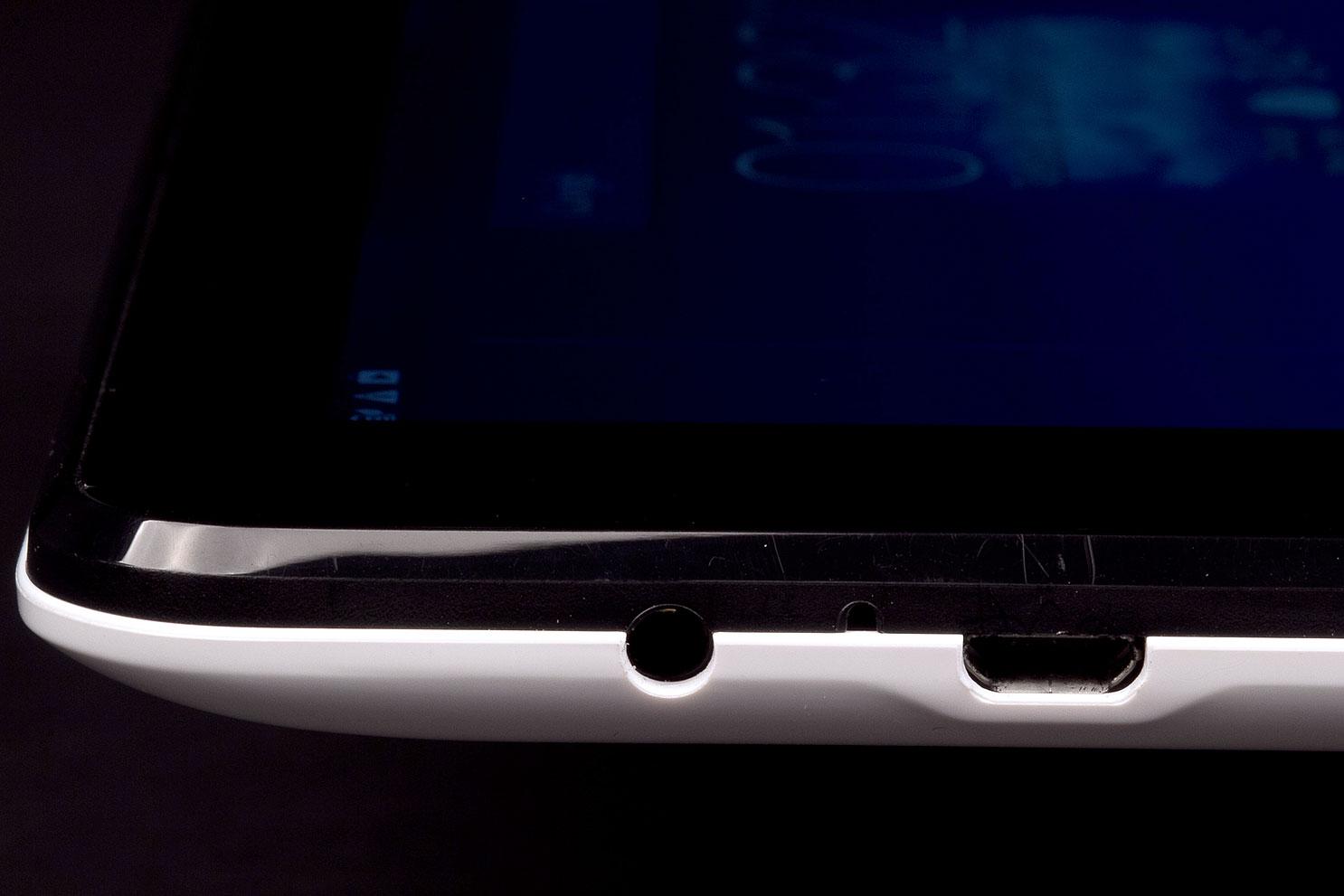
At first glance, the Memo Pad HD 7 looks a lot like the first generation Google Nexus 7. It’s almost exactly the same size, just an ounce lighter, and from the front they’re almost identical. However, the Memo Pad doesn’t have a soft-touch back, and the power and volume toggle sit along the rear curve instead of on the edge, making them a little awkward to find at first. We’re glad the headphone jack is on top, though placing the Micro USB plug there is odd. (Many docks assume your Micro USB plug is on the bottom.)
The plastic chassis on the Memo Pad doesn’t feel cheap; it’s solid enough with a bit of give on the edges if you purposefully squeeze. But this is a budget tablet.


Unlike the HP Slate 7’s disappointing display, the Memo Pad’s 7-inch, 1280 x 800 pixel panel is impressively bright and colorful. It’s on par with – or perhaps a bit better than – the original Nexus 7’s screen. We’re fans of the vivid colors and the utility Asus includes (called Splendor) that allows owners to adjust color temperature for different scenarios. The IPS LCD screen means you get wide viewing angles and no weird distortion if you’re looking at it off center, even during dark scenes in videos. The only major drawback is that the screen doesn’t get bright enough at 100 percent to overcome the effects of strong sunlight. It also collects fingerprints more readily than we’d like. Neither of these issues are dealbreakers.
Around back the Memo Pad continues to set itself apart from the first gen Nexus 7 with a MicroSD card slot and a rear-facing camera. The small soundbar at the bottom is wider and produces well-rounded audio for a tablet. It’s pretty loud, too, even with some background noise.
Android and Apps
The fastest way to tell that this is not a Nexus device is to turn it on. Unconstrained by Google, Asus has gone all-in on skinning Android 4.2 Jelly Bean and significantly changes the user interface. Tweaks to the graphical elements like the Home, Back, and Recent Apps buttons are just the start. Asus beefed up the Notification drawer with more useful radio toggles than Google provides plus one-touch access to oft-needed settings like Wi-Fi and the Audio Wizard. An extra arrow in the bottom bar reveals a slew of pop-up apps that hover over the regular screen: Calculator, Music Player, Calendar, Compass, Browser, and more. Press and hold the Home button for even more quick access shortcuts: favorite apps, settings, Google Now, voice command, and a few others.


Asus’s Mode selector feature will appeal to people who like to mentally separate work from play. You can switch to different ‘Modes’ from the Home screen. Pre-set modes include Work, Entertainment, and the default Asus one, but you can create your own, rename these, and organize them the way you want. This is also useful for people sharing a tablet among family members. Everyone can have their own home screen arrangement.
The mix of productivity, entertainment, reading, and artistic apps welcomes newcomers to Android without forcing them to visit the Google Play Store immediately.
However you feel about skins, this one at least shows some thought and consideration. It does what good skins do best: it makes using Android easier and more efficient. Just as with Samsung tablets and phones, the sheer number of features can feel overwhelming. Also like Samsung, the graphic design isn’t the best. The Memo Pad’s UI doesn’t look like a toy, but the design doesn’t look very modern, either. It’s as if Asus is going for a retro nostalgic look of some sort that comes off less elegant than intended.
The Memo Pad also comes packed with pre-loaded apps and Asus-specific utilities. We know some buyers will balk at this on general principle. Less fervent Android purists will appreciate that the apps are well-curated and not just bloatware. The mix of productivity, entertainment, reading, and artistic apps welcomes newcomers to Android without forcing them to visit the Google Play Store immediately. We particularly like practical utilities such as app backup, app locker, parental lock, file manager, and power saver.
Camera
Ready for a surprise? The rear-facing 5-megapixel camera on the Memo Pad does not suck. We know. It’s hard to believe. Especially given the quality of the one on the new Nexus 7. Don’t expect miracles; this camera is limited just like most tablet cameras.


In good light it takes colorful pictures with good detail for 5 megapixels. In mixed and low light the camera struggles more, though images have minimal noise.
Ready for a surprise? The rear-facing 5-megapixel camera on the Memo Pad isn’t god awful.
The camera app helps a lot and gives shutterbugs enough settings and features (such as HDR) to make taking a decent picture easier. Our biggest gripe is how slow the shutter can be.
Out of curiosity, we popped the tablet on the StandScan and took some shots of a book. We found the results good enough for capturing text you want to read later (just not accurate OCR). This plus the pre-loaded productivity apps make the tablet a good choice for students on a budget.
The 1.2-megapixel front-facing camera is also decent and takes relatively noise-free snapshots. It’s fine for selfies and will serve you well during video chats.
Performance and Battery Life
One of the big reasons why the Memo Pad HD 7 isn’t very expensive is the chip inside running the show. The 1.2GHz quad-core processor isn’t the speediest – on Quadrant it scored just 3,820 – and the tablet has 1GB of RAM. This is similar to the internals on the first gen Nexus 7, so no surprise that the Quadrant benchmark score is just a few hundred points higher. In actual use, this translates to a tablet that runs well but not with ultimate slickness and super speed. You’re likely to notice some sluggishness if you have a lot of apps going or if you play a very graphically intense game. Most casual games won’t give you an issue, and the majority of apps are made to run on lesser hardware than this.
 The tablet comes with 16GB of file storage and the MicroSD slot will take cards up to 32GB. Wireless radios include b/g/n Wi-Fi and Bluetooth 4.0; there is no 4G/3G model. There’s also no GPS or NFC – not surprising, given the price.
During testing, the Memo Pad regularly lasted up to two days with on and off use that included long gaming and video watching sessions. Playing video continuously for about 7 hours the tablet got down to 30 percent without and power-saving options on. With Power Saver engaged it could last much longer.
Conclusion
Asus continues to prove again and again that it’s possible to make a tablet that is both affordable and worth having. The Nexus 7 line was proof enough, but the Memo Pad HD 7 takes it one step further. The great display, above-average cameras, thoughtful UI, well-curated apps, and decent performance are well beyond what we expect to see for just $150. This is the best value tablet under $200 we’ve seen so far and it makes a few more expensive tablets look sad in comparison.
If the second generation of the Nexus 7 represents a big leap forward in terms of design and specs, the Memo Pad feels like the incremental upgrade people who almost loved the original Nexus 7 can embrace.
Highs
- Inexpensive but not cheap
- Light, comfortable design
- Vivid, colorful display
- Well-curated apps and utilities
- Good battery life
Lows
- Screen attracts fingerprints
- Asus User Interface can be overwhelming
- Can get sluggish during heavy use
- For $80 more, you can get a cutting-edge Nexus 7


