
Amazon insists on making its Kindle tablet a real competitor in the market, something capable of doing much more than just reading books. Its latest step in making that goal a reality was announced today. The Kindle HDX is the equivalent of the upright, walking man to the original Kindle’s primate. The HDX looks like it’s ready to play, packed with the most impressive specs we’ve seen in a Kindle device. But being impressive compared to your ancestors is one thing. How impressive is the Amazon Kindle HDX when placed against other fully evolved tablets? We find out by putting the Amazon Kindle HDX up against a favorite, the Nexus 7, in a spec showdown.
Amazon Kindle HDX |
Nexus 7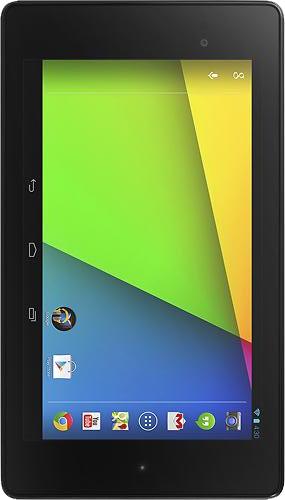 |
|
| Size | 7.32 x 5.04 x 0.35 (in) | 7.9 x 4.5 x 0.3 (in) |
| Weight | 10.97 oz | 10.24 oz |
| Screen | 7-inch LCD | 7-inch LCD |
| Resolution | 1920 x 1200 pixels | 1920 x 1200 pixels |
| OS | Android 4.2 with Fire OS 3.0 UI | Android 4.3 |
| Storage | 16/32/64GB | 16/32GB |
| SD Card Slot | No | No |
| Processor | 2.2GHz Quad-cord Snapdragon 800 | 1.5GHz quad-core Snapdragon S4 Pro |
| RAM | 2GB | 2GB |
| Connectivity | Wi-Fi 802.11a/b/g/n, 4G LTE | Wi-Fi 802.11a/b/g/n, 4G LTE, NFC |
| Camera | Front Camera with 720p recording | Front 2.1MP, Rear 5MP |
| Bluetooth | Yes, version 4.0 | Yes, version 4.0 |
| Battery | 11 hours of use | 3,950mAh (9 hours of use) |
| Charger | Micro USB | Micro USB |
| Marketplace | Amazon Appstore | Google Play Store |
| Price | $230+ | $230+ |
| Availability | October 18, 2013 | AT&T, T-Mobile, Verizon |
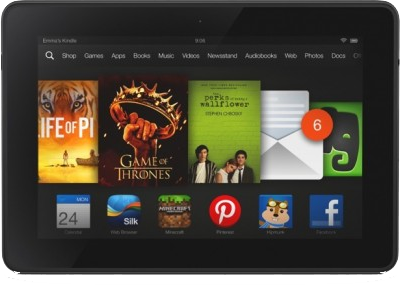
Now here’s a competition that consumers can get behind: Two tablets with impressive specs, capable of doing pretty much any task you throw at them, and priced reasonably enough that entry level consumers can conceivably get their hands on them. Both the Kindle Fire HDX and the Nexus 7 are really solid devices priced to compete. The Kindle Fire HDX actually has a bit of an edge on the Nexus 7, with a more powerful chipset. Its expected battery life also clocks in higher than the Nexus 7.
Where the Kindle Fire HDX does stumble is its lack of a rear camera, but that might not be the biggest fault. The one area that may turn people off of this well priced, well built machine is its user interface. Amazon still wants users to embrace its ecosystem, which we can’t blame it for, but the Kindle Fire OS isn’t for everyone and the Amazon Appstore does limit selection when it comes to adding apps and games to the device. It very well may be something that users can live with, especially at the price it’ll cost them, but the Nexus 7 offers a stock Android experience at the same price. That’s the biggest difference between these two devices. If you primarily use Amazon to get your media, music, and content, the Kindle Fire is great. If you don’t, then you should consider a Nexus 7 (or another tablet). Outside of Instant Video, most every Amazon service has an app in the Google Play Store as well.
If you want to try out both devices before making a decision – something we strongly suggest you do – then you’ll be able to try out the Amazon Kindle HDX starting October 18, 2013. Both devices will be available in Best Buy stores.


