
Although more of us are taking and storing photos with our smartphones and tablets then uploading them online to social media websites, Kodak Alaris’ new iPad app, Moments HD (Kodak Moment, ha, get it?), is all about getting users to do something old-school: print. If you’re a former Kodak Gallery user and enjoy putting photos onto paper, the app/service will feel familiar. Moments HD is available for free on the iTunes App Store starting today, but you’ll need at least an iPad 2 that’s running iOS 7.0.1 or higher.
The app, designed specifically for tablets (iPad for now, Android down the road), isn’t completely revolutionary, as there are other apps and services that offer the same things: customized photo books, prints, and enlargements. Moments HD, however, connects your digital archive – specifically those stored on your iPad or online at Facebook, Flickr, and Instagram – with the Kodak print universe. Realizing that users want convenience, Moments HD offers same-day pick-up at a partner store (currently, Target, CVS, and Bartell Drugs) or home delivery.
Moments HD is similar to the My Kodak Moments app for smartphones, but tailored to a larger display. That means a larger view of photos, great for designing photo books. Navigation is very simple and intuitive (there’s a brief tutorial during first use, but if you’re familiar with navigating around apps, you don’t need it): pick the albums where your photos are stored (on the iPad or online), drag and drop them to preset templates (photos are automatically formatted to fit, without losing parts of the photo – Kodak Alaris calls it Smartfit Technology), choose a theme for the look-and-feel of the book, give it a name, and order. There’s nothing truly complicated about the app. There are some basic, in-app photo editing features to clean up images or apply filters, but Kodak Alaris says its Perfect Touch Enhancement Technology ensures photos look better when printed. We do wish there was a way to access photos from a smartphone more easily (like a cloud-based tie-in with the My Kodak Moments smartphone app), since most of the photos taken these days are on iPhones and Android phones.
Darren Johnson, vice president and chief growth officer of Kodak Alaris’ Personalized Imaging, told us the app was intentionally made to be foolproof. Makes sense, since Kodak’s mantra has always been about ease of use. “The easier you make these things, the more (users) want to do it,” Johnson said.
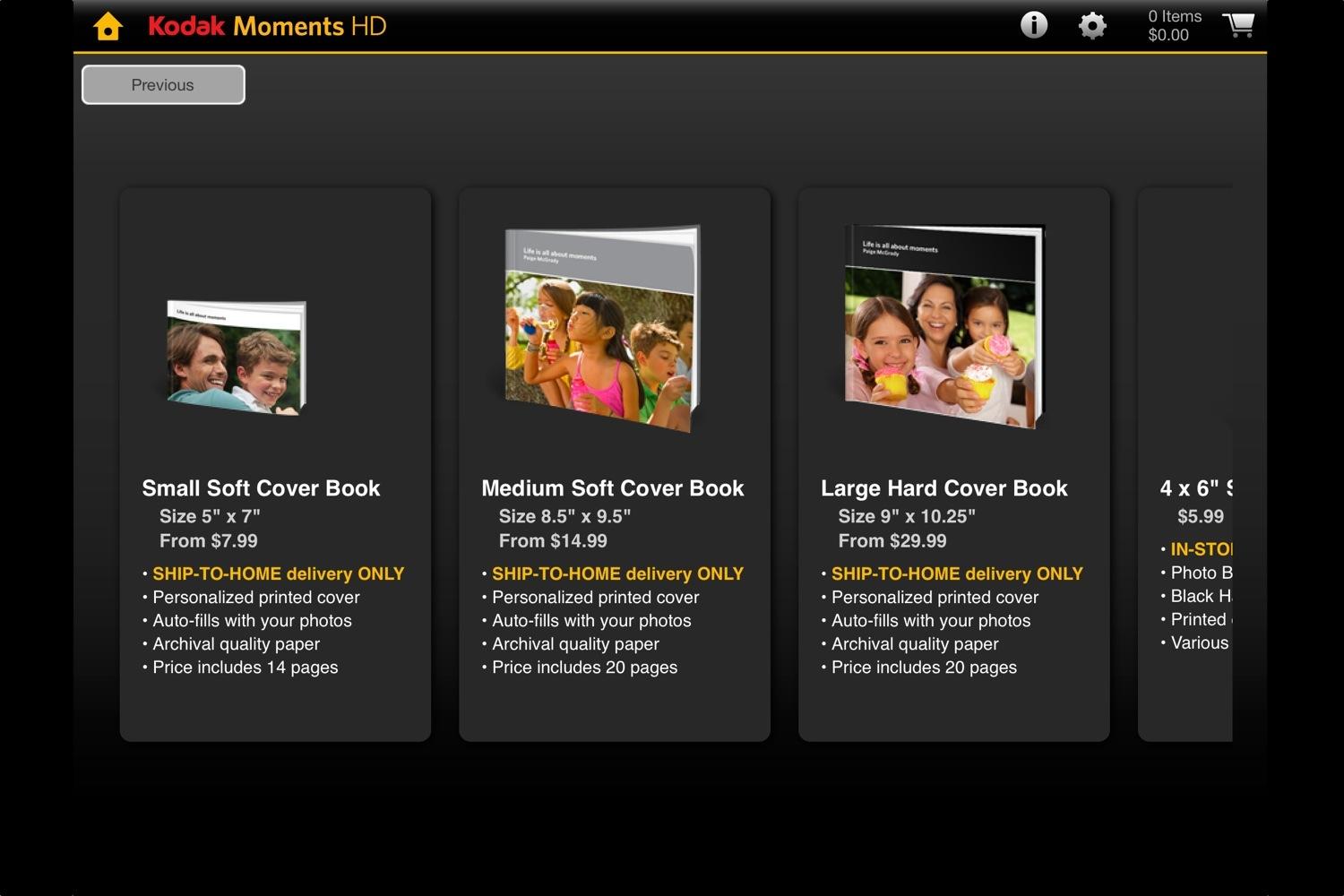


To start, the print options are limited. You can create small, medium, and large soft cover books (printed on archival paper, available as a ship-to-home option), or less expensive photo books (printed on photo paper, available as an in-store option). The books start at 5.99 for a 4 x 6, single-sided photo book, and the price goes way up from there. For a small photo book, 16-44 photos are the ideal amount. If you’re at a store with your iPad in tow, there is an option for printing photos at a Kodak photo kiosk via Wi-Fi. Besides books, you can order prints. Kodak says the app will evolve in the future to offer additional products, such as greeting cards, calendars, and collages.
We spent some time with the app, and, as mentioned, it’s simple to use. You do need an Internet connection, or you won’t get past the startup screen; how fast the app works will also depend on your connection speed. Once you get into the app, you’ll see photos from your iPad cascading down the screen (although you can’t tap and choose to view any of them, strangely) and four options at the bottom: My Projects (where you saved items are), Photo Books, Prints, and Kodak Connect. At the top you’ll find the tips and help menus, settings, and shopping cart. Again, the user interface is simple – a bit boring, we’ll admit – but the app will most likely evolve in the next version.
To create a photo book, it’s as easy as going into your photo albums and selecting the ones you want. To use photos stored on Facebook, Flickr, or Instagram, you’ll need to give Moments HD permission (all done in-app); the process is straightforward and we didn’t encounter issues. Once you’ve selected your photos, you pick a theme, edit the name of the project, and start editing the book. The app automatically lays out the book for you, but you can rearrange the photos, edit them, change the background, or add more photos. As you’re going through process, a helpful guide pops up during each step, which we found very useful. Once you’re done, you can save the project for later or order it. As for prints, you can choose 4 x 6, 5 x 5, 5 x 7, and 8 x 10, starting at 25 cents. Here, you can also edit and crop a photo. We recently placed an order, and will update this article to reflect on the experience and quality of the products, as well as an in-store experience with the kiosk. Overall, the Moments HD app is uncomplicated and will appeal to that “Kodak” user.
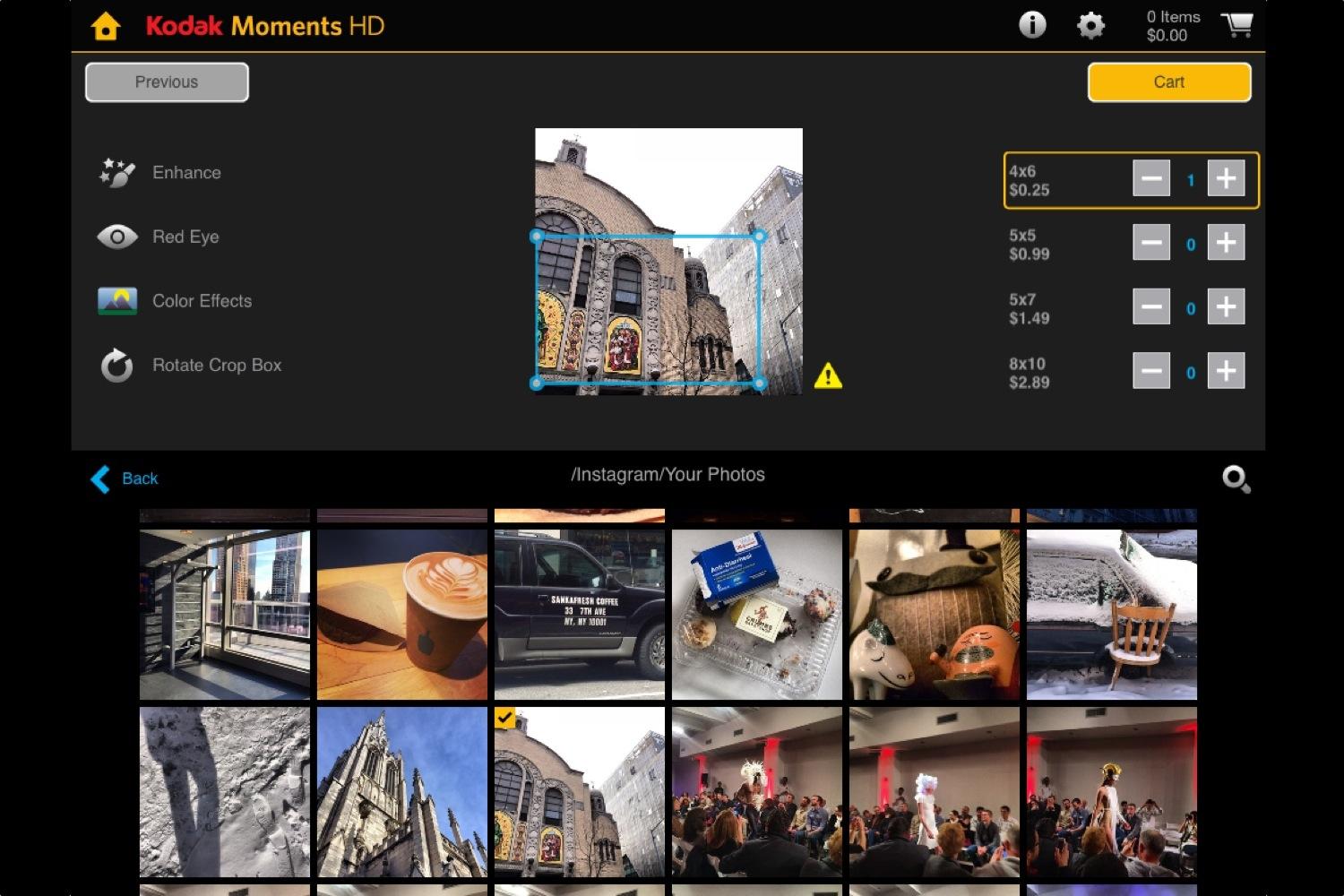
Of course, the quality of printed images will depend on how you shot it. The iPad’s camera isn’t the best, so if you’re printing something that was shot with the tablet, you may want to keep the sizes small. If you’re pulling an image from Flickr that you shot with a DSLR, then your prints will look nicer. When we tried to print one of our Instagram photos, the app had a message warning us that the quality might be too low-res for what we want to print.
The service brings back something Kodak used to offer before the company reorganized, but now geared toward mobile users. The app/service is owned by a new company called Kodak Alaris, formed from the consumer and retail businesses that Eastmak Kodak sold off or shut down. Kodak Alaris’ products include paper and retail kiosks, hence the reason for the app’s creation, which adapts the old to the new. Johnson says Kodak Alaris isn’t trying to be nostalgic with print, and acknowledges that it’s a digital world. But the “desire to print is still there, creating wonderful photos – there’s a big uptick in people who do that,” Johnson said, adding that 20 percent of prints come from mobile devices, so there is a consumer demand. Twenty-five-percent of the U.S. population owns a tablet, he said, which gave Kodak Alaris the impetus to develop – in-house – a tablet-specific app. Johnson also cites Kodak’s expertise of working with regular consumers as one of its core strengths. “We spent a lot of time working with consumers.”
While there may already be similar offerings, Kodak’s biggest advantage is still its name. The barebones nature of the app may leave some wanting more, but we can see it being popular with lots of customers.


