


“At $350, the LG G Pad 8.3 is too expensive if stacked next to its top competitors, but if you have the money, it’s an absolutely fantastic tablet.”
- Perfect 8-inch screen size
- Comfortable to hold
- MicroSD slot for extra storage
- Powerful processor
- Great all around tablet
- More expensive than top competitors
- Rear speakers are muffled and tinny
- Like Samsung, LG clutters Android with too many apps
- Seams around screen are too flexible
“Why you can trust Digital Trends – We have a 20-year history of testing, reviewing, and rating products, services and apps to help you make a sound buying decision. Find out more about how we test and score products.“
Eight inches is the perfect size for a tablet. We’ve been saying it ever since the first Galaxy Tab 8.9 impressed us back in 2011. It took two years of annoyingly bad designs to finally get us here, but 8 inches is now officially a size, and we couldn’t be happier. LG’s G Pad 8.3 joins Apple’s iPad Mini, Samsung’s Galaxy Tab 8.0, and Samsung’s Galaxy Note 8.0 in the mid-size tablet category, if such a thing really exists.
In all honesty, if you’re in the market for a great small tablet, then you’re also looking at the Kindle Fire HDX and Nexus 7. Though they have smaller 7-inch screens, the experience of using them is almost identical.
Does the G Pad and its $350 price tag have what it takes to compete with the $330 iPad Mini, and the $230 Nexus 7? Let’s find out.
Great look, weak sound
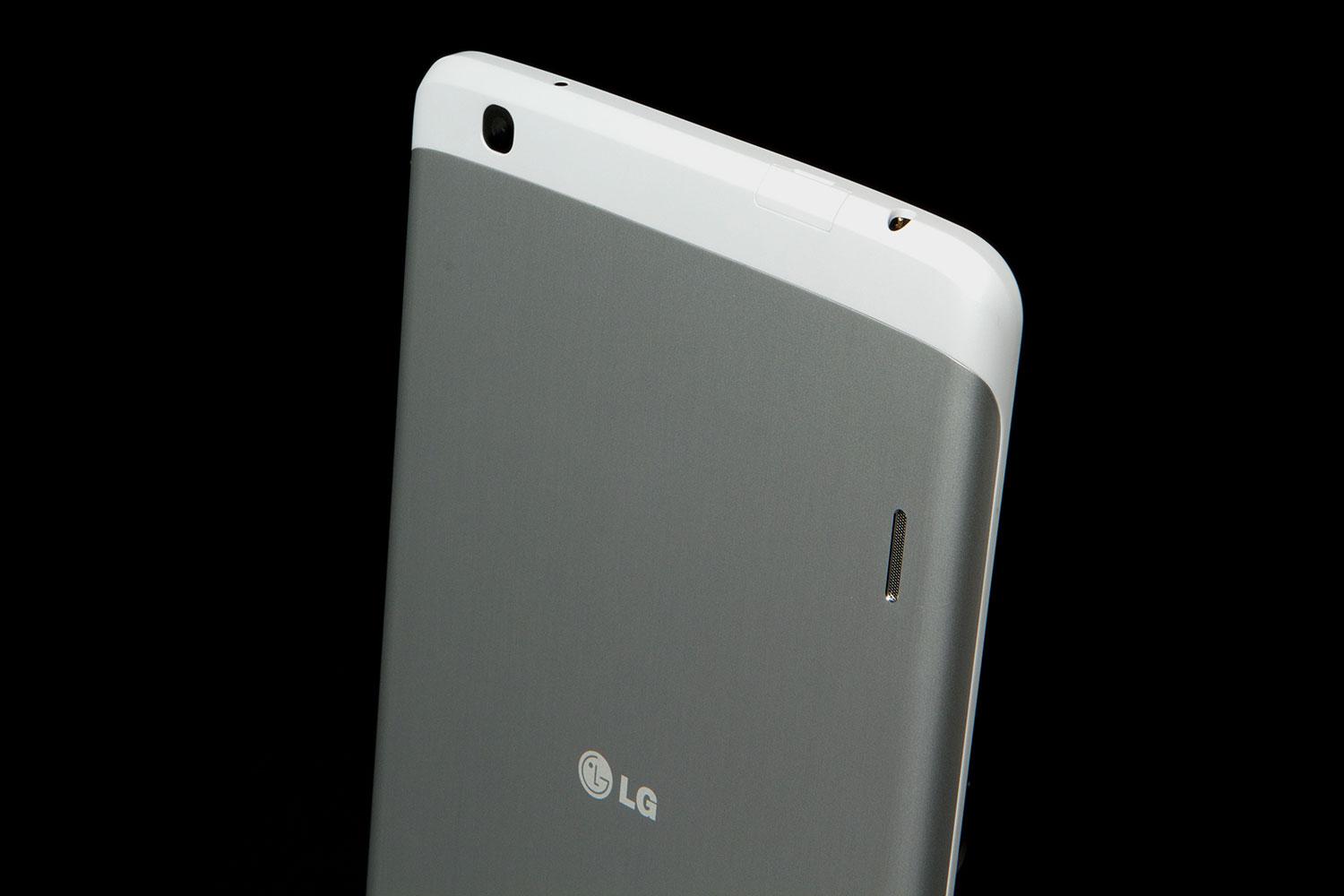
We’ve said it before, but LG stepped up its game in 2012 with the Optimus G and it hasn’t looked back. From the Nexus 4 to the LG Optimus G Pro, and the new LG G2, it’s continued producing fantastic devices from a design perspective. As LG’s first tablet in years, the G Pad 8.3 is thin, relatively light, and built with a brushed aluminum and plastic shell. LG may have left the tablet market for a while, but it didn’t stop paying attention. This tablet looks great.


The G Pad 8.3 has a slightly larger screen than the iPad Mini but thanks to a thin bezel on the sides, it’s easier to hold in one hand than Apple’s miniature tablet, which is great.
Button placement on the G Pad is typical. You can hold it in landscape (horizontally), but the power and volume buttons are best accessed if you hold it in portrait (vertically). Both buttons are toward the top of the right side. If you’ve used a Nexus 7 or iPad, nothing will surprise you here. The buttons are easy to access and press.
What may surprise you is the fun little MicroSD card on the top of the tablet. Few smaller tablets have expandable memory these days, so it’s nice to see MicroSD included. The Infrared (IR) blaster is also helpful if you plan to use your tablet as a remote control for your TV. The charge port is at the bottom and will accept any Micro USB chord.
Playing music on the G Pad’s rear-facing speakers is painful. It comes out tinny, and reverberates inside the tablet’s shell.
We have two complaints. The first is with the speakers. We’re happy to have stereo sound, but playing music on the G Pad’s rear-facing speakers is painful. It comes out tinny, and reverberates inside the shell of the tablet instead of escaping from the two thin recessed speakers. Trying to understand dialogue in a TV show on an app like Hulu is difficult as well. You often have to turn the volume almost up to max to understand what people are saying, but then it’s too loud. Placing the Pad down on your legs or on a surface will easily mute your sound.
We also noticed that the seam between the screen and shell is wider than usual. We could easily flex and pull the plastic portion of the shell a millimeter or so away from the screen. This doesn’t seem like much, but a wider seam can mean trouble when it comes to dust or water. Hopefully this is an issue LG addresses in its final production models.
Aside from some minor sound complaints and a shell that doesn’t seem well glued to its screen, the G Pad is a stellar little tablet. It has a ton of screen space for its size, and is thin and light enough to match any competitor.
LG brings its Android interface to the big screen
The G Pad doesn’t run a pure version of Android, or the newest version (our model ran 4.2, not the new 4.3), but we have few complaints about LG’s take on Android. If you’ve used the LG G2, or the Optimus G, then you know what you’re getting into. Just take those interfaces and increase the screen size. The G Pad has a full 1080p HD screen, making it possible to have rows of six icons (compare that to 4 on the iPad Mini) on your home screen. If you’re a home screen optimizer, you have more to work with. If you aren’t, well: try out Aviate. It works great on the G Pad.


All of LG’s staple features are here. QSlide lets you open up little mini apps on top of your desktop and manipulate how transparent they appear; QuickMemo lets you draw on the screen with your finger; and LG’s cool new KnockOn feature lets you turn the screen on and off with a double tap of your finger. KnockOn is a small, but incredibly useful way to turn your tablet on without having to reach for the power button.
Other than that, it all works well enough. Because it has access to the Google Play Store, any app you may want to install on the G Pad is easily accessible – about a million of them. The main weakness of the Kindle Fire HDX is app selection. Because Amazon chooses to only let its tablet access its own Amazon Appstore, there is a much smaller selection of games and software available. This isn’t the case with the G Pad. It can run any Android app.
Like Samsung, LG packs its Android devices with unique features and tons of apps, so prepare for a little clutter. Savvy users can easily go into Settings and disable apps that they don’t like (disabling an app will make it disappear from the apps list), but just know that this isn’t a Nexus tablet. If you want a no-frills, pure experience, you’re going to want Google’s Nexus 7.
Overall, we’re impressed with the G Pad’s interface. It’s a little feature heavy and can appear cluttered, but it looks nice and will get the job done. And if you don’t like it, there are many alternative home screens you can download from the Google Play Store.
Powerful little guy
The LG G Pad 8.3 isn’t the most powerful tablet we’ve used, but it’s up there. The Kindle Fire HDX leads other devices thanks to its 2.2GHz Snapdragon 800 processor, but the G Pad is no slouch. In a Quadrant benchmark test, the 1.7GHz Snapdragon 600 processor inside the G Pad pulled in as score of 11,700. For comparison, the Nexus 7 scored about 5,400 and the Kindle Fire logged 20,500. In all honesty, though, we found all three tablets plenty powerful.
The LG G Pad 8.3 isn’t the most powerful tablet we’ve used, but it’s up there.
Aside from the 1.7GHz quad-core Qualcomm Snapdragon 600 processor, LG is packing 2GB of RAM, 16GB of internal storage (ROM), an 8.3-inch 1920 x 1200 pixel LCD screen, a 5-megapixel rear camera, a 1.3-megapixel front-facing webcam, and a MicroSD card if you need a little more storage. It also runs Android 4.2 Jelly Bean. We hope that LG will update it to Android 4.3 at some point soon, but no update is yet available.
Battery performance was about average. The G Pad has a 4,600mAh battery inside it and seemed to last about the average 10-11 hour lifespan we expect from a tablet. Impressively, LG’s tablet always met our expectations. During a week of heavy use, it always made it through the day with at least 30 percent battery by night.
Camera
Please don’t buy a tablet if you want to take good photos. You’re going to look like an idiot whipping out a giant tablet to snap your shots, but more importantly, you’re not going to end up with good shots. Most smartphones exceed the performance of tablet cameras because people demand a good camera on their phone. On a tablet, the camera is often an afterthought. LG has included a decent shooter on the G Pad, but it won’t do anything that your phone can’t do better.


The G Pad has a 5-megapixel camera with an F2.6 size aperture. It does well enough in outdoor and well-lit areas, but the sensor adapts to changing light levels slowly and does not pick up low light as well as the iPad Mini. Apple’s tablet outperformed LG’s in most shooting conditions. Compare it to a Samsung tablet or the Nexus 7, and the G Pad is highly competitive.
Conclusion
So, the G Pad 8.3 has weak sound, but other than that it’s a very competitive tablet. So it comes down to this: The G Pad has a bigger screen than the Nexus 7, doubles its processing performance, and has a nice MicroSD card slot if you want more than 16GB of memory. You will pay $120 for these upgrades. If that math works for you, then go for it.
The G Pad is $20 more than the iPad Mini. For that $20, you get a slightly larger screen with a much higher resolution, Google’s Android OS (though iOS is fantastic), and a MicroSD slot for expanded memory. To be fair though, iOS is a fantastic operating system with a great app ecosystem and the iPad Mini has better speakers and a slightly better camera than the G Pad.
The Kindle Fire has inferior button placement and far fewer apps available to it than the G Pad, but is much more powerful. Then again, what good is power if you have no games or apps that take advantage of it?
At $350, the LG G Pad 8.3 is too expensive if stacked next to its top competitors, but if you have the money, it’s an absolutely fantastic tablet.
Highs
- Perfect 8-inch screen size
- Comfortable to hold
- MicroSD slot for extra storage
- Powerful processor
- Great all around tablet
Lows
- More expensive than top competitors
- Rear speakers are muffled and tinny
- Like Samsung, LG clutters Android with too many apps
- Seams around screen are too flexible


