
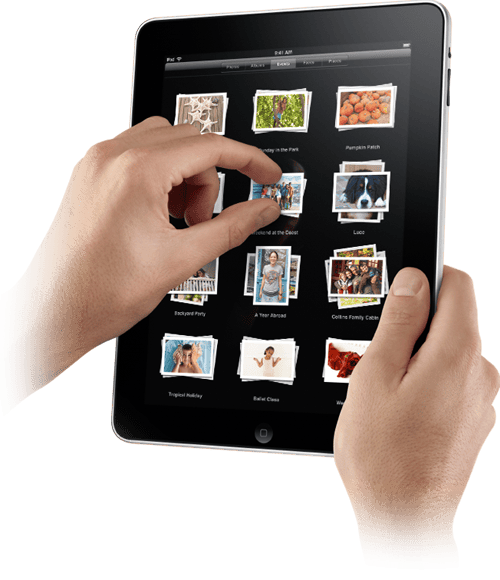
 The Apple iPad is finally here and so far it’s looking pretty darn promising. The iPad features a beautiful, high-resolution LED-backlit IPS display, a responsive Multi-Touch screen and a speedy Apple-designed processor. Apple seems pretty proud of their latest creation, calling it “a whole new kind of device.” So, in case you missed out on Apple’s big announcement yesterday, here’s our grand compilation of everything you need to know about the new iPad tablet computer device.
iPad Specifications
- SCREEN: 9.7-inch IPS LCD screen. IPS
- RESOLUTION: 1024×768 pixels (132 pixels per inch)
- SIZE: 0.5 inches thin.
- DIMENSIONS: 9.5 inches x 7.5 inches x 0.5 inches
- WEIGHT: 1.5 pounds (or 1.6 pounds for 3G)
- CHIP: 1 GHz Apple A4 chip. (in-house P.A. Semi chipset)
- MEMORY: Three models with 16 GB, 32 GB and 64 GB solid state hard drives.
- INCLUSIONS: Accelerometer, Microphone, 30-pin connector, Compass, full capacitive multi-touch, Bluetooth 2.1, 802.11n Wi-Fi, 3G access on higher-end models
- BATTERY LIFE: Up to 10 hours of surfing the web on Wi-Fi, watching video, or listening to. On standby, it will last over a month.
Connectivity & Web Browsing
- The 30-pin connector on the bottom of the iPad allows you to dock and charge it. It also lets you connect to iPad accessories like the Camera Connection Kit and the Keyboard Dock.
- Built-in Wi-Fi: With built-in 802.11n, iPad automatically locates available Wi-Fi networks; and comes with Bluetooth 2.1 + EDR
- 3G: Apple also has three 3G models with superfast data speeds up to 7.2 Mbps for traveling or in replace of Wi-Fi network, you can still get a fast connection for surfing the web, downloading email, or getting directions.
- Also Features…
- Safari
- Email: iPad works with all the most popular email providers, including MobileMe, Yahoo! Mail, Gmail, Hotmail, and AOL.
- iTunes: iTunes store icon lets you browse and buy music, TV shows, and podcasts — or buy and rent movies — wirelessly, from iPad. Or you can sync iPad with the content you already have in your iTunes library on your Mac or PC.
Apps & Maps
The iPad will work with almost all of the apps designed for the iPhone and iPod touch—so if you already have apps for these devices then you can sync them to the iPad from your Mac or PC. Apple says you can run them in their original size, or expand them to fill the screen. There is also a section of the App Store that has apps specifically designed for the iPad—and Apple reassures us that there are plenty more to come. Also, Google Maps runs on the iPad just as it does with the iPhone—with a full navigation and up-to-date maps.
Check out the 5 best iPad apps
 TV, Movies and Video
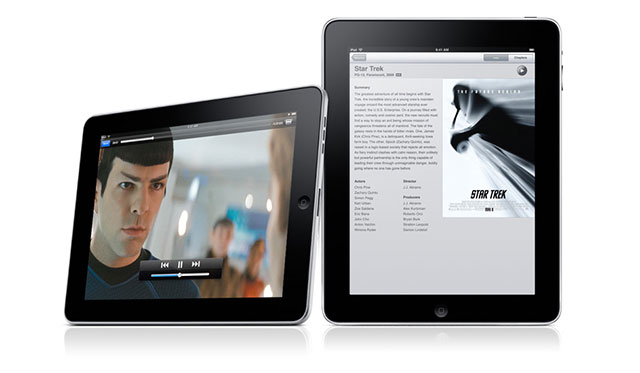
The large 9.7-inch, high-resolution screen makes iPad a great device for watching videos: from HD movies and TV shows to podcasts and music videos. The iPad also has an app for You Tube, which will organize and customize your HD videos so they’re easy to see and navigate.
iPad features & support:
- Support for 1024 by 768 pixels with Dock Connector to VGA Adapter; 576p and 480p with Apple Component AV Cable; 576i and 480i with Apple Composite Cable
- H.264 video up to 720p, 30 frames per second, Main Profile level 3.1 with AAC-LC audio up to 160 Kbps, 48kHz, stereo audio in .m4v, .mp4, and .mov file formats; MPEG-4 video, up to 2.5 Mbps, 640 by 480 pixels, 30 frames per second, Simple Profile with AAC-LC audio up to 160 Kbps, 48kHz, stereo audio in .m4v, .mp4, and .mov file formats
iBooks, eBooks and Publishers
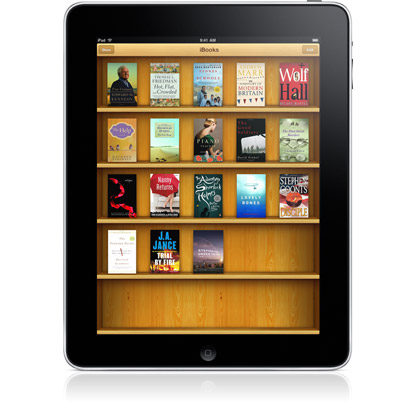 iBooks works similarly to iTunes—but with books—and the new iPad actually allows some pretty cool with this app. Users can change the book’s font to suit your reading pleasure and iBooks can be used for textbooks, too. To read the book you’ve purchased, all you have to do is tap on its icon and it opens up. Tapping the right side of the page turns one page forward; a tap on the left turns one page back.
The iPad will be using 5 Book Publishers
- Penguin
- Harper Collins
- Simon & Schuster
- Macmillan
- Hachette
iWork
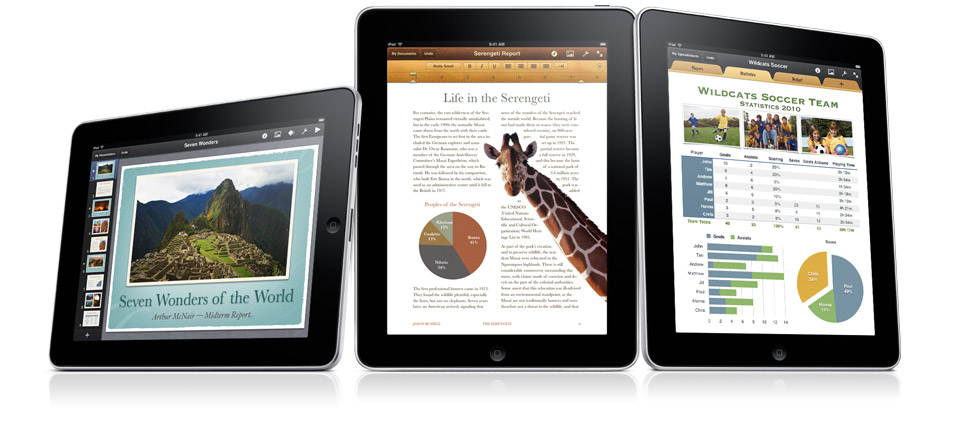
The iPad also features the Mac’s iWork productivity applications—but completely revamped for the new tablet device, making it just as useful for business as it is for play. Featuring…
- Keynote: Basically Apple’s presentation software, which allows you to make presentations with custom graphic, new styles, themes, animations, effects, and other new features.
- Pages: Word processing, including Apple-designed templates and easy-to-use formatting tools.
- Numbers: This is Apple’s spreadsheet software that lets you design data cells and spreadsheets with the multi-touch interface, over 250 easy-to-use functions, flexible tables and charts.
Gaming
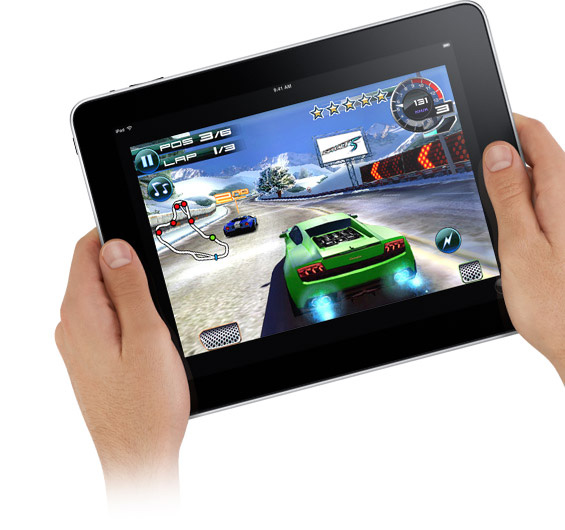 Apple is making friends and enemies in the gaming comminuty. The Apple iPad is also a great mobile gaming device, putting handheld devices at risk of extinction [not really, more on the Endangered Species list]. The App Store is currently being populated with 30,000+ hit game titles from Peggle to Space Ace and The Secret of Monkey Island: Special Edition. Also, the iPad runs nearly all of the iPhone’s 140,000 apps—and over 20% are video games. With iPad’s HD capabilities and its more advanced touch screen, Apple’s new device will surely act as a strong gaming platform and attract gaming enthusiasts.
Learn more about Gaming on Apple’s iPad
Prices & Availability
The iPad comes in two editions and three configurations: Wi-Fi enabled or Wi-Fi + 3G capable, and 16 GB, 32 GB and 64 GB. The fantastically priced $499 iPad is unfortunately the version that lacks 3G and is only 16GB—you’re a sneaky one Steve Jobs. Here are the prices and configurations from low to high:
- $499: 16 GB, Wi-Fi only
- $599: 32 GB, Wi-Fi only
- $629: 16 GB, Wi-Fi and 3G
- $699: 64 GB, Wi-Fi only
- $729: 32 GB, Wi-Fi and 3G
- $829: 64 GB, Wi-Fi and 3G
Also, AT&T made a deal with Apple to offer unlimited 3G data on the iPad for $29.99 a month, or on a 250MB plan for half that at $14.99 a month. A release date hasn’t been announced yet, but we’re guessing sometime in March. Apple says the Wi-Fi/non-3G models will ship in 60 days and the 3G models will ship in 90 days.
Notable iPad Features
- Notes
- Photo Gallery
- Calendar
- Home Screen with one tap access
- Word processing, spreadsheet and slideshow functionality
- Spotlight Search
- Address Book and Contacts, data syncing
- Basic iPod touch features
What’s Missing
- Multitasking
- HDMI output
- USB port
- Camera
- Voice calling—which many thought it would have
- Adobe Flash
Check out Digital Trends’ thoughts on What’s Missing on Apple’s iPad


