
“Ozone’s inexpensive Smog gaming mouse imitates the likes of Logitech and Razer, but lacks refinement.”
- Highly configurable
- Comfortable for palm grip mousing
- Inexpensive
- Flashy LED-lit design
- Mediocre build quality
- Glitchy software
- Ceramic feet drag at low speeds
“Why you can trust Digital Trends – We have a 20-year history of testing, reviewing, and rating products, services and apps to help you make a sound buying decision. Find out more about how we test and score products.“
Introduction
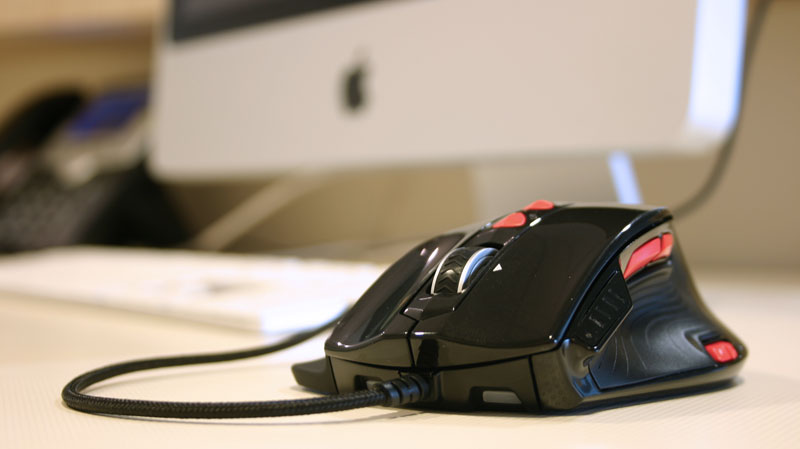
Is there any less appropriate name for a product in the green-crazed marketplace of 2010 than the Ozone Smog? Unless some other hapless company is marketing a mouse known as the Barbaric PuppySlayer, we think not. Unfortunate product name aside, the Smog gaming mouse from Spanish upstart Ozone sets its sights squarely on the likes of Logitech and Razer by offering a full-featured gaming mouse at a price more in line with these competitors’ entry-level offerings.
Note: Australia’s Cyber Snipa and Ace of Sweden sell nearly identical mice, indicating the Smog uses a generic design tweaked and rebadged for different manufacturers.
Features
Like any gaming mouse worth its salt, the Smog comes with an array of buttons, widgets and gizmos intended to translate every twitch of your mouse to sudden death for some unfortunate virtual adversary.
Between the usual right and left mouse buttons, you’ll find shield-shaped “lift” and “mode” buttons. The lift button allows you to calibrate your mouse for your mousing surface, while the mode button is your shifter between one of seven – yes, seven – different sets of programmed controls. There’s also a scroll button that can be clicked left and right for side scrolling, and thumb-operated back and forward buttons.
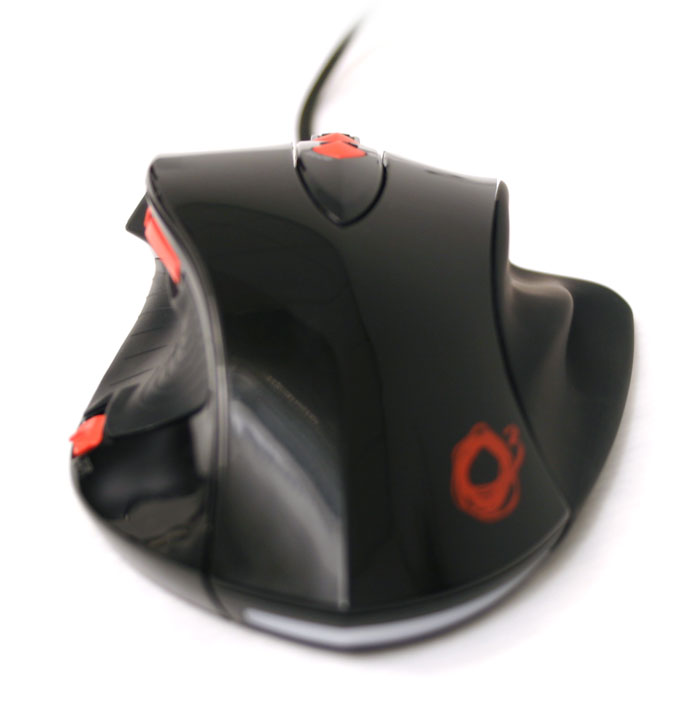
 An LED panel above the thumbrest indicates one of four sensitivity levels, while a switch rear of the thumb lets gamers flip through them on the fly. An obscure fifth LED indicates which of the seven programmed modes are active at any given time, and color coordinates with two mini glowing LED “headlights” and a solid LED bar on the heel of the mouse.
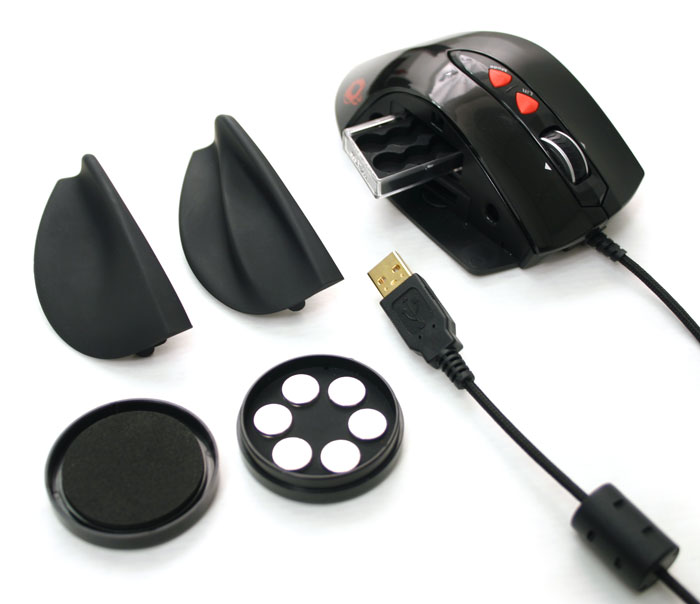
On the right, two swappable sides let you customize where your ring and pinky fingers will end up: either piled on top of each other on a steep cliff of a side, or resting individually on carved, ergonomic ledges. With the side removed, you can eject a cassette full of six 5-gram weights, which can be added or removed as necessary to give the mouse proper weight, or lack thereof. The entire body glides on five shiny ceramic feet.
Design
A gloss black body with red buttons breaks no barriers for gaming mouse color schemes, but Ozone keeps it simple and relatively clean. The left-side thumb rest has been plastered over with a textured rubber patch for grip, while the swappable right-hand grips have both been cast from matte ABS plastic. Wary as we are of obnoxious LED underglow, the Smog’s ebbing LED heartbeat actually grew on us quite a bit.
The Smog feels put together solidly enough, but not quite up to par with class leaders like Logitech and Razer. Some of the buttons, including the left- and right-click buttons, seemed to have a little too much of a springboard action to them, and we definitely would have preferred matte materials to the gloss Ozone ended up choosing for most of the Smog.
 Testing and Usage

When it comes to mousing, two schools of thought divide the gaming populace: claw grip and palm grip. While palm grippers engulf the mouse in the hand and push it around with wrist and forearm action, claw grippers use their fingertips to finesse it around below the hand, without as much contact.
The Smog has clearly been built for the palm grip. Every inch of hand mates up with corresponding plastic curved to shape. To our smallish hands, it fit like a glove, and larger-handed folks reported no issues. The ledged side grip, especially, left every finger cradled. Unfortunately, we’re more claw grippers, so this isn’t our preferred way of doing business.
The slippery ceramic feet on the bottom of the Smog work wonders for moving it around. When sliding it around in one constant, fluid motion, it almost feels as if it’s riding on ball bearings. Unfortunately, they also seemed to produce quite a bit of static friction – the clingy force you have to break when two objects in contact with each other sit at rest. It’s what keeps a hockey puck, for instance, from sliding down a concrete ramp, and what keeps the Smog from feeling precise when making tiny, minute adjustments. The ceramic feet glide as if on ice when mousing from one edge of the desktop to the other, but try to position a cursor between two letters in Microsoft Word – or crosshairs on your opponent’s head in Call of Duty – and it gets finicky. The mouse begins to stick when you move it too slowly, then when you give it more force to compensate, it starts to skim more easily across the desktop and you end up overshooting. There’s a reason the vast majority of mice out there use plastic or Teflon “skates,” and as far as we’re concerned, this is it.
Turning down the sensitivity to the second level and using a cloth mouse pad helped compensate, but ultimately, we never felt the same feeling of precision we’re used to from even basic plastic-footed mouse.
 The DPI slider located below the thumb makes it technically possible to switch between different sensitivities on the fly, but we you’ll need to totally remove your thumb from the grip to do it, or clumsily actuate it with your thumb joint. Either one feels too clumsy to use in the heat of combat.
Ozone’s custom gaming software made it relatively easy to build and assign custom macros to different buttons – and even divide them into profiles, but it also suffered from some graphical glitches in Windows XP that left us guessing as to the function of certain buttons until we learned the ropes. We weren’t even able to adjust the DPI levels for the four different sensitivity settings properly, or close it without learning to hover over an invisible X in the corner.
Conclusion
Despite a decent go at knocking off the known leaders of the precision mousing game, Ozone’s Smog can’t quite hide its off-brand character. A plasticky body, annoying ceramic feet and glitchy software all give it a slightly unpolished feel that justify its rather low 35 Euro street price (about $47 USD). For gamers who want features on a budget, it may be worth putting up with its quirks, but those who seek the Heckler & Koch of computerized fragging should look further up the price range.
Highs:
Highly configurable
Comfortable for palm grip mousing
Inexpensive
Flashy LED-lit design
Lows:
Mediocre build quality
Glitchy software
Ceramic feet drag at low speeds


