
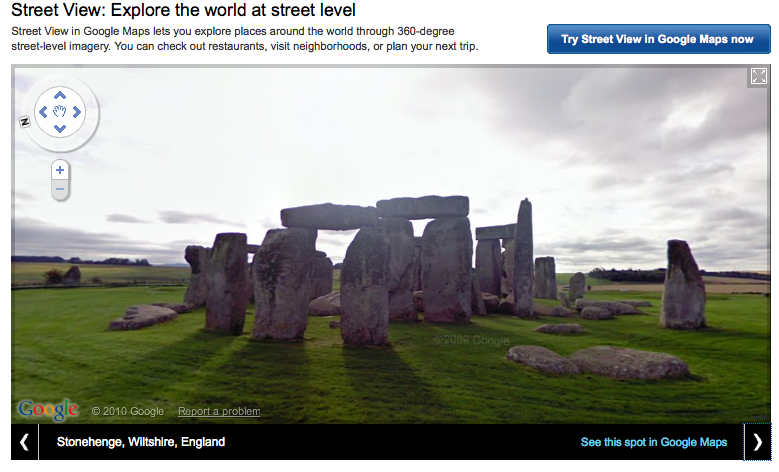
 Google has updated its Street View website to showcase some of the the program’s more exotic imagery, detail exactly where Street View is available and even give insights behind the story of the mysterious “pegman.”
On Street View’s homepage, visitors are now greeted with a slideshow of some of the more high-profile destinations captured by the Street View team. Images include shots of England’s Stonehenge, South Africa’s Kirstenbosch National Botanical Garden and Japan’s Kumamoto Castle. There’s also a “7 Continents of Street View” link which displays a greater of variety of attractions around the world (yes, Street View has visited Antarctica apparently).
In the gallery section of the site, Google has arranged images by different categories including UNESCO World Heritage Sites, South African soccer stadiums and U.S landmarks.
 The site also now includes information about some of the operations behind the project. Perhaps the most interesting feature here is a map that shows all of the areas Street View covers and all the places that its currently in the process of photographing.
And if you’ve ever wondered about that little figure who appears atop the zoom bar in Google Maps, there’s an explanation for that, too: “Pegman’s name comes from the fact that he is shaped like a clothes peg. He is personified as a life-sized character in several of our demo videos, and has also appeared at other Google events, such as our launch of Street View in France in 2008.”
And if you’ve never experimented with pegman, he’s meant to be picked up and dragged to spots on Google Maps in order to reveal areas covered by Street View.
Despite the recent controversies, the new site really does a good job of justifying the Street Views project. It’s well worth a visit if you have an hour to kill or if you’re in need of some travel inspiration.


