

“When we connected it…and played a few movies and TV episodes, the video from Western Digital’s box looked dull and washed out…”
- Very small
- Built-in Wi-Fi
- Dedicated buttons for popular video services
- Dull, washed-out video
- Doesn’t support USB keyboards
- Directory listings don’t display file types or dates
“Why you can trust Digital Trends – We have a 20-year history of testing, reviewing, and rating products, services and apps to help you make a sound buying decision. Find out more about how we test and score products.“
It’s hard to keep secrets when you’re forced to display your wares for the FCC months before your product is ready to ship. Western Digital’s WD TV Play first surfaced way back in July, 2012; WDC will finally start shipping the device on Tuesday. Should you buy one?
Features
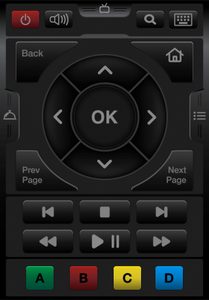
If you’re primarily interested in supping at the buffet of online entertainment services such as Netflix, Vudu, and Hulu Plus, the WD TV Play is a good deal. Priced at just $70, it delivers those with a touch of the button – its remote control has dedicated buttons for connecting to those services. Although the remote control is small, it’s comfortable to hold in either your left or right hand, and all the buttons are within easy reach. If you don’t like the remote, you can download a controller app for your Android or iOS device.
The diminutive box can also stream content stored on your home network—a NAS box, home server, or your PC’s hard drive. Lastly, you can connect a USB thumb drive or a low-power USB hard drive to the Play’s side-mounted USB 2.0 port and play any media stored on that device. The WD TV Play doesn’t support quite as many codecs as the pricier WD TV Live and WD TV Live Hub (which features a built-in hard drive), but it does support the most popular container formats, including AVI and MKV; all the major media codecs, including AAC, h.264, FLAC, MP3, and all the digital photo formats you could want, including BMP, JPEG, and TIFF.
Setup
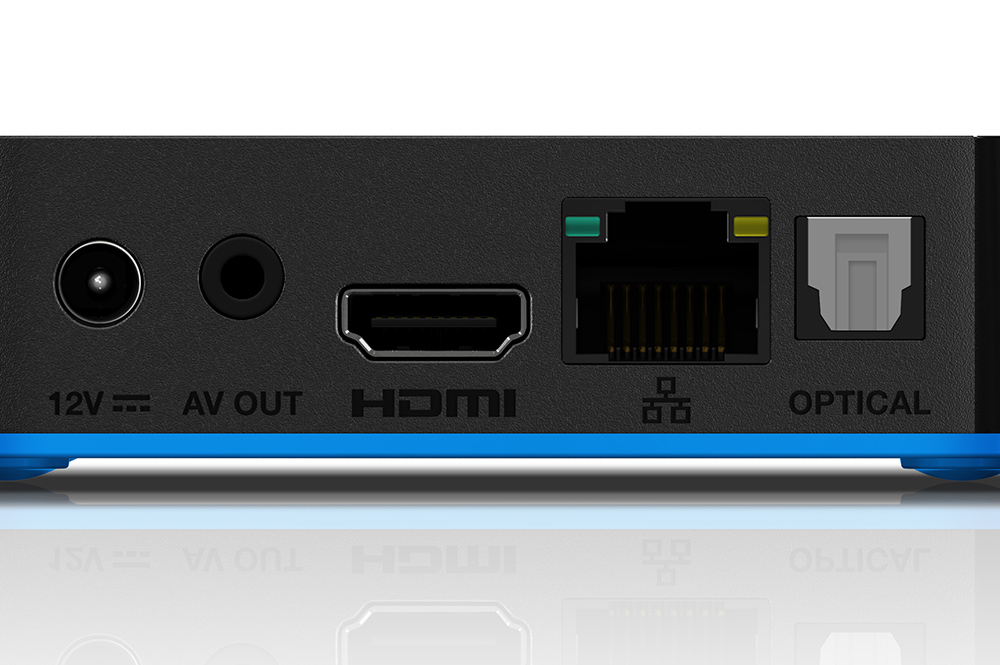
The box is very easy to set up: Simply plug in the power cord and an HDMI cable (not included). If your TV isn’t outfitted with HDMI, there’s also an analog audio/video combo output (WD does provide a cable for this), as well as an optical digital-audio output. Fire up the box the first time, and the installation wizard will prompt you to log into your wireless router (there’s also a 10/100 Ethernet port, if you’d prefer a hard-wired connection). Enter your password and you’re ready to go in less than a minute.
In addition to the destination buttons on the remote, the home screen has large icons for a variety of other online services, including the ubiquitous YouTube. And if you have a set-top box that supports the Slingbox (or if you have a dedicated Slingbox device), WDC’s new box can also perform as a Slingplayer.
Performance
We have no complaints about the WD TV Play’s service code, container, and service offerings, but its image quality left a lot to be desired. When we connected it to our 55-inch Panasonic Viera TC55LE54 LCD HDTV and played a few movies and TV episodes, the video from Western Digital’s box looked dull and washed out in comparison to the pricier Netgear NeoTV Max.
We have no such qualms about its audio quality, considering it supports both Dolby Digital Plus (popular with streaming services such as Vudu and Netflix) and Dolby True HD (the audio format used in many Blu-ray releases). One audio feature you won’t get, however, is support for DTS, an equally common surround-sound format used on Blu-ray disc releases. On the music side of the equation, you’ll find support for a number of popular music services, including Spotify and Pandora, but there’s no love for Rhapsody or Slacker.
Conclusion
We suppose $70 is the right price for the WD TV Play, since it delivers 1080p video resolution plus the USB and Ethernet ports that the Roku 2 lacks for $10 less (Roku has two players with even lower price tags, but they’re both limited to 720p and are missing the same I/O ports). We’re just having a hard time being enthusiastic about the WD TV Play’s video quality.
Highs:
- Very small
- Built-in Wi-Fi
- Dedicated buttons for popular video services
Lows:
- Dull, washed-out video
- Doesn’t support USB keyboards
- Directory listings don’t display file types or dates



