1. Home
  2. Phones
  3. Android
  4. Mobile
  5. Photo Galleries
  6. Legacy Archives

Exclusive: Leaked LG G3 screens show fresh UI, confirm ‘concierge’ service, and more

Add as a preferred source on Google

Check out our full written LG G3 review.

A new, modern UI for LG’s upcoming G3 has been revealed in three new screenshots, obtained by Digital Trends from a trusted industry source. The screens show flatter and brighter icons, a revamped weather widget with built-in suggestions, a much cleaner looking notifications screen, and circular icons (a new trend).

Notably, the screenshots came to us with a 2,560 x 1,440 pixel resolution, which is near confirmation that the G3 will have a stunning 1440p resolution screen. LG will be the first major smartphone vendor to push a higher screen resolution in more than a year.

(Be sure to check out our extensive LG G3 Rumor Roundup if you’d like to learn everything else we know about the G3.)

Say hello to LG’s “concierge”
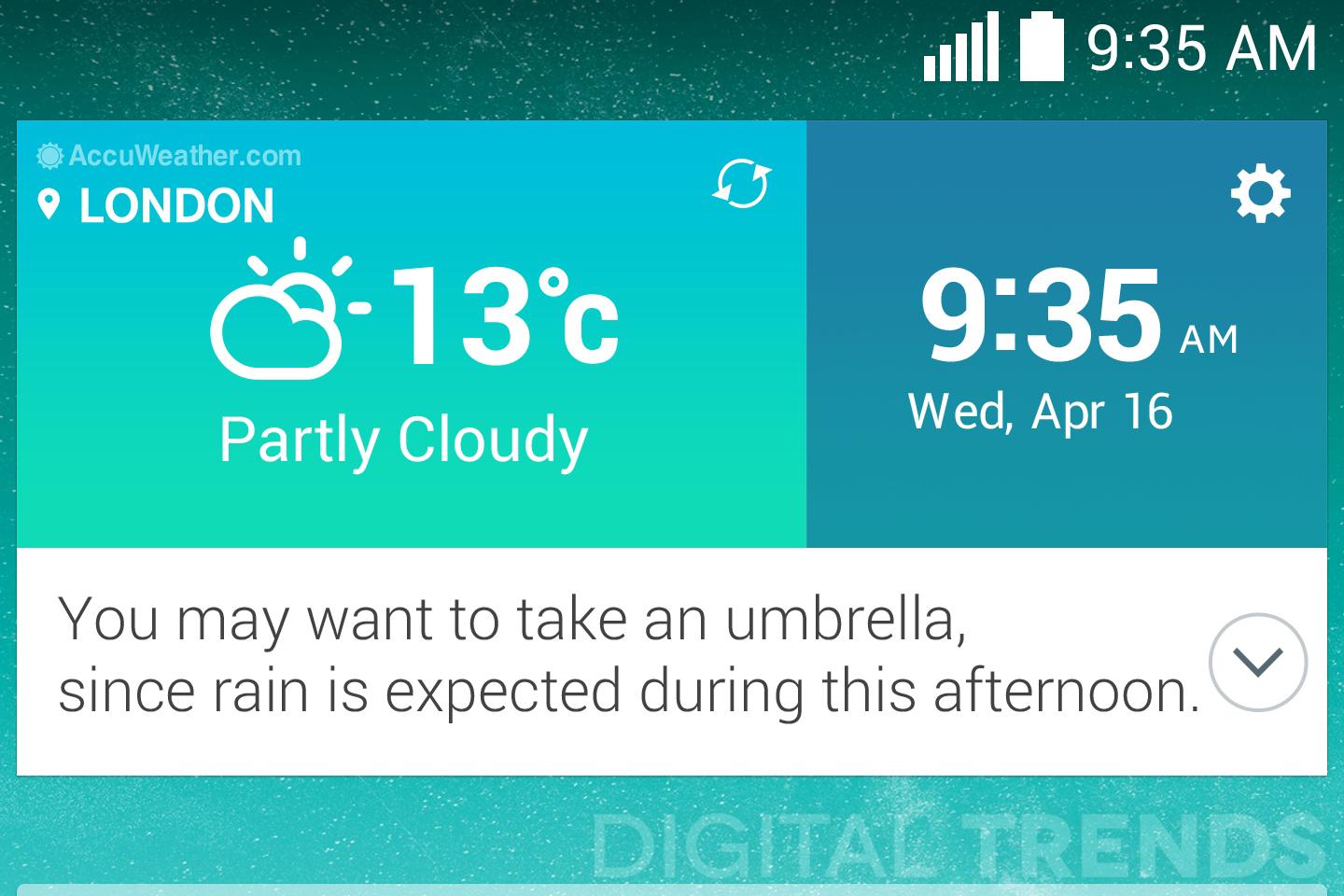
The new AccuWeather widget has a built-in "concierge" that will give you tips. Here it tells you to carry an umbrella.
The new AccuWeather widget has a built-in “concierge” that will give you tips. Here it tells you to carry an umbrella. Image used with permission by copyright holder

Check out the AccuWeather weather and time widget and you’ll notice the squared-off edges, and subtle shading. Underneath, you’ll see the phone advising you: “You may want to take an umbrella, since rain is expected during this afternoon.”

We’ve heard rumors about the G3 coming with some form of advanced personalization tool. According to our sources, it will be part of a new “concierge” service, though that’s not its final name. The “concierge” will collect information from various sources and observe how you use the phone, then provide recommendations based on all that data. It sounds like Google Now, but we’ve been told it will go beyond Google’s system.

Recommending an umbrella when it’s going to rain isn’t a crazy hard suggestion to make, but the “concierge” will supposedly have deeper insights to share as it learns your habits. We do not know if LG is working with Google on this feature or not.

A revamped notification drawer, and favorite contacts

The other screens show a Favorite Contacts panel, plus the pull-down notification drawer. Here, shortcuts to activate NFC, Bluetooth, Wi-Fi, and the 3G or 4G data connection are all visible, along with a Q Remote button. LG has used Q Remote on various devices over the years, including the LG G2, and it uses an infrared blaster to control other appliances around the home.

The G3 and G Pro 2 side-by-side
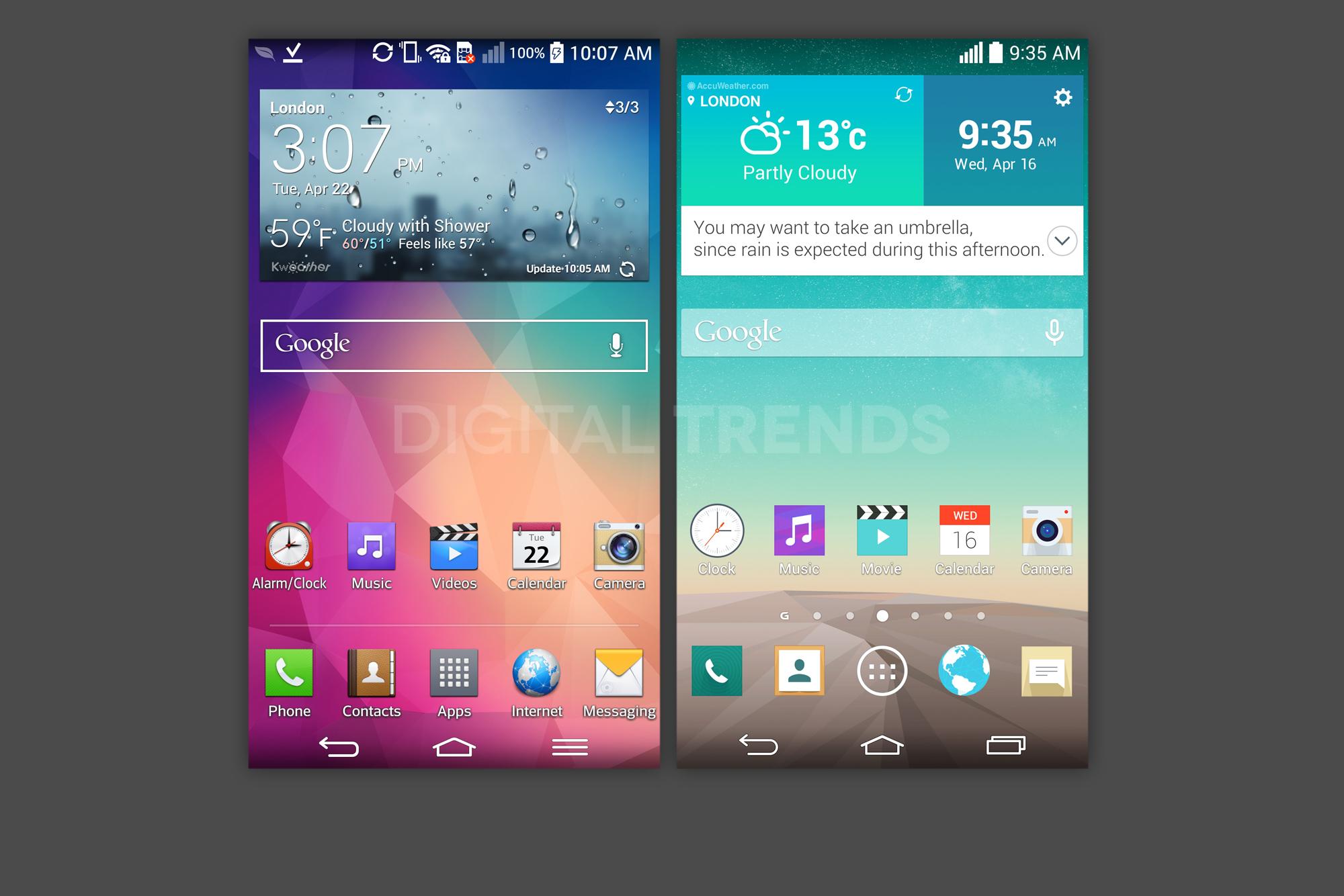
Next to the LG G Pro 2's home screen, the G3's look is striking.
Next to the LG G Pro 2’s home screen, the G3’s look is striking. Image used with permission by copyright holder

These images give you a look at exactly how much LG is changing the design of its UI. After looking at the new interface, the G Pro 2 (most LG phones have an identical interface) looks old and outdated, much like iOS 6 looks after you’ve used iOS 7 on the iPhone.
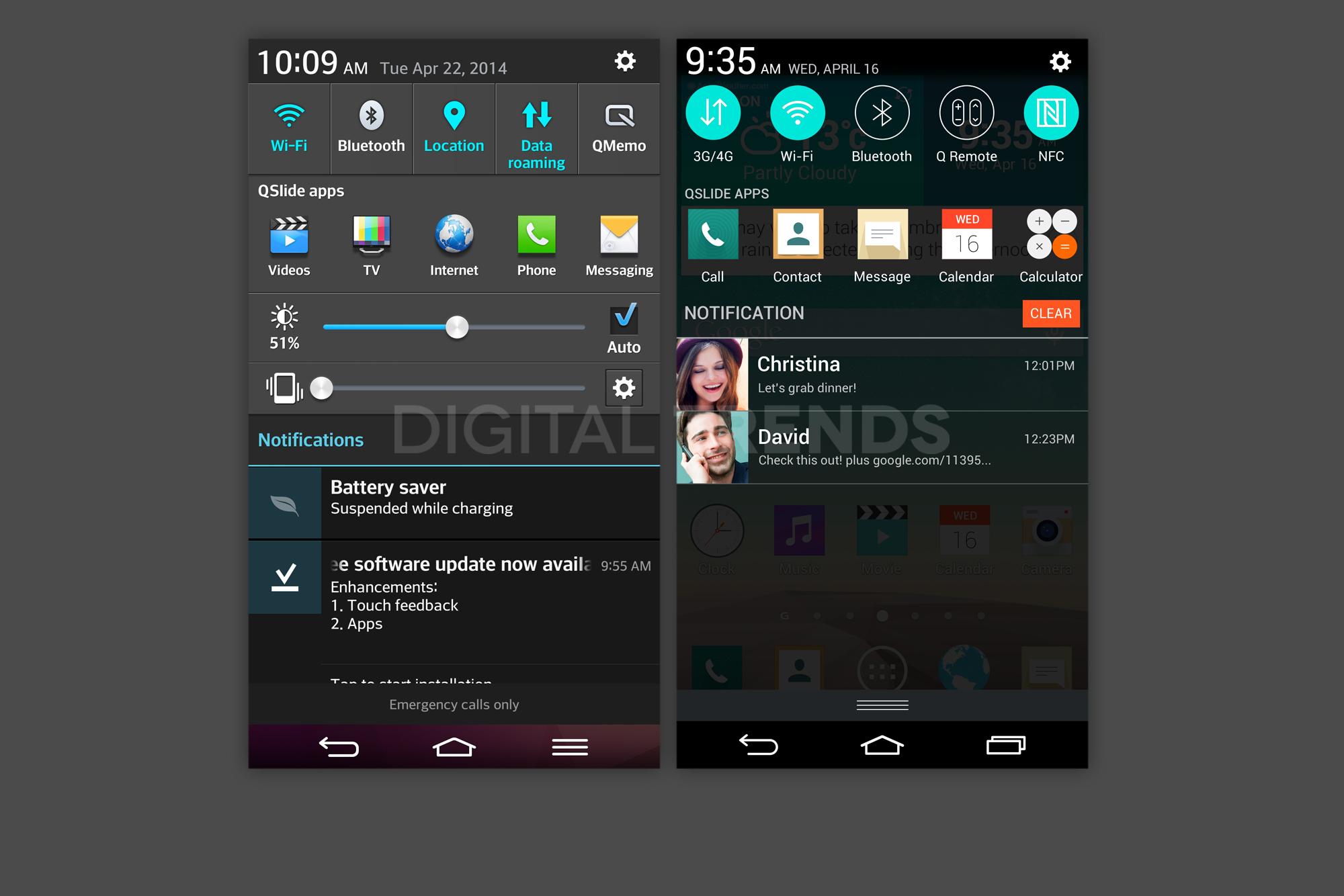
This comparison shows how much cleaner and simpler the Notifications screen is on the new G3 compared to the G Pro 2.
This comparison shows how much cleaner and simpler the Notifications screen is on the new G3 compared to the G Pro 2. Image used with permission by copyright holder

On the notification screen, the big, blocky buttons have been replaced by smaller, round ones, and the QSlide shortcuts are no longer overly complicated. It’s clear LG has been inspired by the alterations Apple made to iOS 7, but it’s an attractive trend to follow. Google is supposedly considering a flatter look for its Android icons as well.

You can check out all the other news and rumors regarding the LG G3 in our extensive roundup here, and look forward to the device’s launch over the coming months.

Andy Boxall
Andy has written about mobile technology for almost a decade. From 2G to 5G and smartphone to smartwatch, Andy knows tech.
Samsung finally switched to silicon-carbon battery on Galaxy Z Fold 8. What’s so special about it?
One of Galaxy Z Fold 8’s biggest upgrade is hiding inside
Galaxy Z Fold 8 Ultra with Fold 8

Samsung has finally joined the silicon-carbon battery race with its latest batch of premium foldables packing the new battery tech. But details for this change were rather hard to spot on the spec sheets. The company has confirmed during media briefings that the Galaxy Z Fold 8 Ultra, Galaxy Z Fold 8, and Galaxy Z Flip 8 all use silicon-carbon batteries.

Even then, the resulting capacities are hardly record-breaking. The Fold 8 Ultra carries a 5,000mAh battery, the regular Fold 8 gets 4,800mAh, and the Flip 8 has 4,300mAh. Rivals from Honor and Motorola have already crossed the 6,000mAh mark. But the figures only tell part of the story.

Read more
I’ve used foldable phones for years. Here’s how to pick the right one between the Galaxy Z Fold 8 and Flip 8
Samsung’s three new foldables solve very different problems
Galaxy foldables with its screen visible

After years of reviewing foldable smartphones, I have learned that choosing one involves much more than what looks pretty or how large you want. Book-style foldables are usually sold as productivity machines, while flip phones cater to people who value portability. Samsung’s latest lineup complicates that choice by introducing two very different book-style models alongside its familiar clamshell.

Most of their shared specifications fade into the background once you start using them. Their shapes and screens have a much greater impact on daily life. So here's how I'd make a decision when choosing between the new Galaxy Z Fold 8 Ultra, Galaxy Z Fold 8, and Galaxy Z Flip 8.

Read more
How to set up selfie video sign-in for your Google account
Your face can now serve as a way to get back into your Google account. Here's how to set it up.
Google account selfie sign in tutorial featured

Losing access to a Google account is rarely a quick fix, but Google has been actively working to make things easier. Last year, the company introduced a feature called Recovery Contacts that lets you designate a trusted friend or family member to verify your identity if you ever get locked out. Now, Google has introduced a new option, one that uses your face to get you back in instead of a phone call to a friend.

Like Recovery Contacts, the new selfie video authentication feature requires some setup before you can use your face to sign into your Google account. This involves recording the reference video that Google will use to verify your identity whenever you attempt to log in this way. Here's how to set up selfie video sign-in for your Google account.

Read more