1. Home
  2. Phones
  3. Mobile
  4. News

Google Maps update for iOS brings some neat features for drivers

Add as a preferred source on Google

Google’s endless quest to create the perfect Maps app continues unabated with the release of another update pushed out to its legions of devoted iPhone users on Thursday.

First up is a new “Nearby Traffic” widget that pretty much does what it says on the tin, indicating traffic conditions along your route.

Recommended Videos

Roads marked green suggest you’ll be unlikely to encounter any issues along the way, but spot a red road and you might want to adjust your route or, if you’re the laid back type, kick back with the appropriate Spotify playlist. Relax & Unwind perhaps, or how about License to Chill? If you’re unable to handle the dismal traffic conditions that you’re about to run into and there’s no alternative route, Life Sucks should suffice.

The widget also offers up short messages offering a little more information such as “light traffic in your area,” or “faster than usual.”

To add the new feature, swipe right on your iPhone to reach the widgets page. Scroll to the bottom and tap Edit, and then look down the list until you find Nearby Traffic. Tap on the green “+” to add it.

And no, Thursday’s update isn’t a one-feature wonder. Load it up and you’ll also be able to search for facilities or particular stops along your route while using turn-by-turn navigation. Once you’ve set your journey, simply hit the Search button and choose from the list of locations, which includes places such as supermarkets, gas stations, cafes, and restaurants. Alternatively you can input your own search term via text or voice.

Once you made your selection, you should see relevant spots spring up on the map, along your route or close by.

The Maps update (version 4.25), which also includes the usual bug fixes, is available now via your phone’s App Store app, or from the iTunes store here.

Trevor Mogg
Contributing Editor
Not so many moons ago, Trevor moved from one tea-loving island nation that drives on the left (Britain) to another (Japan)…
How to set up selfie video sign-in for your Google account
Your face can now serve as a way to get back into your Google account. Here's how to set it up.
Google account selfie sign in tutorial featured

Losing access to a Google account is rarely a quick fix, but Google has been actively working to make things easier. Last year, the company introduced a feature called Recovery Contacts that lets you designate a trusted friend or family member to verify your identity if you ever get locked out. Now, Google has introduced a new option, one that uses your face to get you back in instead of a phone call to a friend.

Like Recovery Contacts, the new selfie video authentication feature requires some setup before you can use your face to sign into your Google account. This involves recording the reference video that Google will use to verify your identity whenever you attempt to log in this way. Here's how to set up selfie video sign-in for your Google account.

Read more
Samsung stirred the wide foldable race, but I’m more excited for an upcoming exotic rival
Samsung went bold and wide, but Xiaomi's rumored Mix Fold 5 has my attention
Computer, Electronics, Tablet Computer

Samsung’s Galaxy Z Fold 8 brought a major redesign to the company's foldable lineup. We now have a shorter, almost passport-like body that opens into a 7.6-inch display with a more media-friendly 4:3 aspect ratio. This feels like a more natural fit than Samsung's squarer last-gen foldables. It also has a more portable 201 grams heft and a decent 4,800mAh battery capacity.

All of this makes it one of Samsung's most interesting foldables yet. However, an upcoming Xiaomi device may take the same wide-screen formula and blend it with a Chinese phone's typical madness.

Read more
Apple could cut off app access on financed iPhones over missed payments
Code spotted in the iOS 27 beta points to a system that could restrict most apps until an overdue payment is resolved.
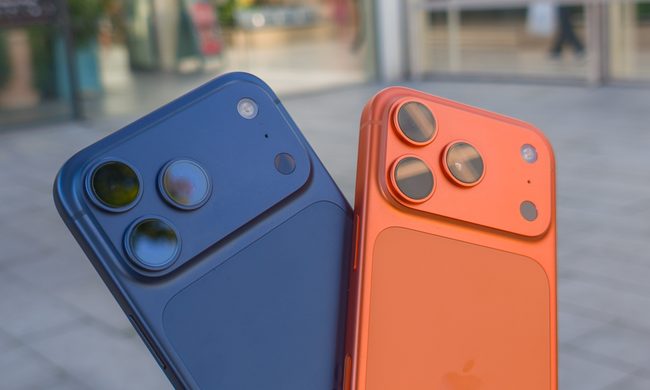
Apple iPhone 17 Pro in Cosmic Orange next to the iPhone 17 Pro Max in Deep Blue

Apple reportedly plans to launch a Klarna-backed financing program next week that will let you pay off an iPhone, iPad, Mac, or Apple Watch in monthly installments over two to three years. While Apple hasn't shared any details about the rumored "Apple Upgrade" program yet, code spotted in an iOS 27 beta release suggests the company has already built a system to deal with customers who fall behind on payments.

A built-in switch lenders can flip to lock most apps

Read more