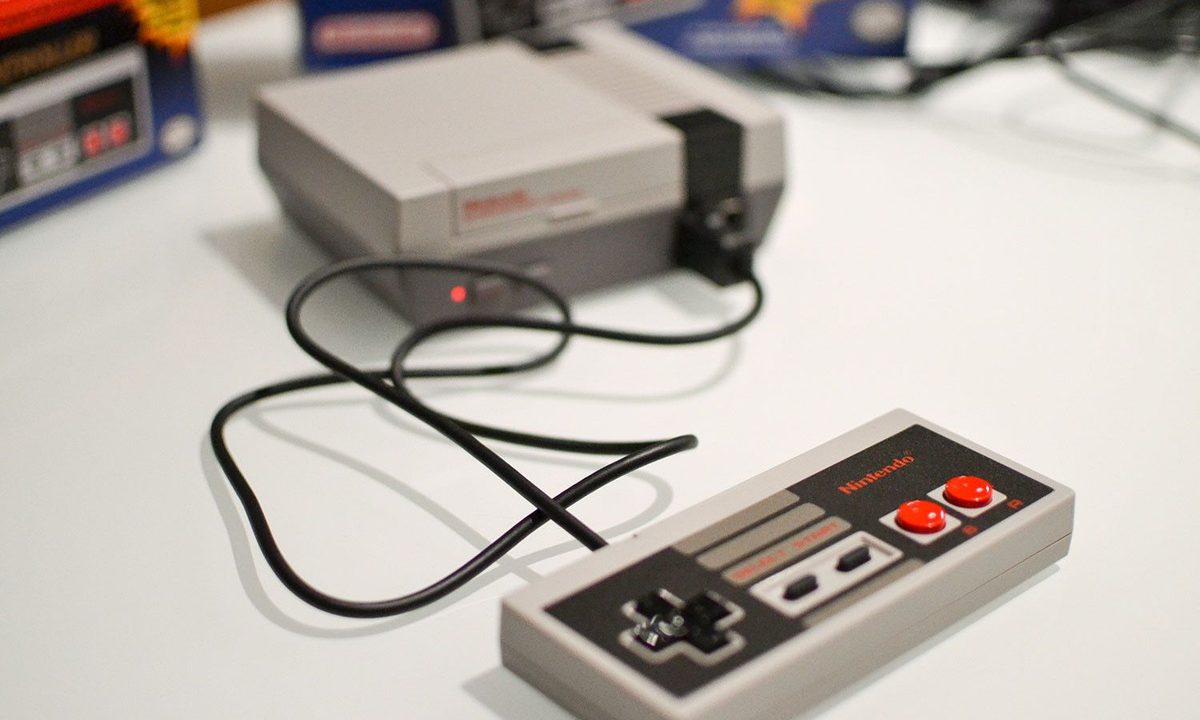
The NES Classic has an interesting history. Following its incredibly successful launch back in 2017, Nintendo discontinued the product but began manufacturing it again only a few months after announcing the NES Classic’s termination. After this, the company ceased production on the NES Classic and SNES Classic. Several years have passed since the last batch of mini retro consoles, so we don’t foresee them returning anytime soon unless they come in a re-release 30 years down the road. Keep reading to see how you can hack an NES Classic and give your console a second chance.
Although the NES Classic offers 30 of the best NES games, it can still become boring after you play it for a while. Luckily, players can easily download more games to the NES Classic. The device is basically a special, tiny computer that runs an emulator, which is a program that enables games to be played on non-native hardware. If you want to add more NES games to your Classic, you can do so with some tweaking and a lack of scruples. The good news is, you won’t even need to hack into the system, as a few tech-savvy Nintendo enthusiasts have already developed programs that allow games to load from a computer onto the Classic.
What you need to know
Remember, though, that you’ll need to have a digital copy of all the games you plan to install on your NES Classic. It’s legal to modify your NES Classic and download programs like the example we provided, but be careful; NES games are almost always copyrighted. You can use various trusted sites to download NES ROMs, but make sure the site you’re using is legitimate.
There are many popular sites where you can download NES ROMs, but make sure that any ROMs you download are legal.
Read the step-by-step instructions below to learn how to hack your NES Classic and add games to its library.
Further reading
- The best NES games of all time
- The best console emulators (NES, SNES, Genesis, and more)
- Everything you need to know about Nintendo Switch Online

How to hack your NES Classic
To install games on the Classic, you will need a program like Hakchi, which we’ll be using in our example.
Step 1: The first thing you need to do is plug your NES Classic into a Windows-based PC using a USB cable.
Step 2: You can find the latest version of Hakchi from the developer’s page and download it. If you’re using Windows 10, all you need to do is right-click on the file and select Extract All to obtain the ZIP file. If not, you’ll want to extract it using WinZip or 7-Zip.
Step 3: Start the Hakchi program once you’ve extracted the ZIP file.
Step 4: You’ll see a new window pop up. Click the Synchronize Selected Games With NES Mini button.
Step 5: The program will ask you to trash the original kernel image. Click Yes.
Step 6: From here, Hakchi will provide some step-by-step instructions. Ensure the Power button on your NES Classic is switched off and the console is connected using a USB cable.
Step 7: Push the Power button while simultaneously pushing the Reset button. Then, let go of the Reset button.
Step 8: In the Hakchi program, select the driver installation button.
Step 9: After the program has finished dumping the kernel image, click Synchronize Selected Games with NES Mini once more.
Step 10: Once prompted, click Yes to begin flashing the kernel. After the process is complete, click OK. Now, you can start downloading games.
Step 11: After the game files are downloaded onto your computer, select Add More Games in Hakchi. Find and select the particular files you’d like to add, then click OK.
Step 12: Finally, after you have selected all your desired games, click Synchronize. Now you’re done. Super simple.