“Why you can trust Digital Trends – We have a 20-year history of testing, reviewing, and rating products, services and apps to help you make a sound buying decision. Find out more about how we test and score products.“
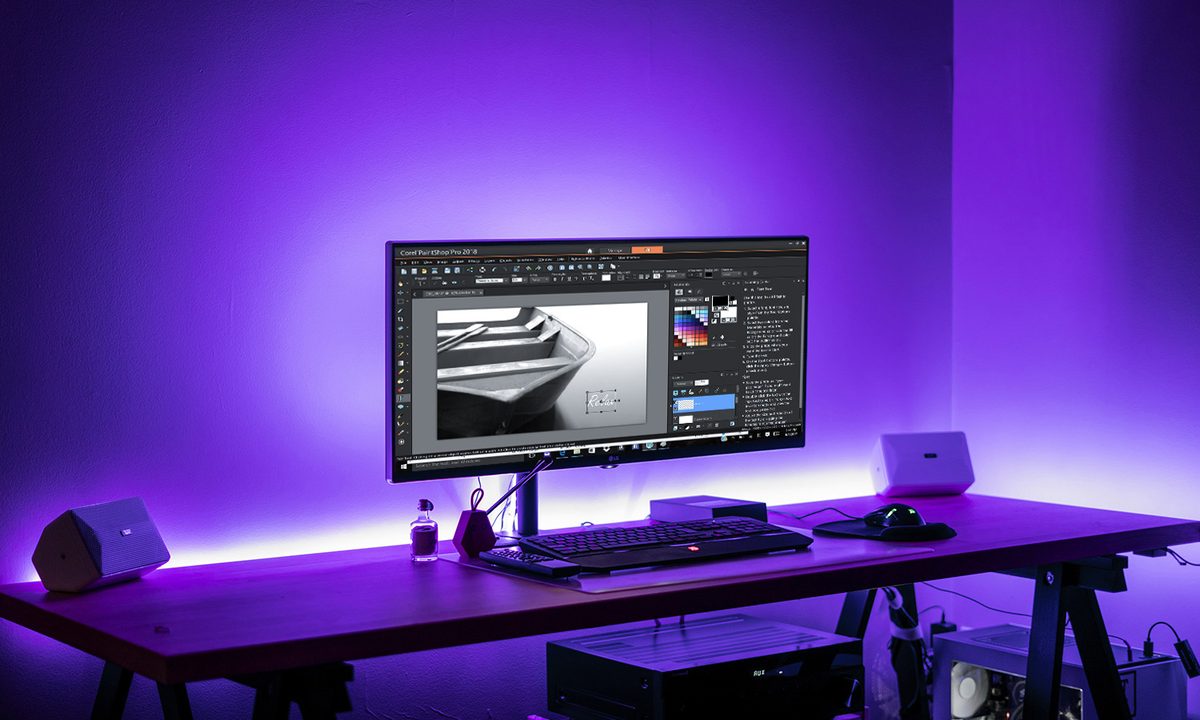
Ask for a budget-friendly alternative to Adobe Photoshop and Corel’s PaintShop Pro is likely one of the first suggestions — and now that program is getting both faster and easier to use. On Aug 9, Corel announced PaintShop Pro 2018, the latest version of the photo-editing and graphic design software. Besides the move from the X9 name to an annual nomenclature, the latest edition of the affordable software includes a number of user-requested enhancements, including a simpler interface, new creative tools, and faster performance.
“Whether you’re looking for professional photo editing power or just getting started, you need software that lets you jump in and be productive right away. PaintShop Pro now lets you choose from two unique interfaces, plus it gives you the ability to customize them to build an editing and design environment that’s uniquely your own,” said Chris Pierce, Product Manager for Corel Photo. “With PaintShop Pro 2018, we’re delivering a dramatically faster, easier, and highly creative experience that’s even more accessible and of course, still subscription free.”
After walking through the program’s latest features, we put the new version to the test ourselves in a Corel PaintShop Pro 2018 review to see how the software stacks up.
Simplified User Interface
PaintShop has many of the same tools as Adobe Photoshop and anytime you open a program with that many controls, the result, for a newbie, is a feeling of being in way over your head. With PaintShop Pro 2018, however, Corel is introducing the Essentials workspace. Like the name implies, the interface pares the software down to the most basic options — crop a photo, fix red-eye, clone out a zit, or add some text without having to dig through every imaginable option.
In the Essentials workspace, the toolbox is reduced to a few basics and the options are all organized into a single tab. If the basic interface is missing a tool, clicking on the add icon allows you to customize the options, even without moving into the fully fledged version. Users can also customize the colors inside the interface if the light tones are a bit too distracting, as well as adjusting the size of the icons. We found Essentials an easy way to jump into learning a new program; commonly used edits are still there and easy to find, and it was a snap to adjust the interface to a dark design with which we’re better acquainted. For more advanced edits, switching to the full workspace is as easy as selecting the option under the File menu — there’s no need to close and re-open the same image to select a different workspace from the welcome screen. (The welcome screen also saw some improvements, by the way, including a gallery of work by other users and a section of video tutorials.)
With many of the tools in it available in free photo editors, the idea isn’t to live in the Essentials tab, but to learn in it — or maybe just do a quick edit.
The Essentials workspace is an easy way to jump into learning a new program.
Alongside the completely new Essentials workspace, the main workspace includes several improvements but is still largely a program X9 users can quickly jump into. While the previous version was organized into three tabs, the 2018 version includes just two. Corel removed the Adjust tab because most users spent their time in the manage and edit tabs. Edit is where all the editing options are, clearly, while Manage is a photo organizer that aids in finding the image files you need. The Manage option also includes features to search for faces, view EXIF data and geotags, and rate individual images.
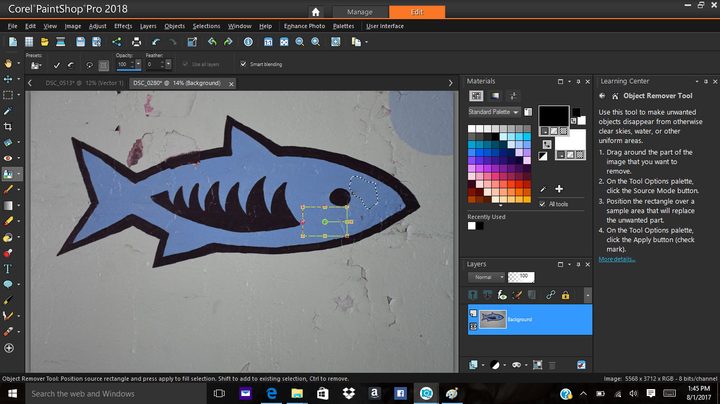
Among the editing options, updates for 2018 include an entire menu devoted to customizing the interface, including colors and sizes. Besides just creating a workspace that’s more comfortable, it makes options easier to see and more touch-screen friendly, or lets them take less space on the screen. As in the Essentials workspace, you can customize the toolbox by clicking the plus icon to add or remove tools, including a search bar if you can’t find exactly what you are looking for. Different panels, including options for layers and an organizer that functions much like a time manager, let you determine the balance of image to tools onscreen by closing unnecessary options for that particular project.
While the full workspace is more crowded than the Essentials option, a learning center column that automatically opens at the side and a small box at the bottom that explains what each tool is eases the learning process.
Performance & Tool Enhancements
Much of Corel’s updating effort was concentrated on speed improvements. We can’t quite vouch for it, however: The beta program is Windows only, and we tested the program on a borrowed budget laptop with 6GB of RAM while our fast 16GB MacBook idled sadly nearby. While it’s impossible to determine what part of the performance is affected by the software and what is a result of the computer’s limited memory, some elements were slow while others were pretty fast considering the limited hardware and large RAW files.
Corel says it picked the most-used tools inside the program and their boosted speed, a statement that seemed to coincide with our experience despite the limited processing power: Along with quicker loading on start-up, the depth of field tool is four times faster, for example. The crop tool and text options also saw a speed boost.
Much change in PaintShop Pro 2018 is a direct result of asking a panel of users what they’d like to see. As a result, there are a number of small tool enhancements. “While some of these feature enhancements aren’t overwhelmingly new, they are very specific for the user, they are user requested,” Pierce told Digital Trends. “Our beta program is ecstatic about the program.”
PaintShop Pro 2018 is a result of asking a panel of users what they’d like to see, there are a number of small tool enhancements.
The crop tool now includes a number of different compositional guides besides the Rule of Thirds grid, including the golden ratio, golden spiral, and triangle. Text options now include superscript, subscript, and justified alignment. The clone tool will also now show a preview of the change before clicking, while the eyedropper will now pick up both color and transparency to copy over to another element in a design.
New brush options are also part of the update, and they’ll automatically adjust for the canvas size when opening a new document. Existing gradients can now be adjusted without going back to re-apply the effect.
The color options now include pre-selected palettes, making it easy to choose hues that complement each other inside the same project. Corel also added a new Creative Collection with 30 new gradients, 30 patterns, and 15 textures. The new options are free to download, but they don’t download automatically with the software to prevent slowing down the program for people who are primarily photo editors, rather than graphic designers.
Additional Tools
Corel PaintShop Pro can be purchased as a separate software, or as a bundle with additional programs.
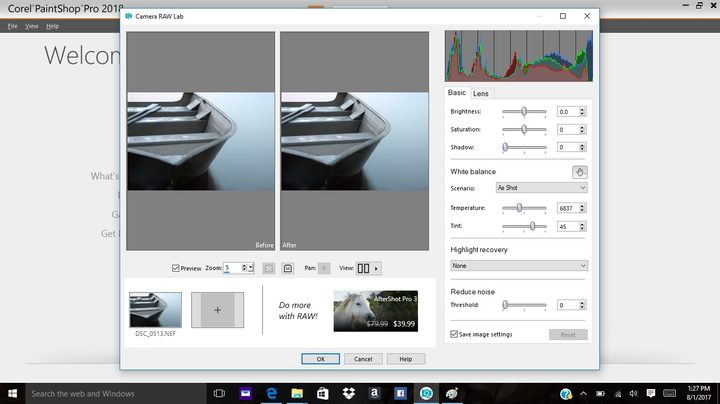
While PaintShop includes a RAW tool, RAW photographers will want to opt for the bundle that includes AfterShot Pro 3. The built-in RAW tool has a few features missing compared to Adobe’s Camera RAW: Exposure sliders are reduced to two compared to Adobe’s six, color adjustments only include saturation, and while there are noise reduction tools, there isn’t a sharpness option. AfterShot Pro 3 includes those missing slider options.
The Ultimate Bundle also includes Painter Essentials 5 to edit brushes or convert photos to paintings, as well as Perfectly Clear 3 SE to restore an image’s lost details with more advanced sharpening and noise reduction.
A capable, budget photo editor
With PaintBrush Pro 2018, Corel remains a good alternative for users that balk at Adobe’s subscription-based model, which runs about $120 a year for both Photoshop and Lightroom. The software costs $80 by itself, or $100 in the Ultimate Bundle. AfterShot 3 makes that bundle worth the extra cost for photographers that shoot in RAW, since the built-in tool is a bit limited. The software will also be released in a bundle with VideoStudio Pro X10, released in February, for $160. All the bundles are one-time purchases, with discounts for owners of previous versions who want to upgrade to the latest option.
PaintShop Pro 2018 has much of the same features as Adobe Photoshop, including advanced options for both photography and graphic design. Photoshop still takes the cake for features, with elements like face-aware edits and a few more options in Camera RAW, but when paying a subscription is too much to ask, PaintShop Pro can easily step up. The updated interface and makes it easy for beginners to learn, while PaintShop veterans will see a speed boost along with some new user-requested features.