1. Home
  2. Computing
  3. How tos

How to turn on Bluetooth in Windows and connect your devices

Add as a preferred source on Google
The keyboard of a ThinkPad laptop.
Lenovo

Bluetooth is one of the best ways to connect a range of devices to your PC or laptop, from game controllers to wireless speakers and headphones. While most PCs will have Bluetooth enabled by default, though, some may require you to enable it yourself. That goes for both Windows 11 and Windows 10, and though the methods are very similar, they're not identical.

Here's how to turn on Bluetooth in Windows.

Recommended Videos

Difficulty

Easy

Duration

5 minutes

What You Need

  • Windows PC

How to enable Bluetooth in Windows 11

You can enable Bluetooth in Windows 11 in just a few clicks using the Settings menu. Here's how.

Step 1: Launch the Windows Settings menu by pressing Windows key + I. Alternatively, search for Settings in the Windows search bar and select the corresponding result.

Step 2: Select Bluetooth and devices from the left-hand menu.

Windows 11 settings menu.
DigitalTrends

Step 3: Select the Bluetooth toggle on the right-hand side so that it's set to On to turn Bluetooth on.

Windows 11 bluetooth settings menu.
DigitalTrends

Step 4: To connect a new Bluetooth device to your PC, select Add a device on the Bluetooth settings page. Then select the type of device you want to add, and follow the on-screen instructions to connect it.

How to enable Bluetooth in Windows 10

The process for turning Bluetooth on in Windows 10 is much the same, but it looks a little different.

Step 1: Open the Action Center (it looks like a comment bubble on the right end of the Windows 10 taskbar).

Step 2: Select the the All Settings button. Then, select Devices and select Bluetooth & Other Devices on the left-hand side.

Step 3: Within the Settings menu’s Bluetooth section, toggle Bluetooth to the On position. Once you’ve turned Bluetooth on, you can select Add Bluetooth or Other Device. After the *Add a Device *window pops up, select Bluetooth, and Windows 10 will start searching for Bluetooth wireless devices.

Note: Make sure to set your Bluetooth device to pairing mode to connect it.

Windows 10 settings menu.
Mark Coppock / Digital Trends

Want to learn some more Windows tips and tricks? Here are our top secrets to get to grips with it.

Mark Coppock
Former Computing Writer
Mark Coppock is a Freelance Writer at Digital Trends covering primarily laptop and other computing technologies. He has…
This cheap Steam Machine clone sounds too good to be true because it probably is
A Chinese Steam Machine clone claims impossible hardware at an impossible price
A Chinese rip-off of the Steam Machine

Valve’s new Steam Machine has already caused plenty of sticker shock. So it's no surprise that a flood of cheaper alternatives is hitting the online market. Valve is currently charging over $1,000 for its tiny-living-room SteamOS PC, and of course, people are trying to offer the same feel for less money,

One listing from China is a great example, but it looks a little too suspicious. According to VideoCardz, a Steam Machine-style mini PC listing shared on Reddit claims to offer a compact SteamOS system with a 2TB SSD, AMD Ryzen 5 5500 processor, Radeon RX 6750 GRE 10GB graphics, 16GB of DDR5 memory, and a price of 4,680 RMB, or roughly $688. This sounds incredible... if it were true.

Read more
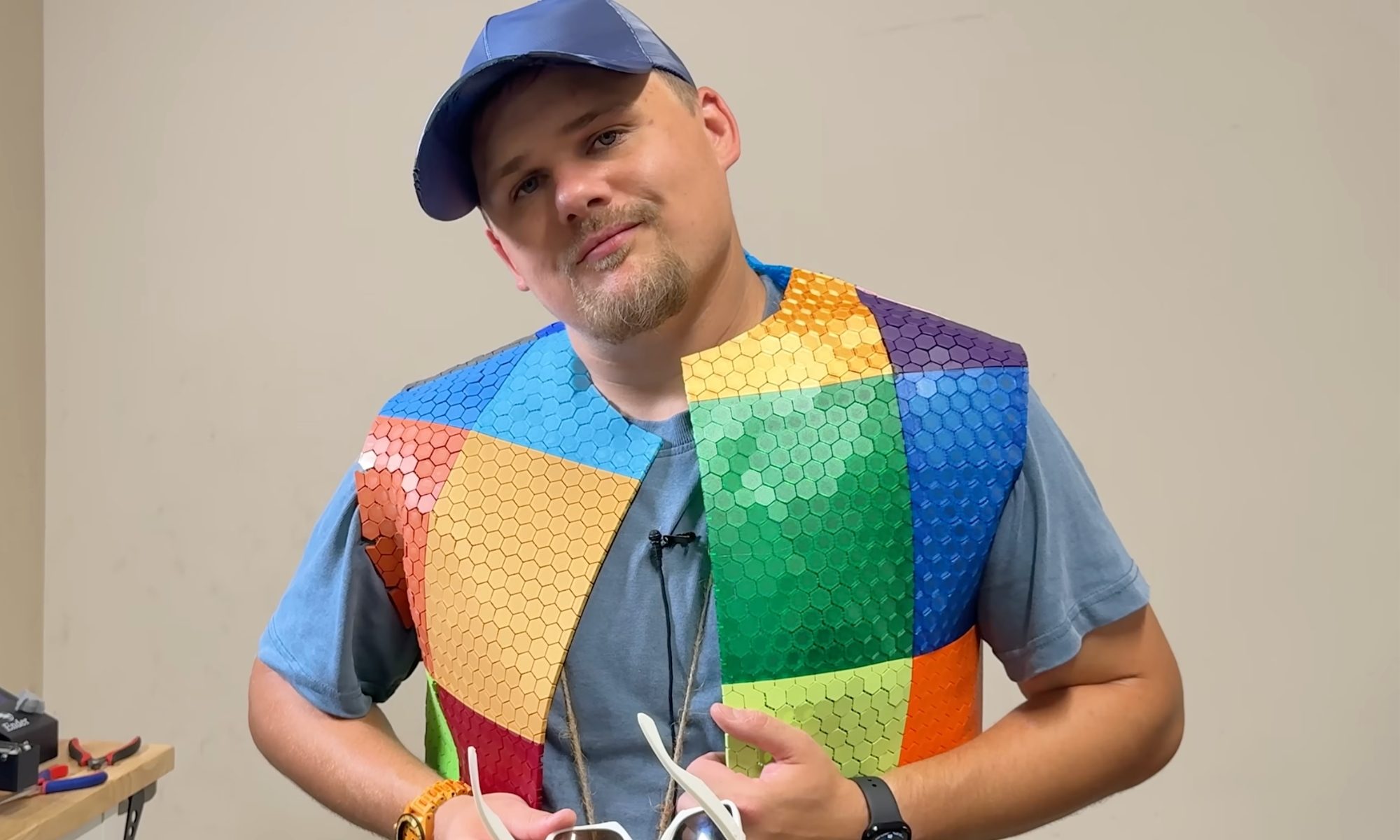
A YouTuber 3D printed an entire outfit, but the comfort and cost are more complicated than you’d think
The 3D-printed outfit is real. Whether it's practical is a different conversation entirely.
Adult, Male, Man

YouTuber Matthew Trahan has made a career out of 3D printing increasingly unusual things. He has printed musical instruments, bedroom furniture, and, in one particularly memorable video, himself.

His latest project is a full outfit, from shirt to shoes, belt to glasses, because apparently nobody told him 3D printers are for creating engineering prototypes or structures that aren’t otherwise feasible, not for fashion week.

Read more
The memory crisis isn’t going to ease, and you will pay the price for it, says a research firm
Forty to 50% higher this quarter, 30 to 40% more next quarter, and no real relief until 2028. Plan accordingly.
RAM memory chips

If you were hoping the memory crisis was about to ease up, I have some bad news for you. It comes directly from Wall Street.

Your next smartphone, laptop, or tablet could cost even more, regardless of whether it has recently been subject to a price hike.

Read more