

At Mobile World Congress 2018, Samsung launched the highly anticipated Galaxy S9 and Galaxy S9 Plus. While both smartphones aren’t too different from its predecessors when it comes design and specs, there are a few notable new features.
After having some hands-on time with the device, we got to test out what both phones had to offer. Here are a few of our favorite features of the Galaxy S9 and S9 Plus.
Bixby Vision’s makeup filter
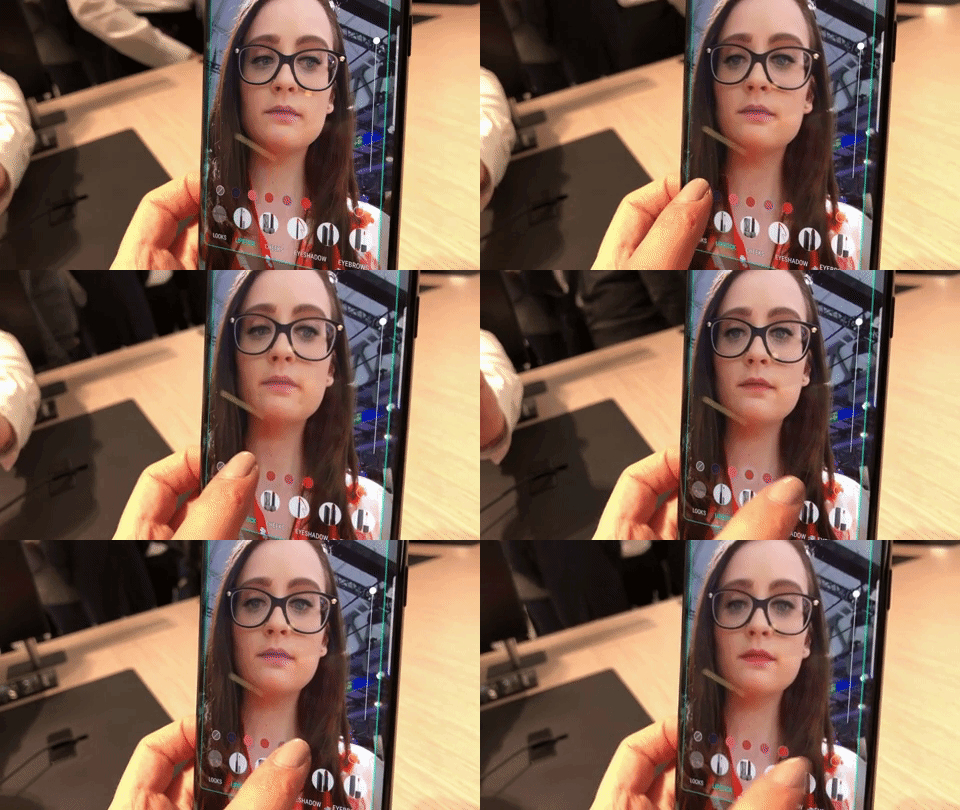
With the addition of Bixby Vision, the Galaxy S9’s camera offers the ability to try on makeup that you can then purchase through Sephora or Cover Girl. Using the front-facing camera and integrated augmented reality technology, you can try on a variety of different products by tapping through the categories. Samsung specifically uses ModiFace software to make it look realistic — which is the same company that powers beauty apps like Sephora, Estée Lauder, and L’Oréal.
When using the camera in Bixby, the makeup filters align on your face the way a Snapchat filter would, so you can experiment with a ton of different combinations without the commitment. There is the option to try a gallery of already-completed looks, or you can narrow it down to specifics — such as eyeshadow, lipstick, eyebrows, and more.
Create My Emoji

Similar to Apple’s Animoji, AR Emoji captures your facial movements and mirrors them through animated characters such as a bunny or a cat. In addition, Samsung has also partnered with Disney to include AR Emojis of classic characters like Mickey Mouse and the members of The Incredibles.
But with the Create My Emoji feature, you’re able to create AR Emojis of yourself. After snapping a selfie, you receive your avatar and can edit the skin tone, outfit, hairstyle, and hair color, and can add glasses. Once you finished perfecting your AR Emoji, you can then add it as a sticker pack to your gallery and share it to any app you want. That way, you will be able to easily send animated GIFs of your AR Emoji through text messages since it’s conveniently available on your keyboard.
Super Slow Motion and setting it as your lock screen
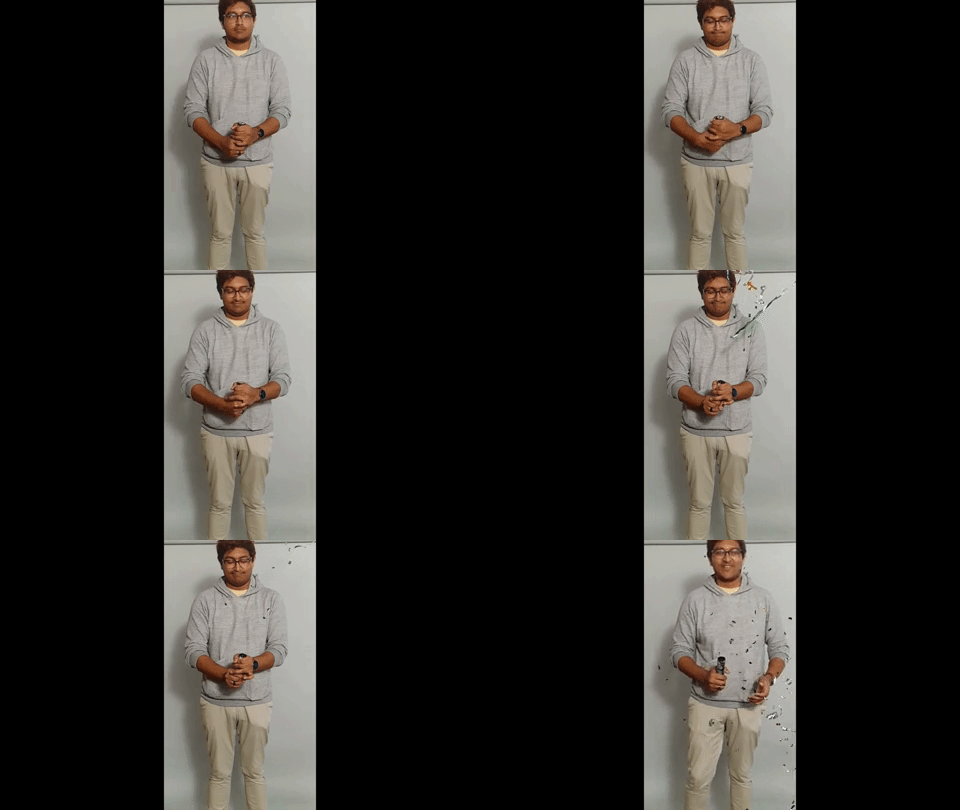
Super Slow Motion allows you to do slow down your video footage — about 32 times slower, to be exact. There are two ways you can apply the effect — manual and auto. With manual, you can control when the slow motion goes into effect whereas auto predicts the part of the video you will most likely want to slow down.
Additionally, the feature uses machine learning to apply music to the background depending on the theme of the video. Similar to Apple’s iOS 11, Samsung’s software will automatically convert the content into Swing, Loop, or Reverse GIFs. If you can’t get enough of your masterpiece, you also have the option of setting the slslow-motionideo as your lock screen. Although, we’re not too sure how much battery power that may drain.
Live Focus camera mode

While it’s not a new feature for Samsung, this is the first time Live Focus is included on a Galaxy S series. But you will only find it on the Galaxy S9 Plus since it has the dual camera setup.
Originally featured on the Note 8, Live Focus applies a blur effect known as bokeh around a specific subject. While the feature is similar to the iPhone 7 Plus’ Portrait Mode, Live Focus allows you to adjust how much blur you want in your shot before and after you take the photo.
Easily accessible fingerprint sensor

While the Galaxy S9 looks almost identical to its predecessor, there is one subtle design change — the placement of the fingerprint sensor. On the Galaxy S8, the sensor sat to the right of the camera lens which was uncomfortable and caused users to sometimes place their fingers on the lens. Its positioning on the smartphone also made it difficult to reach.
We were happy to see this year’s model has the fingerprint sensor directly underneath the camera, while the flash takes its place on the right instead. Even with the dual camera system on the Galaxy S9 Plus, the sensor is also placed in the same spot under the camera — making it feel far more natural to unlock your phone.


