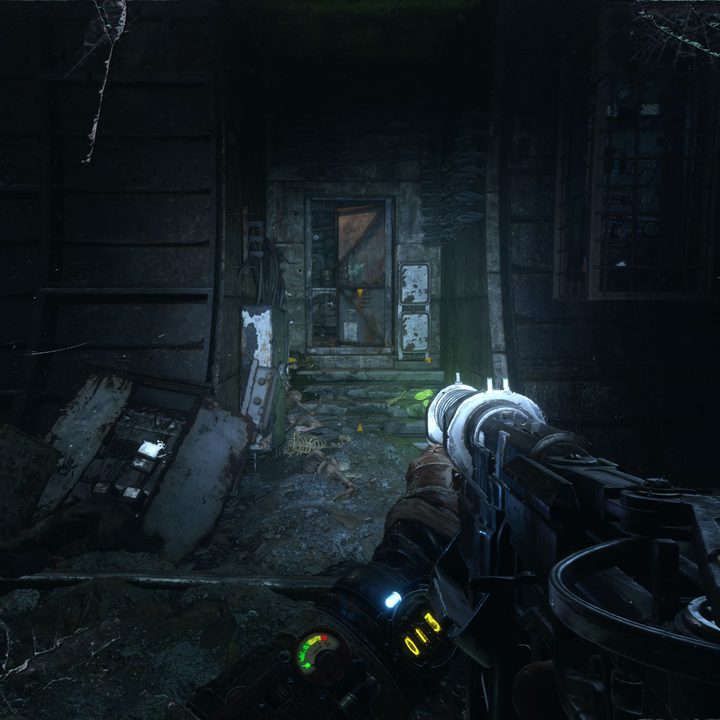
Nvidia made some ambitious claims in late 2018 alongside the launch of its new RTX GPUs. The two standout features of these cards, ray tracing and DLSS, were built to deliver two things all gamers want more of. Better graphics, and better performance.
Yet in the nearly five months since the launch of the RTX cards, only one game really utilized these new features. Battlefield V. That’s a problem.
The launch of Metro Exodus changes that. It includes support for both features. Along with the recent DLSS patch for Battlefield V, we’re finally able to see what Nvidia’s promises mean in the real world. So, does DLSS make ray tracing better, or make its problem even worse?
Tracing rays in Metro Exodus
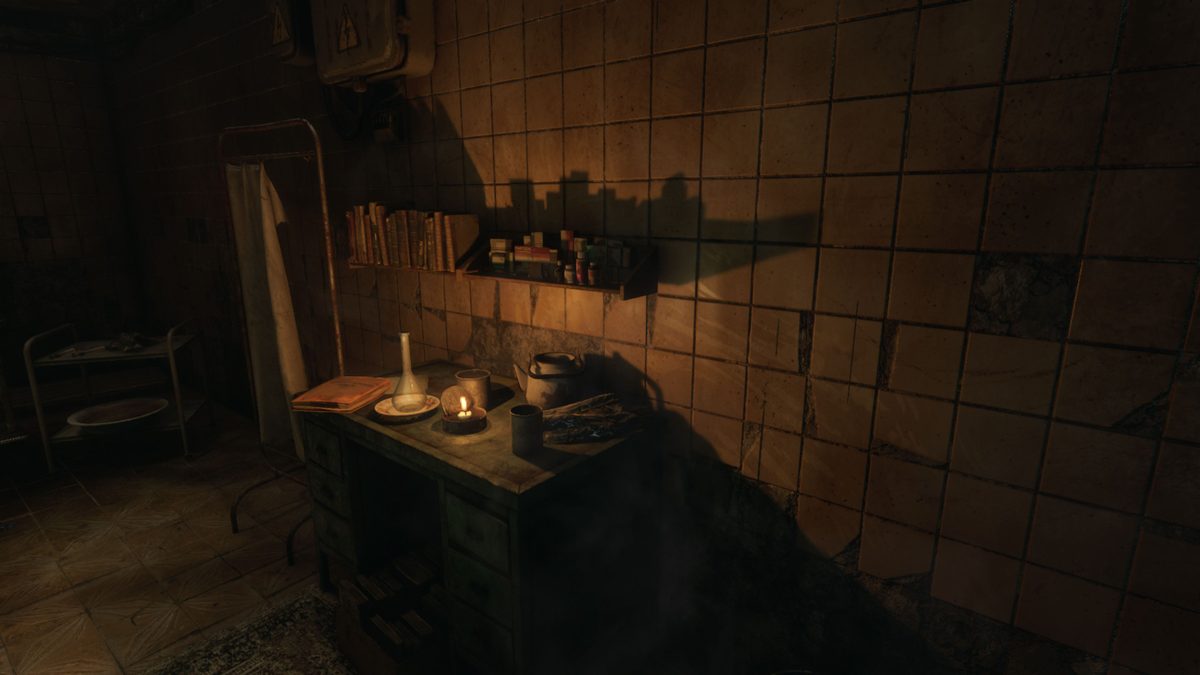
Metro Exodus is the perfect game to show off ray tracing. It’s creepy, atmospheric, and relies heavily on lighting to create its tone. Battlefield V is often too fast-paced to really appreciate the feature’s subtle details. The post-apocalyptic Metro Exodus is slower. It gave us plenty of time to tiptoe through environments and take in the world.
So I was a bit surprised when I didn’t notice much of a difference. The introductory scenes include a dark, abandoned subway station and the soft-lit rooms of The Order home base. Lit candles and glowing green mushrooms looked no different with ray tracing on or off. Metro Exodus is a beautiful title, but the only thing ray tracing did was hamper performance. More on that later.
That all changed when the game led us outside for the first time. See, in Metro, ray tracing is only applied to natural light sources — so, the sun and the sky. That’s it. That’s why I didn’t notice a visual difference before.
I noticed the impact of ray tracing while climbing down the stairs of a decrepit building, full of holes and windows where light could shine through. Turning on ray tracing meant bedrooms appeared significantly darker, with light only piercing through in specific areas. Corners of the rooms away from the light were very dark. Turning off ray tracing left those areas visible.


- 1. Metro in 4K with ray tracing disabled.
- 2. Metro in 4K with ray tracing enabled.
This had an impact on the game experience. Without ray tracing on, using a flashlight was completely unnecessary in this part of the scenario. With it turned on, I couldn’t easily navigate without the flashlight on. I won’t guess the developer’s intent, but the darker atmosphere certainly fits the tone of the game as a whole.
The problem? There’s not many places where ray tracing was easy to notice. The scene above was an extreme example, and also a rare one. I found myself constantly flipping the feature on and off, and rarely could I see any difference.
The decision to apply ray tracing only to natural light sources in a game that mostly takes places underground is noteworthy. Apparently, there are some more outdoor environments later on that could make ray tracing more noticeable, but it doesn’t feel like a prominent part of the game in my experience.
Metro’s ray tracing still feels like an early glimpse of what the technology can really do — and for the performance hit the game takes, it might not be worth it.
DLSS saves performance, but sacrifices visuals


- 1. Metro in 1440p with DLSS and ray tracing enabled.
Unlike ray tracing, which is all about improving visuals, DLSS (deep learning super-sampling) is supposed to improve performance. We don’t know all the specifics about what this process does behind the scenes, but Nvidia has spoken about it as a performance boost that can compensate for ray tracing. At CES 2019, the company addressed criticism over how taxing ray tracing was in testing of Battlefield V. DLSS was its solution.
I tested DLSS in Metro Exodus on the Origin Millennium, which includes not one but two GeForce RTX 2080 Ti graphics cards. Since that might be a little unfair, I disabled SLI to get closer to what the average RTX owner might see.
With ray tracing off, I wasn’t surprised to see great results at both 1080p and 1440p. Framerates exceeded 100 frames per second with settings turned to Extreme. Even at 4K, the game averaged 60 FPS with settings maxed.
With ray tracing on, though, it’s a different story. That solid 60 FPS at 4K resolution sank to a more modest 38 FPS. That’s even in scenes where ray tracing wasn’t noticeably used, such as underground tunnels. Ray tracing is more enjoyable at 1080p, but the dip in performance remains significant.
But that’s what DLSS is for, right? Technically, yes. The process does reverse the dip and bring framerates nearly back to what they were if ray tracing was disabled. The performance boost works, but the impact it has on visual quality is immediately apparent.


- 1. Metro with DLSS enabled.
- 2. Metro with DLSS disabled.
It’s not noticeable until you view these shots at full size, but there’s a definite blur applied to almost everything on the screen when DLSS is turned on. The detail around the gun becomes a bit hazy, as do the reflections off the light in the water. There’s just something off about it. It’s most noticeable when viewing objects in the distance, as they appear out of focus. This slightly blurry look applies to everything, including in-game menus.
It’s not a desirable effect when you’ve paid for a 4K monitor and the rig to power it.
Previous testing has suggested DLSS might actually be rendering a scene at a lower resolution and upscaling certain elements to trick your eyes. We don’t have confirmation that’s true, but from our experience with Metro, it certainly affirms that analysis. DLSS only works with more demanding setups, and for our RTX 2080 Ti, that meant high resolutions with all settings and ray tracing maxed out.
Ray tracing still awaits its showcase
Metro Exodus is not the glorious showcase of ray tracing and DLSS it needs to be. The performance impact of ray tracing is always in effect, but the visual benefit is rarely noticeable.
DLSS does solve the performance problem, but it leaves behind a noticeable residue that undoes any positive effect ray tracing has. In its current state, if we had to choose, we’d rather play Metro Exodus with all the RTX effects turned off.
That doesn’t mean DLSS and ray tracing are empty pursuits. There’s plenty of potential for both. Nvidia even says its supercomputers will continue to train games like Metro to keep improving DLSS. But right now, it’s just not ready for action.