1. Home
  2. Computing
  3. Deals

For today only, Amazon offers a bundled TurboTax and Quicken subscription deal

Add as a preferred source on Google
turbo-tax-ipad
Image used with permission by copyright holder

Tax Day is closer than you think. The deadline to file your taxes is less than two months away. Many people hire an accountant to handle their taxes, but there are those of us who would rather go it alone. If you can’t afford an accountant, don’t fret. There are still plenty of tax prep software deals to be had.

In fact, for those who’d prefer to file their taxes on their own but still might need a bit of tax prep guidance, today’s tax prep software deal from Amazon might be particularly helpful.

For a limited time only, Amazon is offering a personal finance software subscription bundle deal that includes a TurboTax Deluxe software disc, five free federal e-files, one free download of a TurboTax state product, and a Quicken Deluxe 2019 personal finance software subscription. The Quicken subscription will last for one year and two bonus months.

In addition to tax prep guidance and five free federal e-files, customers can also get access to Quicken’s bill pay services and use Quicken to help track their spending.

According to the listing, the Deluxe version of the TurboTax software offered in the deal is best for those with more complicated tax prep situations, such as those with “a lot of deductions” or those with charitable donations, homes, or “child-related expenses.”

Today’s bundle deal seems to offer the best value for its price. Rather than paying the bundle’s regular price of $83, customers can take advantage of all of the bundle’s amenities for just $60.

It’s worth noting, however, that this particular bundle deal means that customers will get a disc for the TurboTax Deluxe software portion, but not for the Quicken portion. The Quicken part of the deal will be available for installation as a digital download.

The software for both the TurboTax Deluxe and Quicken Deluxe 2019 are compatible with the following platforms: MacOS X El Capitan 10.11, Windows 8.1, Windows 8, Windows 10, and Windows 7.

This bundled software subscription deal is expected to end at midnight on Wednesday, February 27.

For those who happen to miss the deadline for this deal, check out these tax prep software deals.

Anita George
Anita George has been writing for Digital Trends' Computing section since 2018. So for almost six years, Anita has written…
Google just changed how it grades the AI models you use for Android coding
Android Bench has a new testing framework and eight new models, so the rankings you remember are now out of date.
Android Bench featured.

Google just changed how it measures which AI models are best at writing Android app code, and the update has shuffled the rankings developers use to pick their tools. The company's Android Bench leaderboard, which launched in March, now runs on a new testing system called Harbor. Google says this replaces the older, more generic testing tool it used before, and gives a better read on how models perform on real Android tasks, like updating old code to Jetpack Compose or handling wearable device networking.

New models shake up the top of the list

Read more
ChatGPT is coming for one of Google’s smartest Chrome features
OpenAI brings ChatGPT to Chrome to challenge Google's Gemini Side Panel
OpenAI

OpenAI is expanding ChatGPT beyond its website with the launch of a new Chrome extension that can understand the contents of the webpage you're viewing. The extension allows users to ask questions about a page, summarize articles, explain complex concepts, and even kick off longer AI-powered tasks without leaving their browser.

The move positions ChatGPT as a direct competitor to Google's Gemini in Chrome, which introduced similar context-aware browsing features earlier this year. While both tools aim to bring AI directly into web browsing, they take slightly different approaches to productivity and automation.

Read more
This open-source Mac app finds the junk files your deleted apps leave behind
Uninstally removes apps properly, leftovers and all
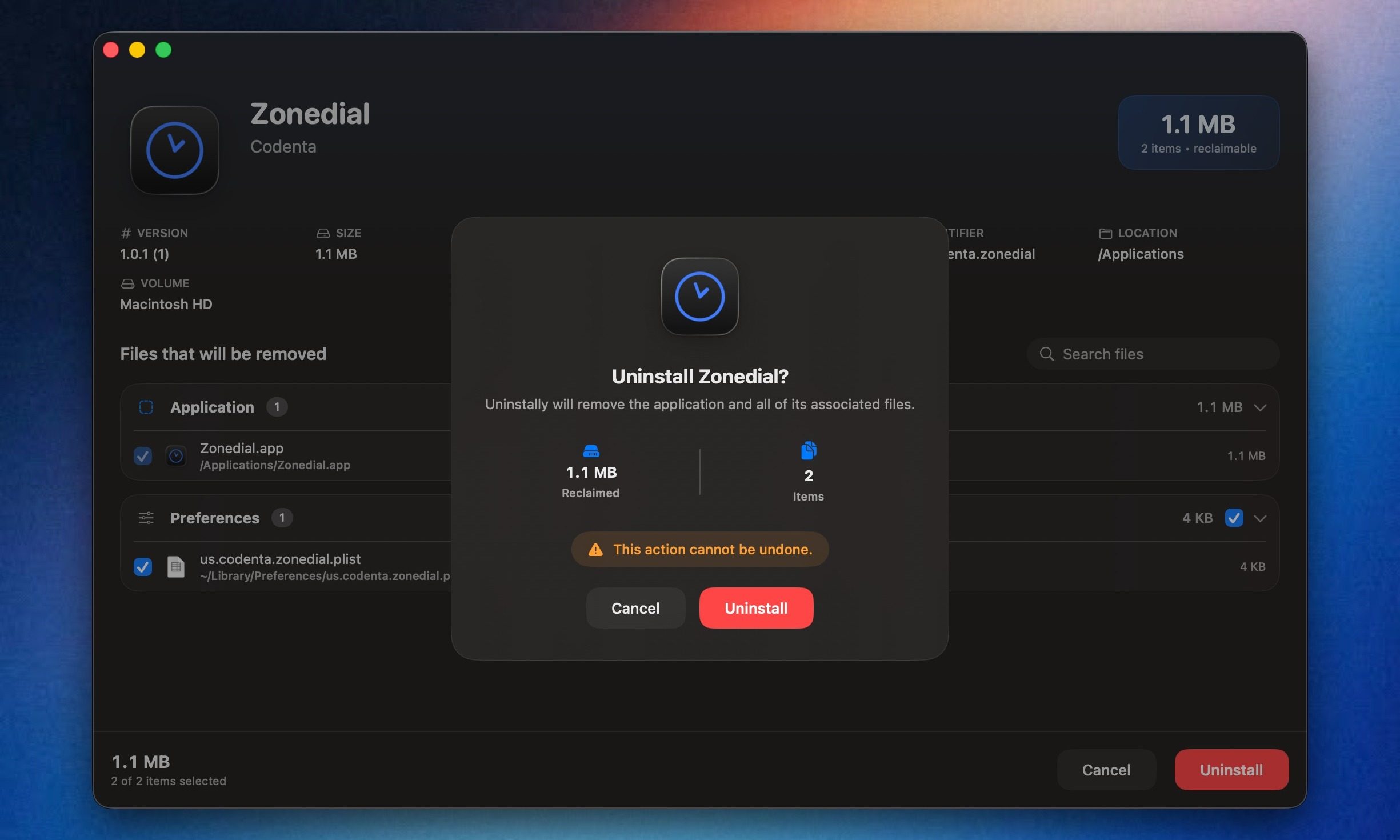
Uninstally macOS app UI

Uninstalling apps on macOS is usually very easy. You drag an app to the Trash, empty it, and move on. The annoying part is that many apps still leave residue behind, including support files, caches, preferences, containers, and logs. I have always found that frustrating, especially when old app data keeps sitting around long after the app itself is gone.

AppCleaner by FreeMacSoft has been the popular go-to option for this for years, and it still does the job well. But I recently came across a new open-source alternative called Uninstally by Codenta, which solves the same basic problem. It removes Mac apps along with the support files, caches, preferences, containers, logs, and other leftovers they usually leave behind.

Read more